Chapter 2 Basic Operation 2-12
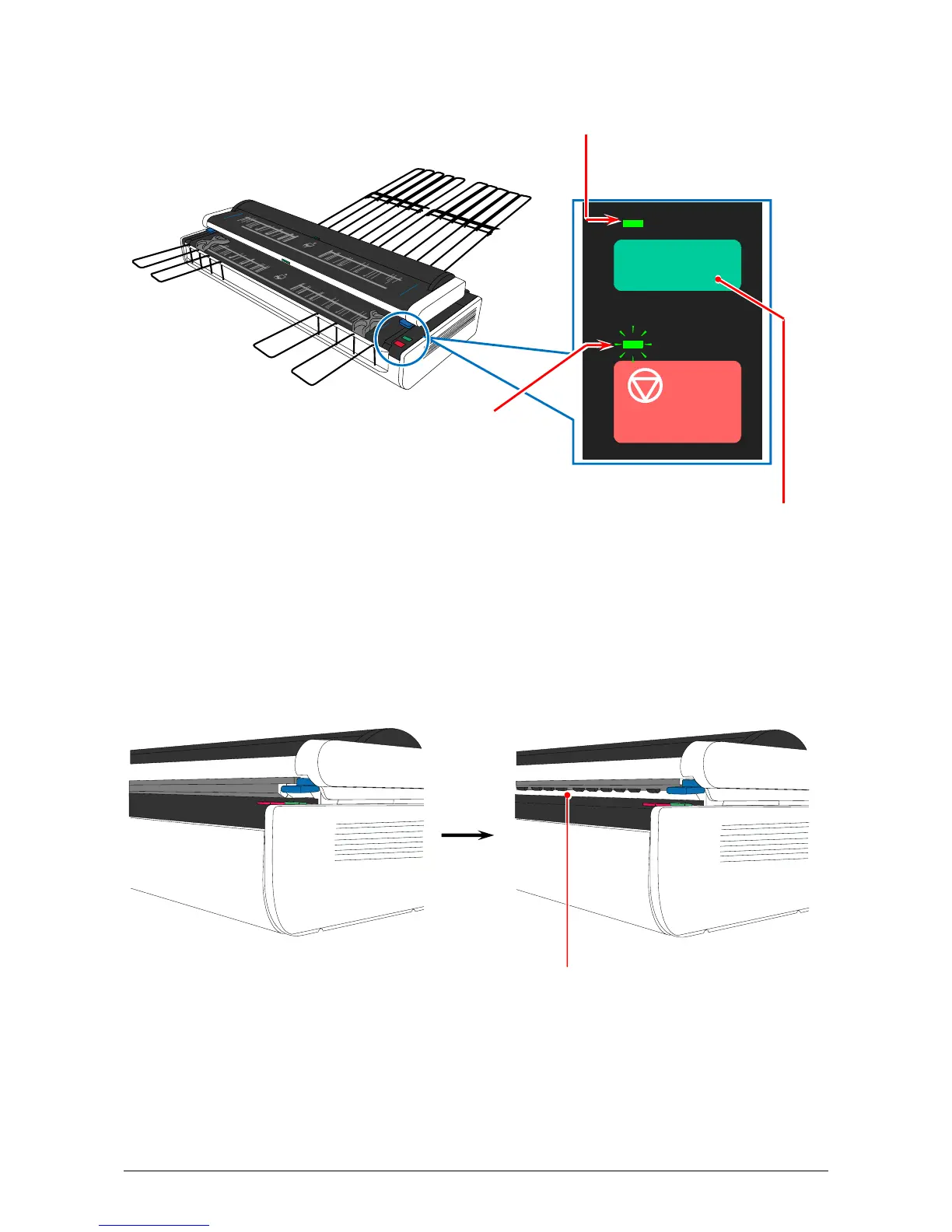
3. Press BOARD Button to enable the Board Original Feeding Mode. The BOARD Lamp lights in
green, and the Power Lamp blinks in green with waiting the insertion of board original.
BOARD Lamp (lights)
Power Lamp (blinks)
BOARD Button
(Press this to enable the
board original mode)
4. The Document Press Unit moves up when the BOARD button is pressed, which allows for
accepting thick original by having wide space in the Lower Original Feeder.
Normal Board Original Feeding Mode
Space for accepting a thick original
BOARD



 To Next Page