Chapter 2 Basic Operation 2-13
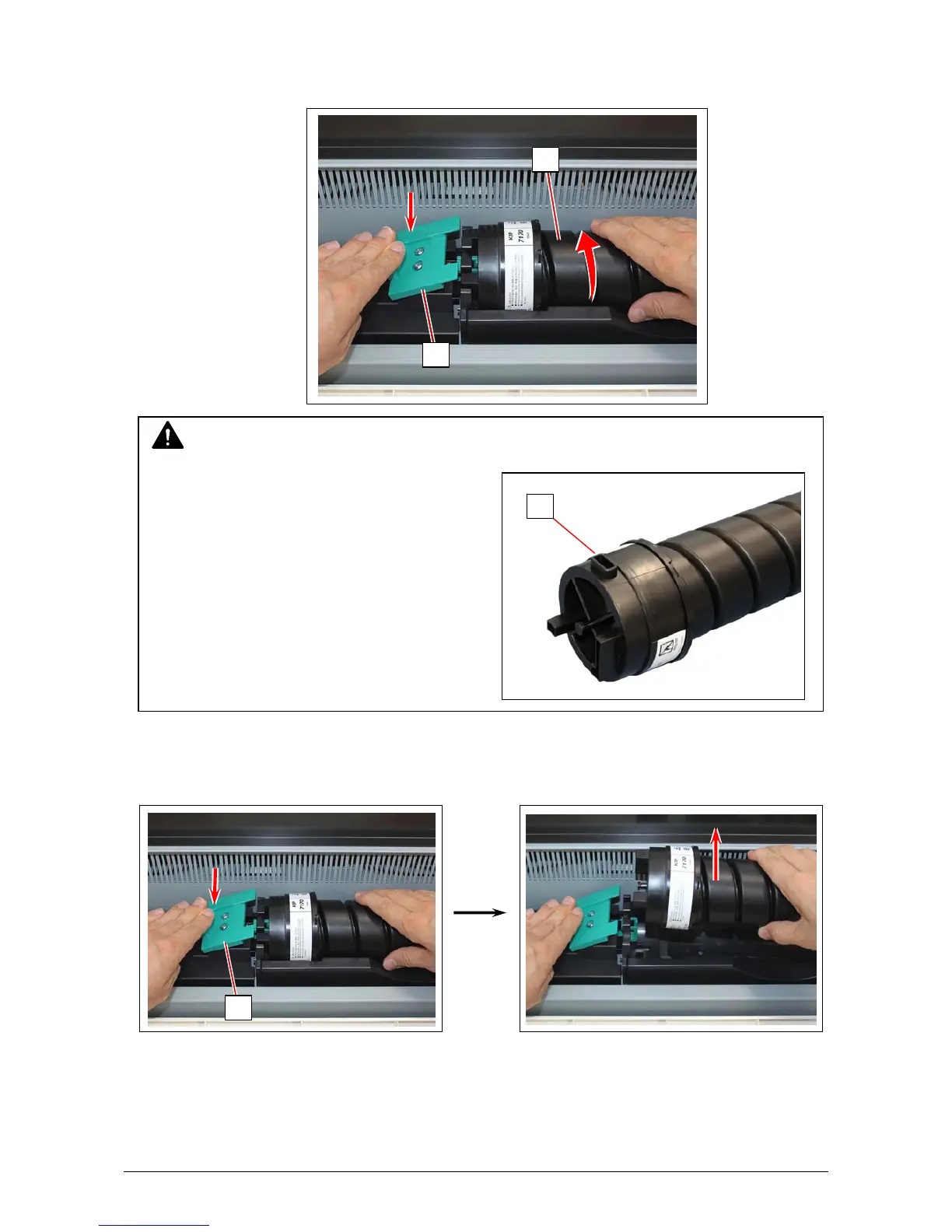
3. Pressing down the Cartridge Lock Lever (3), turn the body (4) of cartridge to the arrow direction
until it stops.
(You can close the toner supply hole of the cartridge firmly by this)
4. Pressing down the Cartridge Lock Lever (3), bring up the left side of the Toner Cartridge first,
and then remove the whole cartridge from the machine.
NOTE
The toner may drop from the toner supply hole,
and it may scattered into the machine or
on the floor if you remove the Toner Cartridge
without closing the toner supply hole (5).
3
4
5
3



 To Next Page