Chapter 2 Basic Operation 2-14
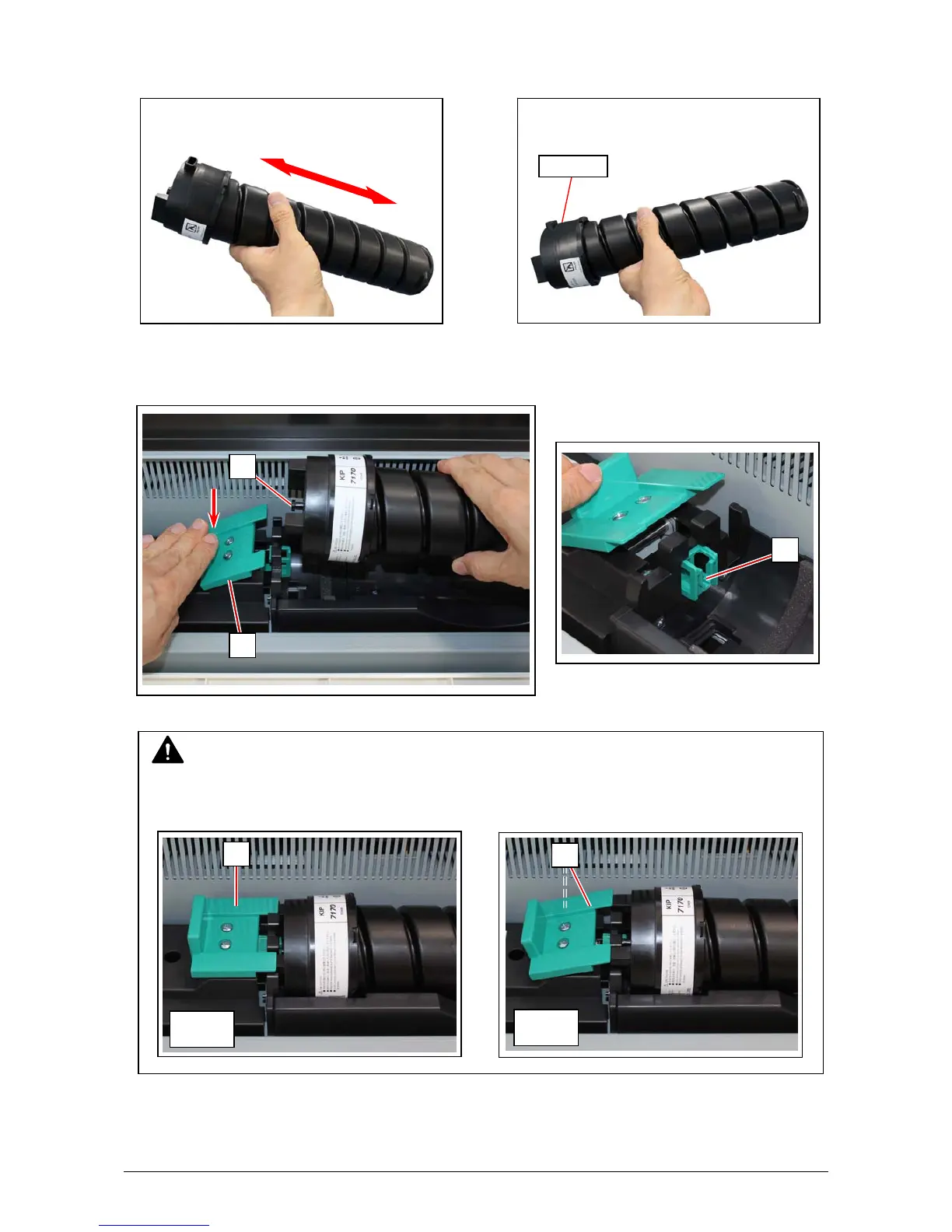
5. Shake the new Toner Cartridge left and right 5 times or more to make the toner smooth.
After shaking, tilt the Toner Cartridge to the cap side.
6. Keep pressing down the Cartridge Lock Lever (3). Direct the toner supply hole to the floor, fit
the pin (6) on the left side of the cartridge to the groove (7) on the machine side.
NOTE
Please confirm that the Cartridge Lock Lever (3) firmly locks the Toner Cartridge at the
correct position. (It must be at a level position.)
Cap Side
3
6
7
OK
NG
3
3



 To Next Page