10
PREPARING THE BLENDER FOR USE
6
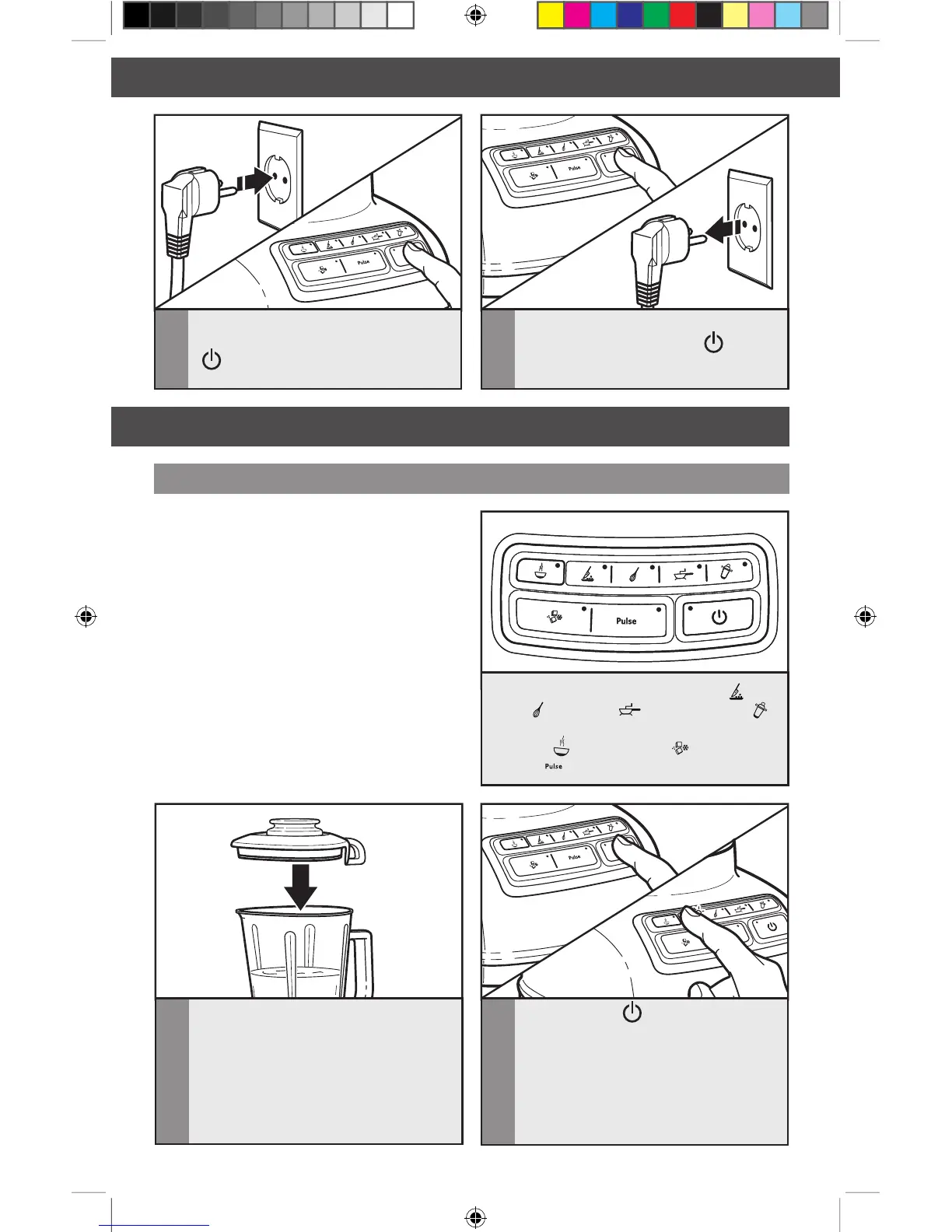
Before removing the pitcher from the
base, always press POWER
( ) to stop
the flashing lights and unplug the power
cord.
5
Before using the Blender, plug into a
grounded outlet, and press POWER
( ). The Power indicator light will
flash when ready.
OPERATING THE BLENDER
Using the Blender
2
Press POWER ( ). The Power
indicator light will flash when ready.
Then press desired speed button for
continuous operation at that speed.
The white indicator light by the selected
speed will stay lit. You may change
settings without stopping by pressing
a new speed button.
1
Put ingredients in pitcher and firmly
secure lid around the entire opening
of the pitcher.
Before Use
While the Blender Power indicator light
or the PULSE mode indicator light is on:
- Do not interfere with blade movement.
- Do not remove pitcher lid.
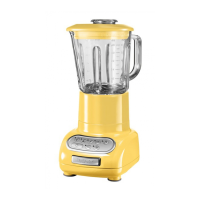
Before operating the Blender, make sure
the pitcher is properly locked onto the
Blender base.
The Blender has four speeds: CHOP ( ),
MIX (
), PUREE ( ),and LIQUEFY ( ).
It also features 3 special functions: HOT
FOODS (
) CRUSH ICE ( ) and
PULSE (
) mode.








 To Next Page