4-7
4. To remove the touch/control panel
assembly:
a) Remove the ribbon cables at P4 and P5
(see step 3c on page 4-6).
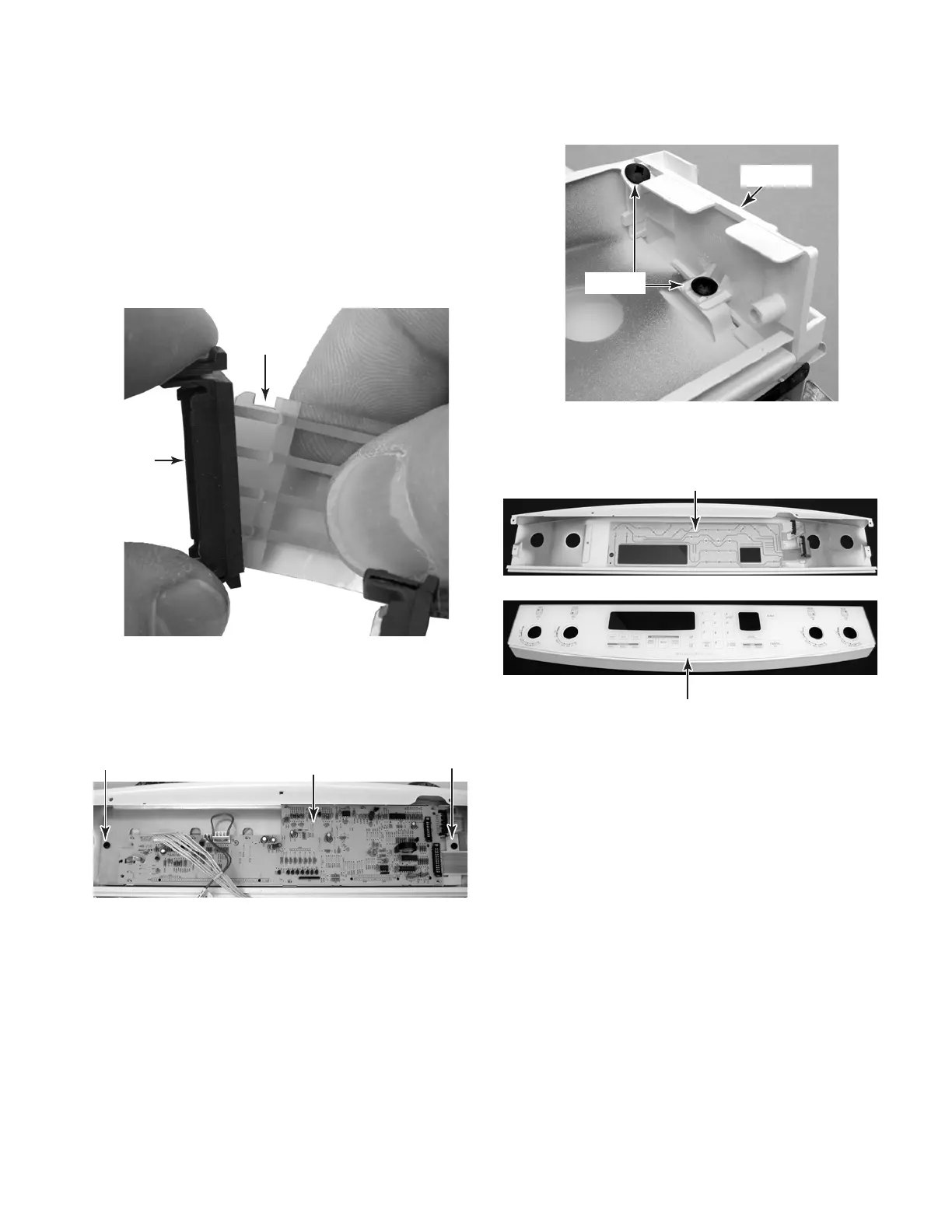
b) Remove the locking rings from the
notched ends of the two ribbon cables,
and install them on the ends of the new
touch / control panel assembly ribbon
cables.
d) Remove the two screws from each of
the two end caps and remove the caps.
Screw
Screw
End Cap
Screws
c) Remove the two screws from the elec-
tronic oven control board bracket and
remove the board and bracket from the
control panel assembly.
Notch
Locking
Ring
EOC Board & Bracket
NOTE: The touch/control panel and glass are
replaced as an assembly.
Touch Panel
Control Panel & Glass



 To Next Page