— 16 —
4-2. Dual-speed Type
The push-button switch is dual-step push-in type. The first step is for low-speed operation and the second
step for high-speed. Push to lift and to lower.
[Low-speed adjustment procedure]
The push-button can be adjusted by setting the low-speed side for the operating voltage of each country. However,
if the low speed does not work or is too fast or slow (owing to voltage and frequency fluctuation), adjust the
switch in the following way:
: NEVER touch live portions of cables, terminals, and terminal screws during
adjustment so as not to incur electric shock.
ALWAYS make sure to turn power off before servicing.
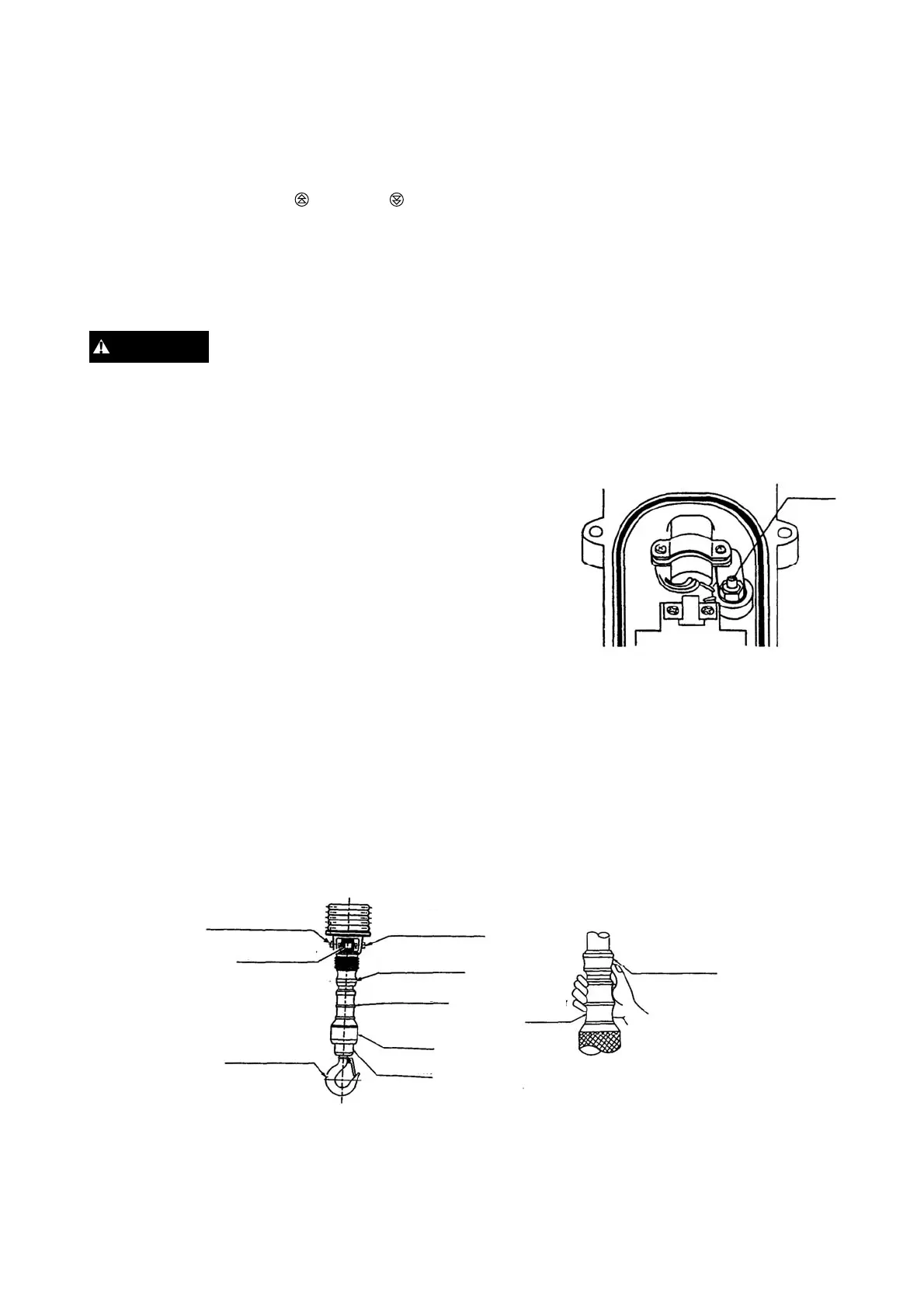
* Open the back lid of the push-button switch (as depicted in the next illustration).
* Turn the volume clockwise to increase speed or counterclockwise to lower it.
* Close the back lid of the push-button switch.
4-3. Dual speed Cylinder Type
(1) This is a handling switch type hoist. The switch is directly attached to the bottom hook.
As illustrated, the switch is cylinder shaped. Load is lifted when the switch is flipped up and lowered when
flipped down.
* The operation box has an alternate lighting switch.
* High or low lifting speed is selected by the alternate switch.
* “H” on the left side for high speed, “L” on the right side for low speed.
[Speed adjustment procedure]
If the hoist does not operate or have the proper speed, adjust the speed volume as follows:
* For increasing the lifting speed, turn the volume clockwise.
DANGER
Volume
High-speed
adjustment volume
Speed selecto
Cylinder
grip
Low-speed
adjustment volume
Cylinder control
Cylinder grip
Body nut
Hook cam
Detachable hoo
Cylinder control
Operation (example)
Hold the cylinder grip and operate the cylinder control with
either the thumb or thumb and index finger.



 To Next Page