40 41
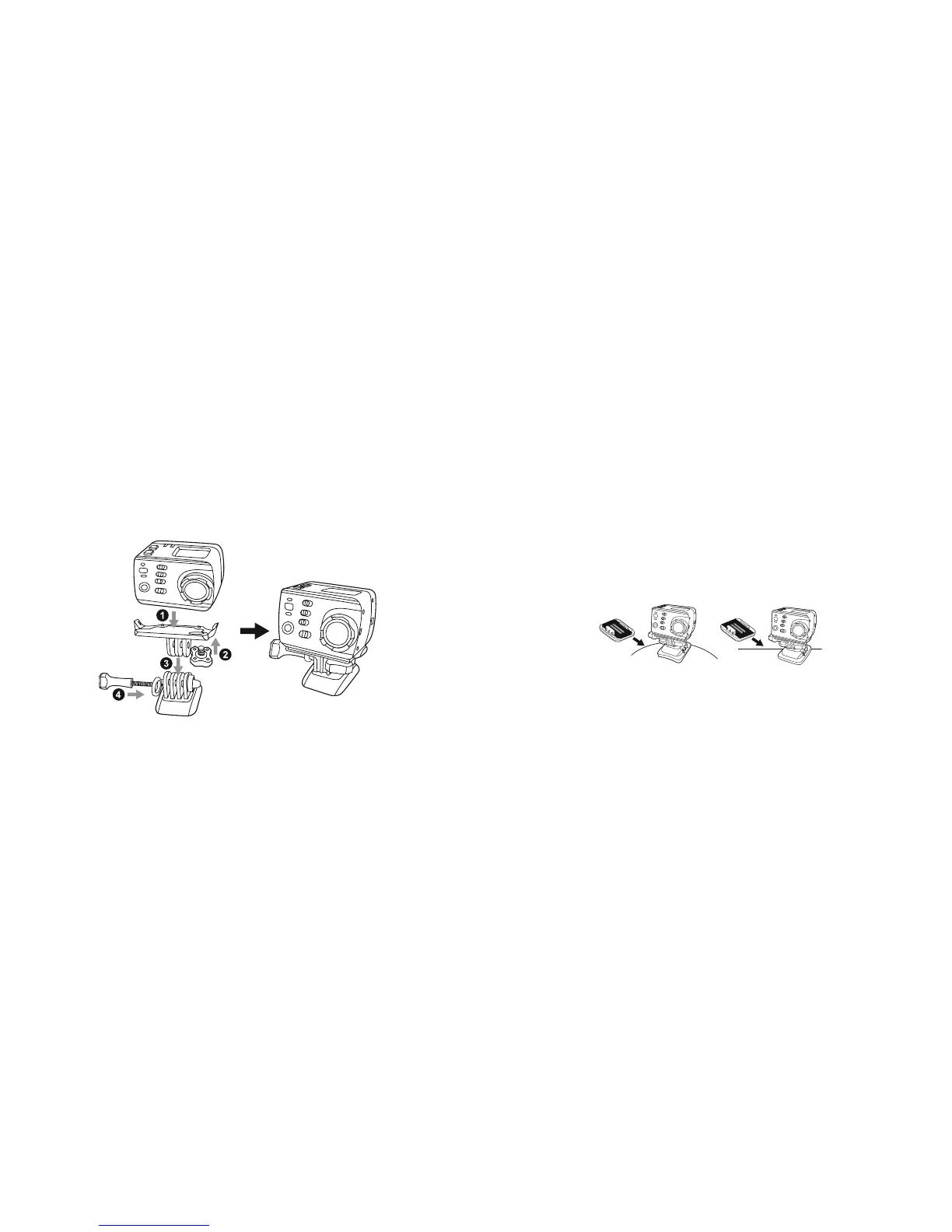
Mount connector
The plug bracket can fix the Edge HD30W firmly onto the mount connector clip.
Using the curved and adhesive mounts
The Edge HD30W comes with a curved and a flat adhesive mount for installation on different surfaces. You can easily
attach the camera onto a helmet, a vehicle or the surface of other devices.
Precautions for the using the 3M double-sided foam tape
1. Before fixing the 3M double-sided foam tape, please select an appropriate curved or flat surface for the tape to
stick to
2. Before using the 3M foam tape, please clean the surface that the tape will be adhered to
3. Before applying the 3M foam tape, we recommend heating the surface (with a hair dryer, for example), especially
when the temperature is below –20°C
Curved adhesive mount Flat adhesive mount
Troubleshooting
We hope you’ve now got all the information you need to get started, but if you’re having problems with anything,
please feel free to contact us at: support@kitvision.co.uk



 To Next Page