25
SOFT 80, SOFT 100 PELLET-BURNING STOVE
Indicates the status of the brazier cleaner.
(OFF = Contact OPEN = Brazier not aligned)
(ON = Contact CLOSED = Brazier aligned)
Indicates the status of the pellet level sensor inside the tank.
(OFF = Sensor covered = Pellets in the tank above the reserve limit)
(ON = Sensor uncovered = Pellets in the tank below the reserve limit)
Indicates the hours remaining before servicing, to be requested from the Technical Assistance Centre.
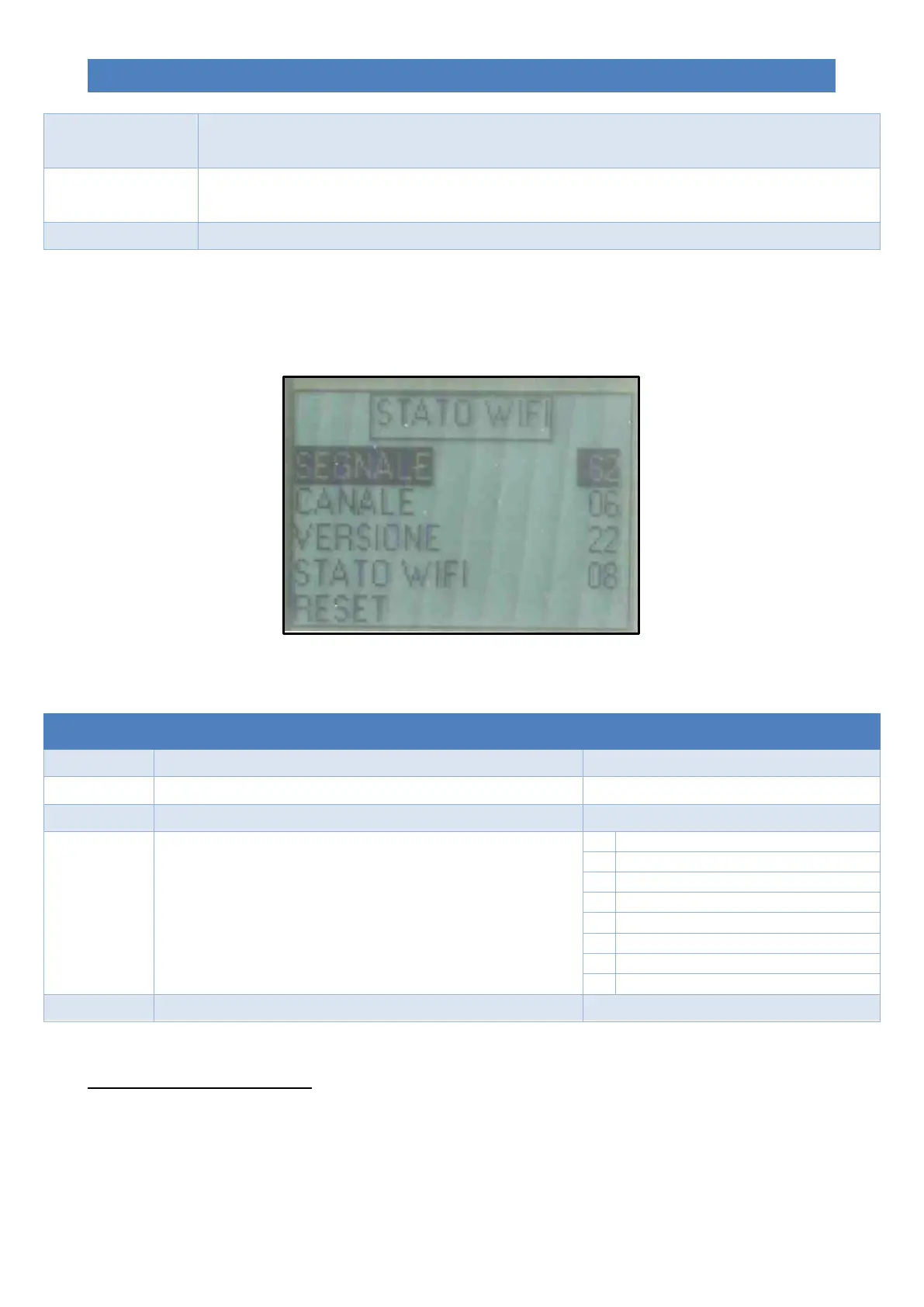
Menu 08 – WiFi status
Allows for viewing the current status of the built-in Wi-Fi board.
The image below shows the display of the Wi-Fi board status:
The table below indicates the various items with the relevant meaning:
Indicates the value of the Wi-Fi signal measured by the reception board.
Indicates the channel to which the Wi-Fi board is connected.
Indicates the firmware version is loaded on the Wi-Fi board.
Indicates the status of the Wi-Fi board.
Attempt to connect to server
Allows for resetting the previously configured Wi-Fi connection.
Menu 09 – User settings *
Menu reserved for expert users only; allows for calibrating pellet loading (TYPE PELLET) and the flue gas extraction
speed (TYPE CHIMNEY) in a limited manner, according to the procedures indicated in the following table:


 To Next Page