29
SOFT 80, SOFT 100 PELLET-BURNING STOVE
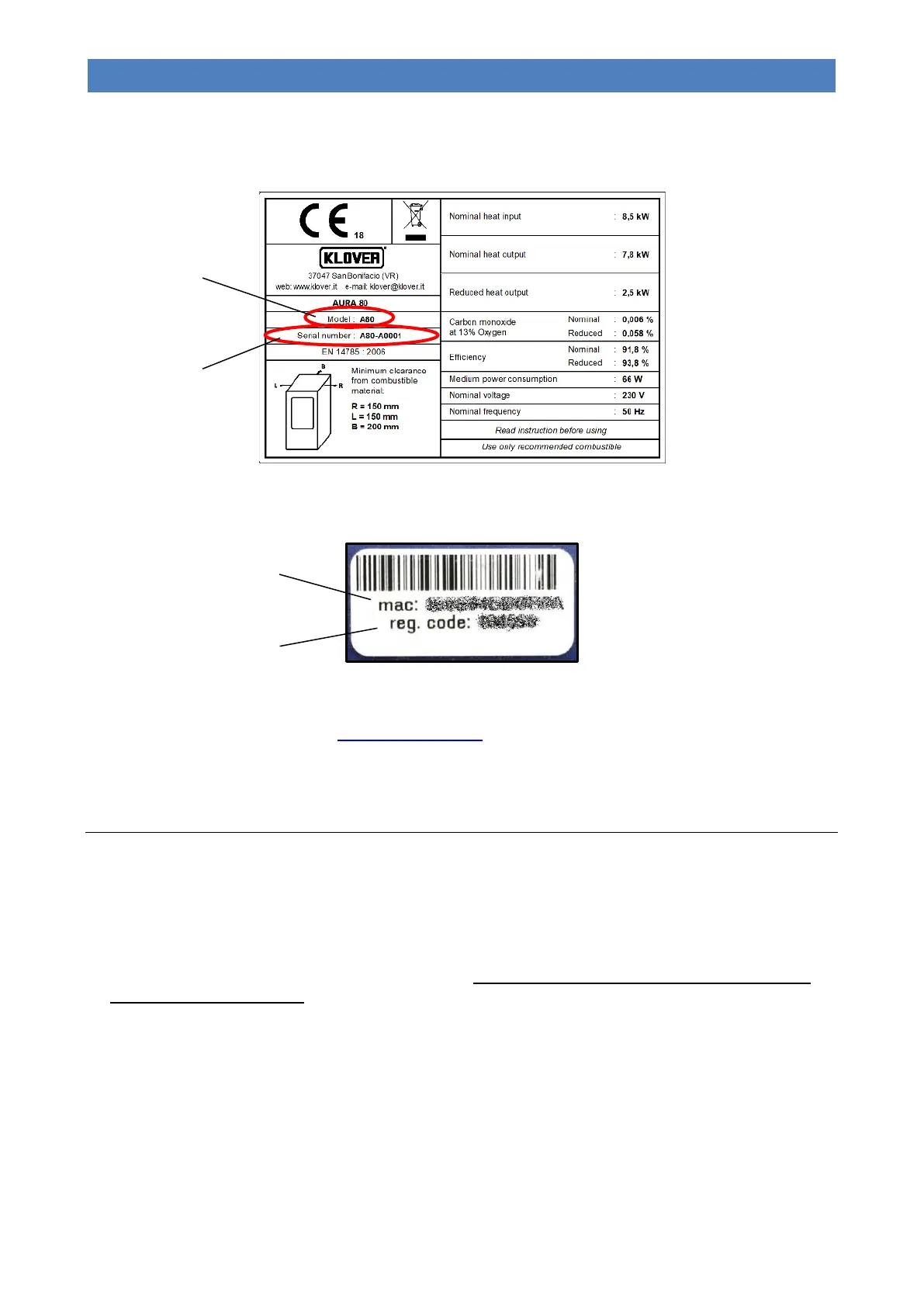
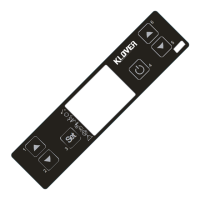
The following information will be requested during the procedure:
- ITEM CODE (Model) and SERIAL NUMBER, which can be found on the CE label affixed to the appliance.
- MAC ADDRESS and REGISTRATION CODE, which appear on the label affixed near the “Support panel” (see
“Components of the appliance”).
12. At this point, the appliance will be added and can be managed through the Web app from any device (PC / tablet /
smartphone) connected to the Internet.
It can be accessed from the address http://appwifi.klover.it/it/ or via the “My KLOVER” app, which can be downloaded
from various stores (Apple, Android, etc).
COMMISSIONING
Initial start-up
Perform the following operations:
- Connect the appliance to the electrical system using the cable provided;
- Set the “power ON/OFF switch” on the rear side of the appliance to “׀” (on);
- Fill the pellet tank; for the initial start-up, we recommend observing the procedure specified in “MENU 06 – INITIAL
LOAD” to avoid having to fill the entire auger feed channel (this operation should be carried out whenever the
appliance runs out of pellets).
- Switch the appliance on by pressing the “ON/OFF” button located on remote control (button 3) or on the support
panel (button 1). Refer to the instructions provided below. Warning: before switching on the appliance, make
sure the brazier is clean and that there are no pellets inside it; otherwise, empty and/or clean it.
We recommend using good quality pellets so as to avoid impairing the appliance’s operation. Damage caused
by poor quality pellets shall not be covered by the warranty.
Do not pour pellets manually into the brazier.


 To Next Page