27
SOFT 80, SOFT 100 PELLET-BURNING STOVE
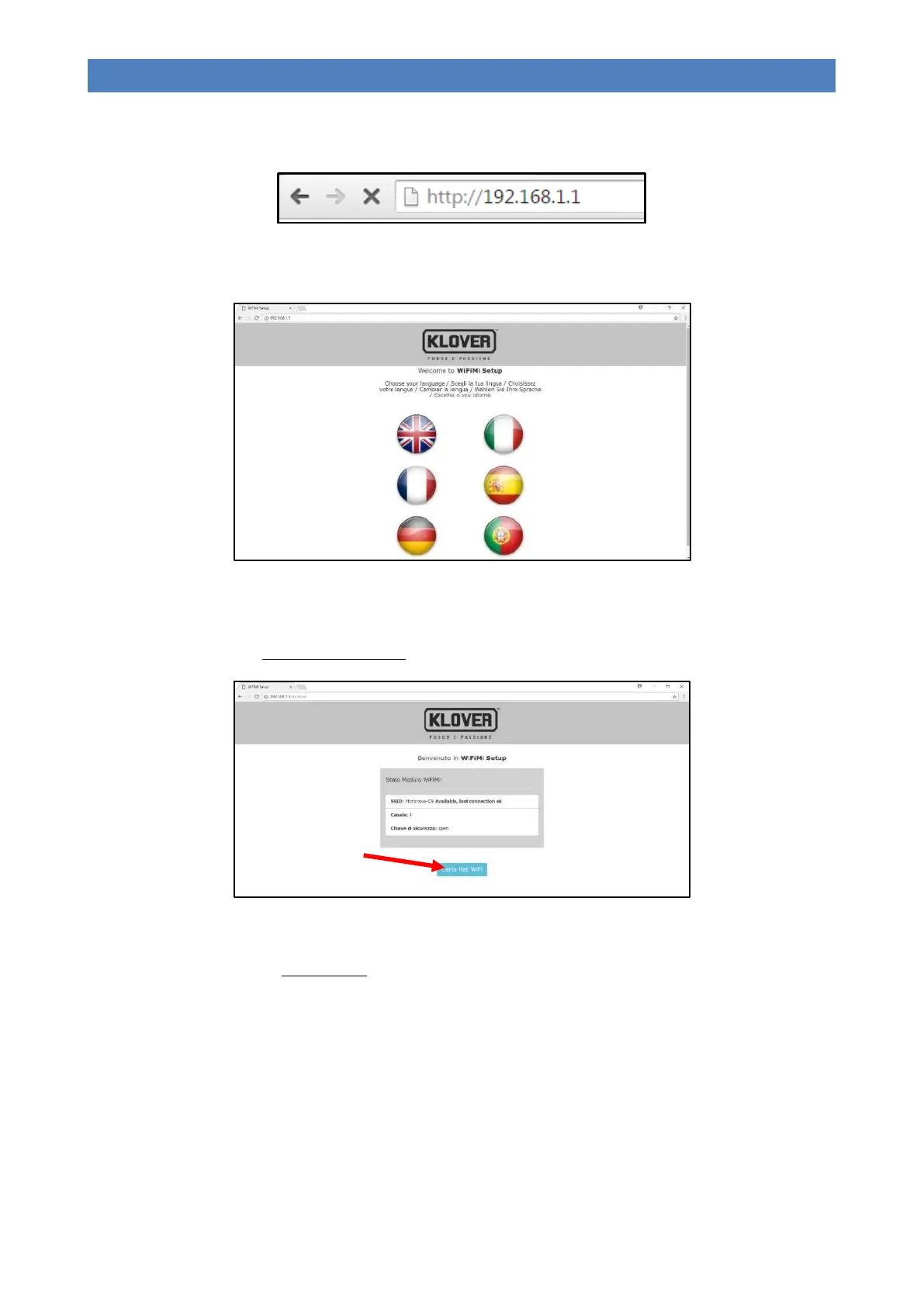
4. Open the current browser (Internet Explorer, Firefox, Safari, etc.) used by the device and enter the following address
in the address bar: http://192.168.1.1 .
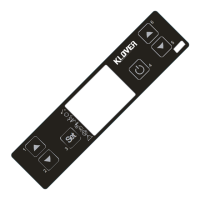
5. The home page of the Wi-Fi module will open up (Welcome to WiFiMi Setup). Select the language to be used for the
successive Wi-Fi module configuration menus.
6. A new page will open up (Welcome to WiFiMi Setup) containing all the data relative to the previous configuration. To
reconnect the module to the indicated network, go to “Menu 08 – WIFI STATUS” of the remote control, select
“RESET” and wait for value “08” (Module connected) to appear under “WIFI STATUS”. If you wish to connect to a
new network, press the “Search Wi-Fi Networks” button.
7. The last configuration page will then open up (Search available Wi-Fi networks). Select the network to be used from
the list in order to connect the appliance to the Internet then enter the password for the selected network. If the
network is hidden, click on “Custom SSID” and enter the two parameters requested.


 To Next Page