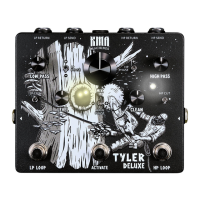
12.3 ENDGAME Firmware Update App
To transfer a Firmware update to your ENDGAME, connect the pedal to 9 V DC power and to
your computer via ENDGAME’s USB-C port and a suitable USB cable.
Run the KMA Machines ENDGAME Updater app you have downloaded from the KMA
website[https://kmamachines.com/endgame#update] and installed on your computer.
When you open the app, it should detect your ENDGAME pedal, if it is connected to your
computer via USB. If not, unplug and re-plug the USB connection or try another known working
USB cable.
Once ENDGAME is detected, the app will state “KMA Machines ENDGAME Connected” in the
middle of the window. It will also display the current Firmware version that is installed to your
unit.
At the top right of the window, you will see a drop down that selects which version of rmware
you wish to install to your pedal (the latest V2 version and original factory V1.04).
Once you’ve selected which rmware you wish to install, press TRANSFER and it will send the
selected rmware to the device. The progress bar will show you “Writing Firmware” and the
status. Once the update is complete, it will display “Transfer Complete”.
To check the Firmware transfer is successful, simply power cycle the unit (unplug ENDGAME
from 9 V DC power then re-apply power) and let it reboot.
Leave the app running. Once rebooted, ENDGAME should reconnect with the app and display
the new version of rmware you just installed.
Note: While the ENDGAME is a plug and play class compliant USB device, we also highly
recommend that you unmount (Mac)/ Eject (Windows) the mass storage device/drive before
unplugging it from your computer. This will help to prevent any connection errors or data loss
when reconnecting.
Back to top
KMA Machines ENDGAME manual ⋅ firmware version V2 https://kma.specs-and-docs.online/kma_endgame_manual__English.htm
54 von 57 08.01.2025, 14:38


 To Next Page