5. Panel Descriptions
5.1 Front Panel
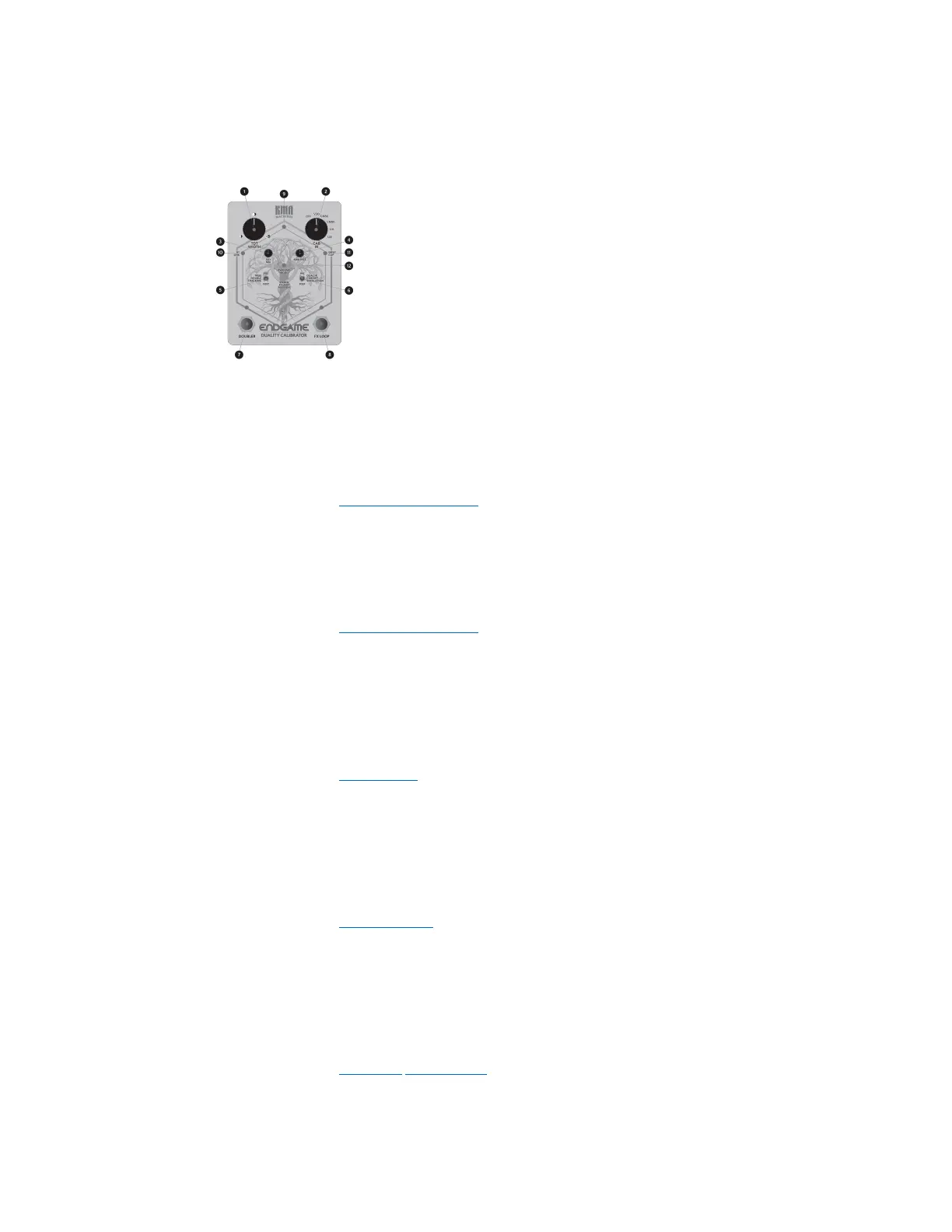
1 – TDT WIDTH Control
Use the TDT Width(Stereo True Double Tracking Doubler) control to spread your doubled signal
anywhere from (1) completely centred, (2) left and right and (3) 100% left and right split.
For more information, see the “WIDTH Control” section.
2 – CAB IR Control
Use the 6-way CAB IR switch to select the Dual Impulse Response Cabinet Simulation type.
For more information, see the “CAB IR Selector” section.
3 – AUX MIX Control
Use the AUX MIX control to set the Level/Mix of the Auxiliary Input from either the 3.5 mm
Analog or Bluetooth® inputs.
For more information, see the “Aux Mix” section.
4 – AMBIENCE Control
From completely dry all the way to a lush space, the AMBIENCE control sets the level and size of
the built-in Room Simulator.
For more information, see the “Ambience” section.
5 – TRUE DOUBLE TRACKING Toggle (TDT FX Loop Position)
Use the TRUE DOUBLE TRACKING toggle to move the Stereo FX Loop before (PRE setting) or
after (POSTsetting) the True Double Tracking Doubler.
For more information, see the “FX Loop Position” section.
6 – DUAL IR CABINET SIMULATION Toggle (CAB IR FX Loop Position)
KMA Machines ENDGAME manual ⋅ firmware version V2 https://kma.specs-and-docs.online/kma_endgame_manual__English.htm
20 von 57 08.01.2025, 14:38


 To Next Page