BAC-19xxxx FlexStat Application Guide 3 AG200824A
SETTINGS
NOTE: Select the (AHU, HPU, RTU, or FCU)
application and units BEFORE
changing any other settings. Changing
applications later will reset most
settings back to their defaults. Use
Restore APP in the Advanced menu
or software to verify or change
applications. See Advanced (Menu
Options) on page 4.
NOTE: Available menu options depend on
the FlexStat model and selected
application. Some options may require
custom Control Basic for operation
(e.g., DCV functions using an external
CO
2
sensor).
NOTE: Some changes to settings will not
affect operation until after the FlexStat
is restarted.
NOTE: Software is required for fully conguring
alarms and trends, adding custom
Control Basic code, and customizing
the display—see Display Customization
on page 9. For compatible software,
see the BAC-190000 Series FlexStats
data sheet.
Initial Conguration
For initial FlexStat conguration, following the
menu steps in this order is recommended.
1. Check that the desired (AHU, FCU, HPU, or
RTU) application is selected. If not, select it
and restart the FlexStat. See Restore APP in
Advanced (Menu Options) on page 4.
NOTE: Changing the application later will
reset most settings back to their
defaults!
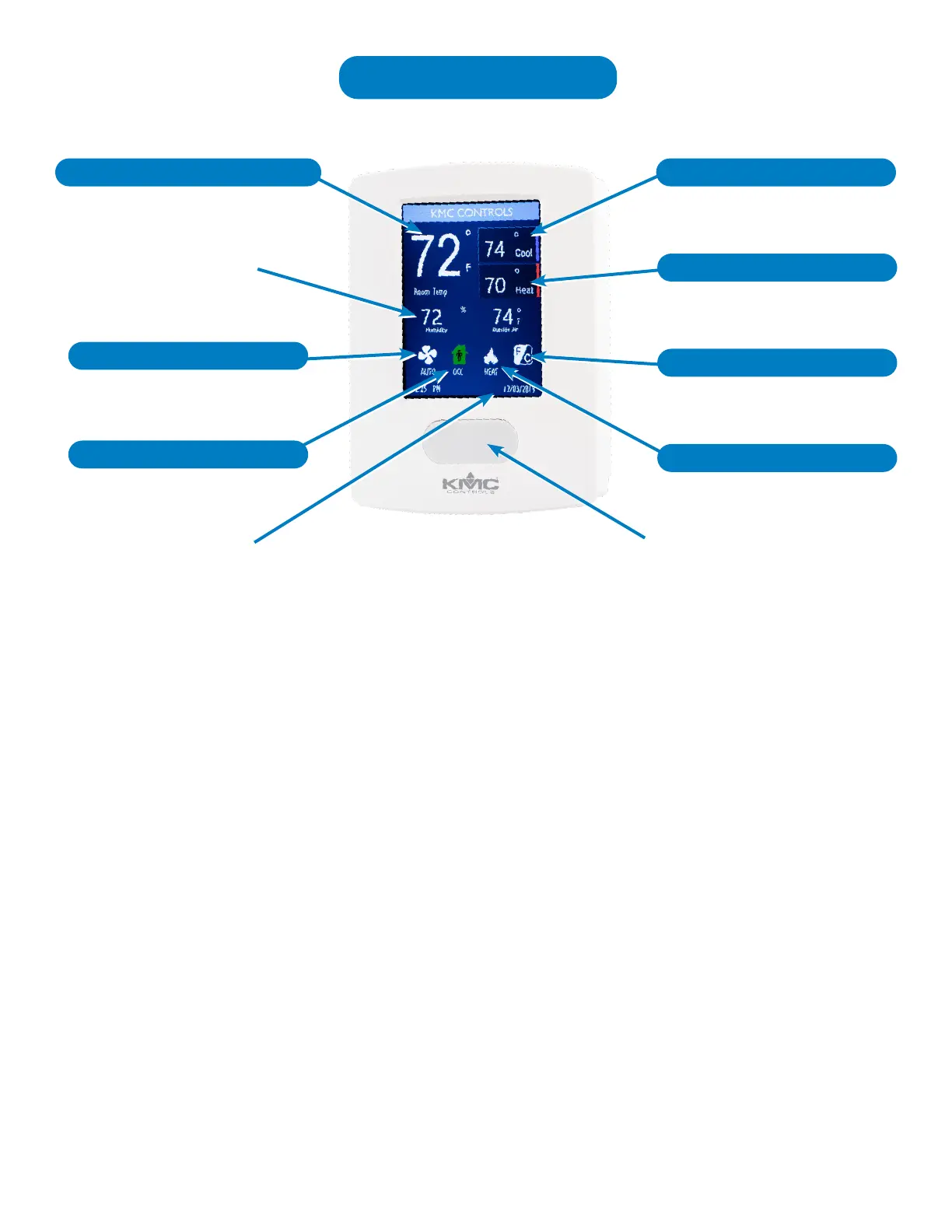
(Default Screen Conguration Shown)
Press to Change Settings
Settings (Press Space Temp)
Time and Date
Rotation Values
Occupancy Override
Fan Auto or (Constant) On
Active Cooling Setpoint
Heat/Cool/Auto/Off Mode
Motion Sensor (Not a Button)
Active Heating Setpoint
Units (°F or C)


 To Next Page