BAC-19xxxx FlexStat Application Guide 9 AG200824A
DISPLAY CUSTOMIZATION
The FlexStat menu allows basic display customi-
zation (e.g.,color theme, brightness, contrast). See
Advanced (Menu Options) on page 4.
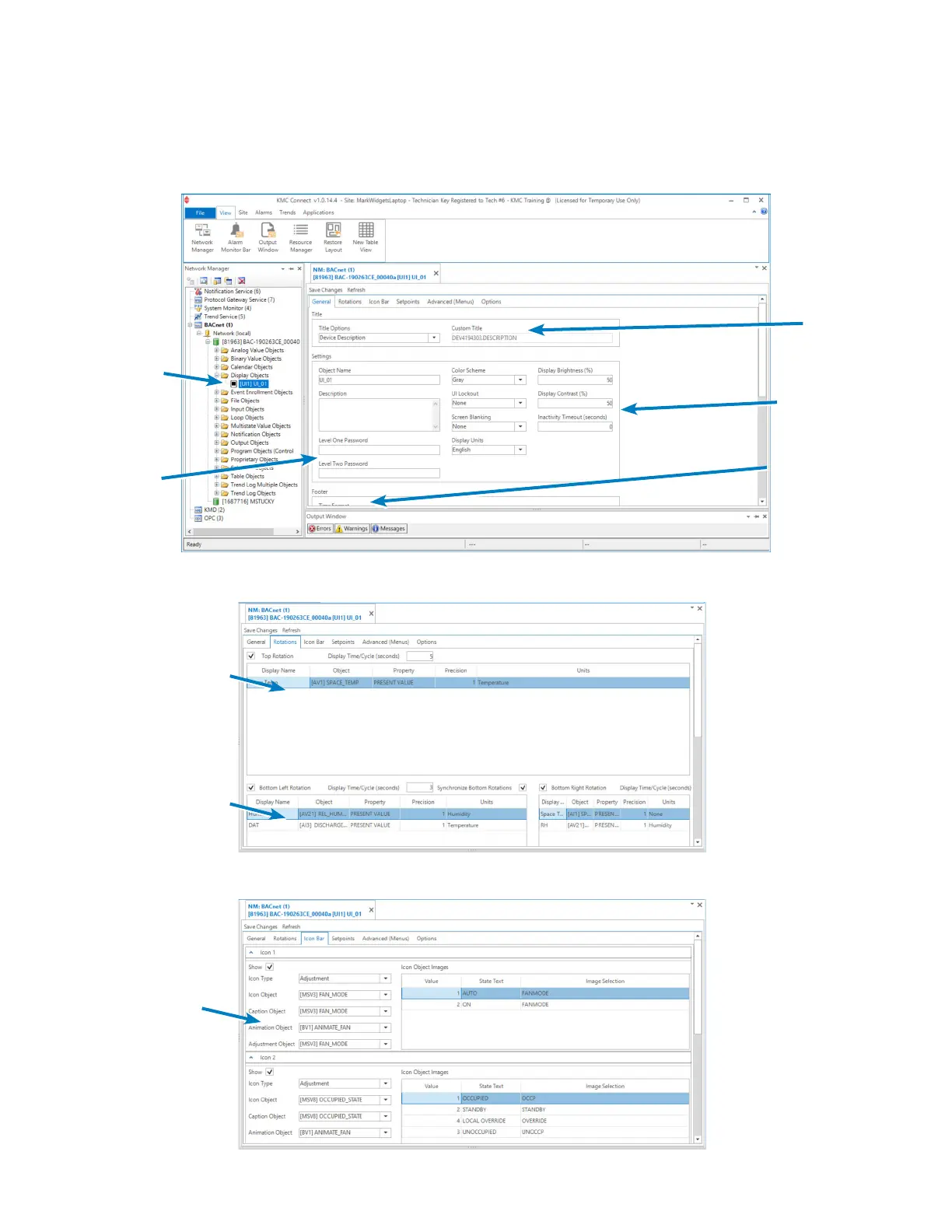
KMC software allows more complete customiza-
tion in the Display Object. (See the BAC-190000
Series FlexStats data sheet for the current soft-
ware packages and versions that support the
FlexStat.) See the software Help system for more
information.
Display Object
[UI1] UI_01
Level 1 and 2
Passwords
Title Bar
Display Options
Time/Date Options
Lower Rotations
Icon Options
(Large) Top Rotation
Space Temp Only
(Default)
General Tab
Rotations Tab
Icon Bar Tab
NOTE: Right-click in a eld, and select Add, Insert,
Delete, or Move Up/Down from the menu.


 To Next Page