KMS MD35 manual
Version 4.16 63
3.3 The communication bar
The horizontal bar at the bottom of the screen is the communication bar. If the system is connected
to the COM or USB port of the PC and the power supply to the system is on, function key F10 can be
used to activate the communication.
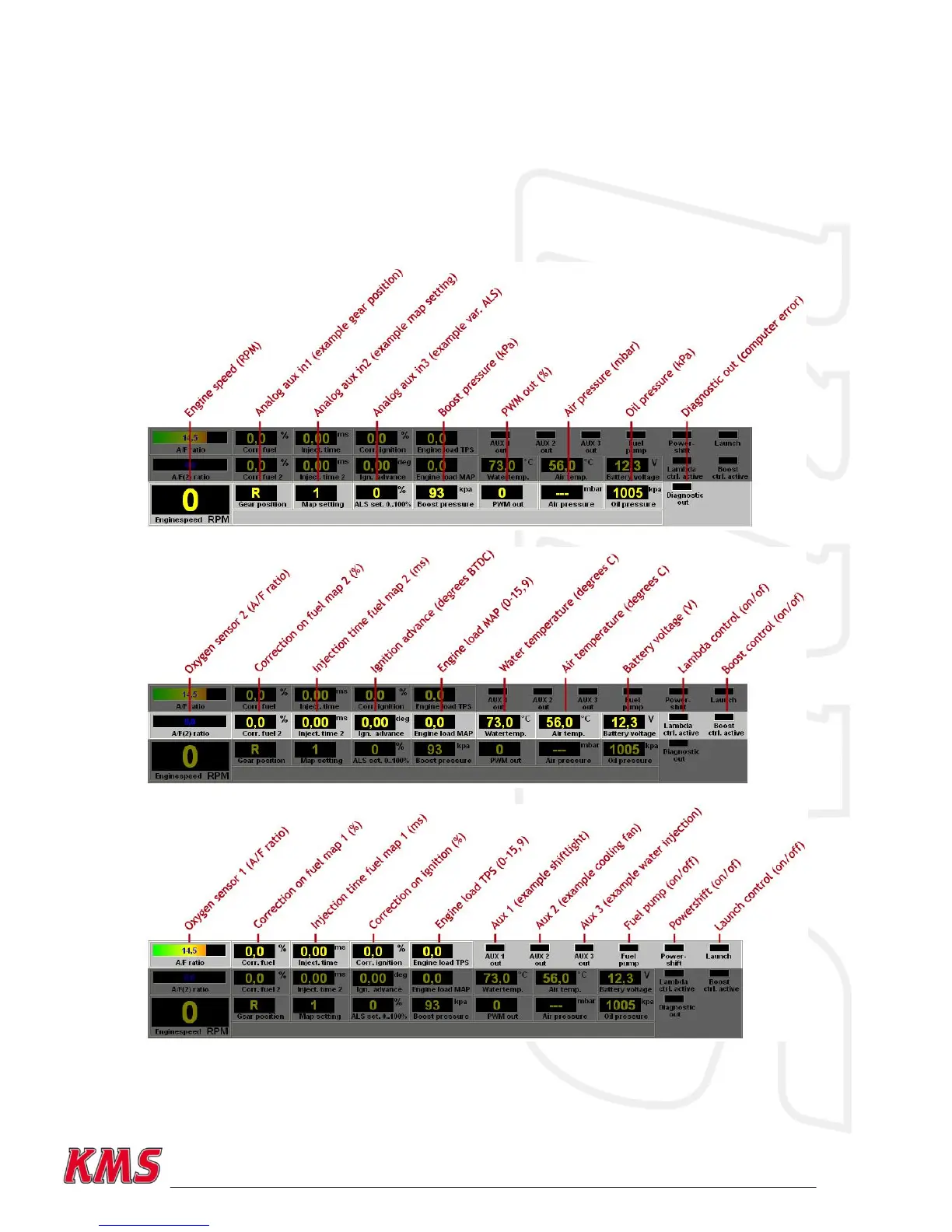
There are nine check lights in the communication bar, which indicate the status of the relevant
outputs.
The following readings will show:
These readings can be used to check whether the right sensors are being used and all settings are
correct.


 To Next Page