KMS MD35 manual
Version 4.16 68
5 Hardware installation
To guarantee that the system functions properly, it is of utmost importance to adhere to the
instructions given below.
5.1 Fitting the ECU
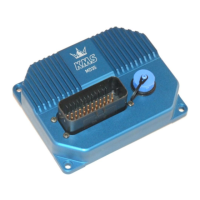
It is important that the ECU should be fitted in a dry and not too hot place. When fitting it, make
sure that the cover is readily accessible for easy removal. Removal is necessary for the connection
of a communication cable.
5.2 Connecting the communication cable
There is a cover at the front of the ECU. Removing this cover gives access to the communication
connector. A standard USB cable (A-male : B-male) can be connected to this connector. This cable is
included in the standard package.


 To Next Page