KMS MD35 manual
Version 4.16 66
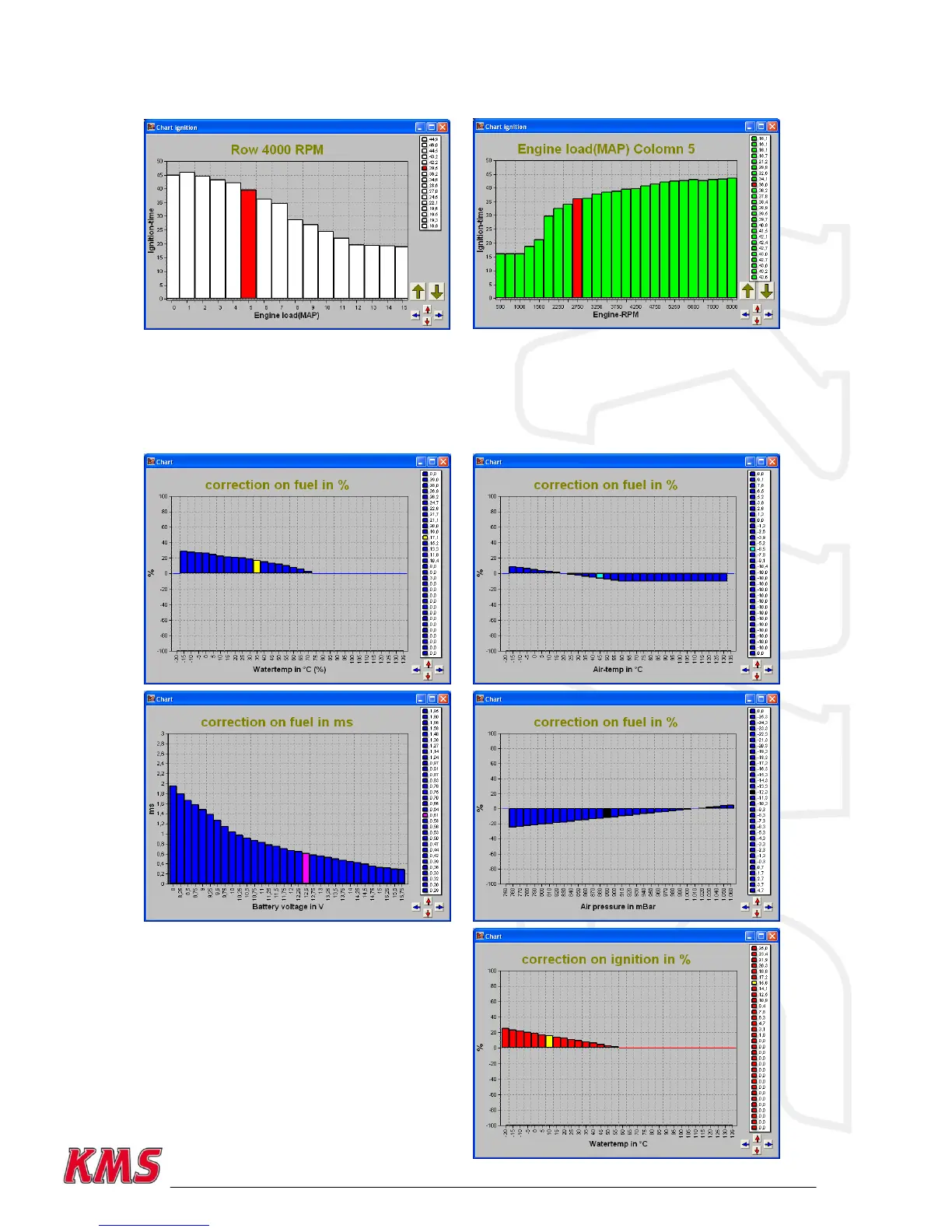
change 0.01 per touch and if instead of the Alt key the Ctrl key is pressed, the value will change
1.00 per touch.
When the engine is running, the space bar can be touched to go automatically to the relevant value
in the bar chart (matching the current situation of the engine), even when this value is at another
engine speed or engine load.
To go to another engine speed or engine load, use the Page Up / Page Down keys.
The correction tables can also be shown in the form of a bar chart if a correction figure is clicked.
And here can also the arrow keys be used to change the values.


 To Next Page