EVOLUTION Instruction Manual
Version: C (Manual 0901170) 14 2024-1218
Page 14
0901170 REV.B
Programming and Calibration
ENTER CAPTURED
VOLUME IN ML
VOLUME = 000ML
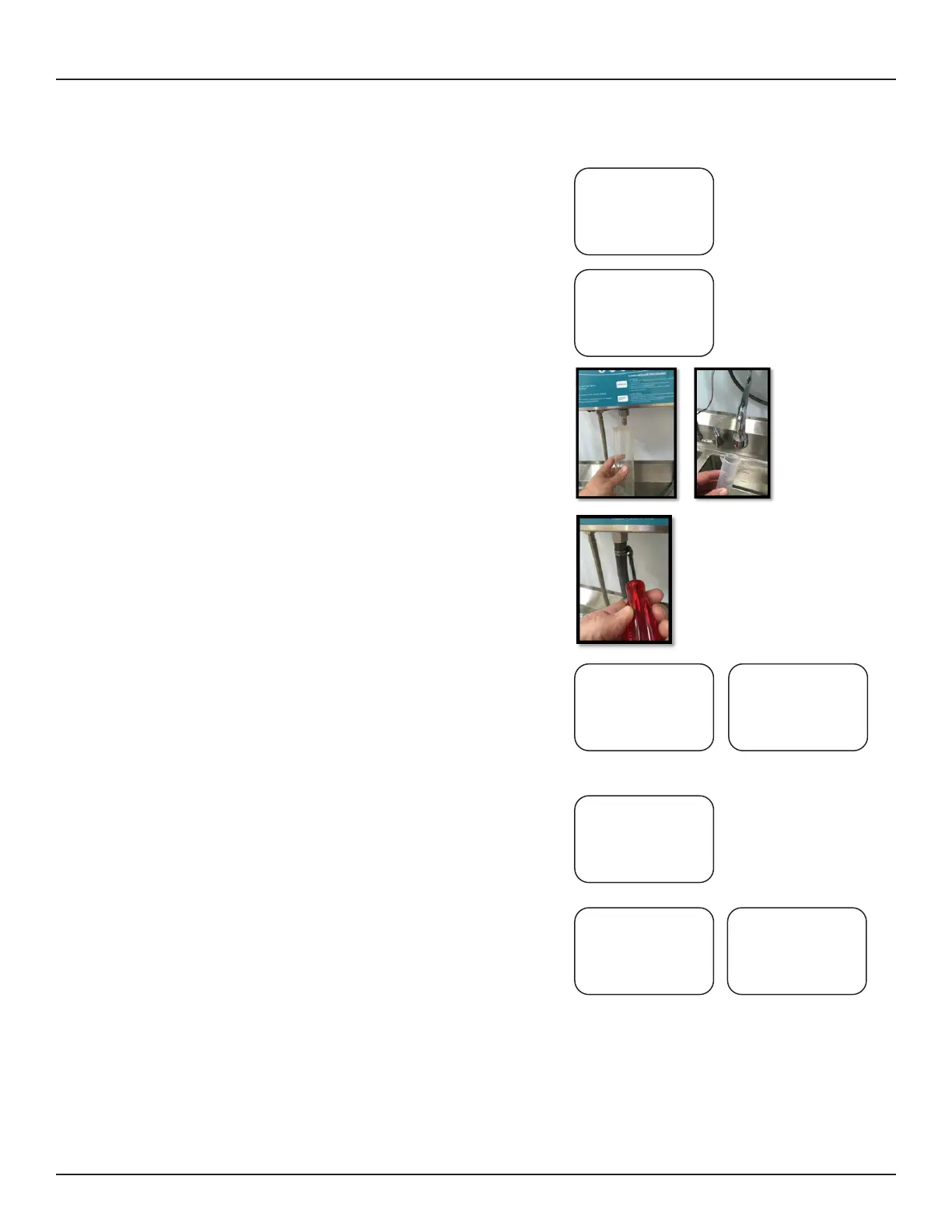
17. Enter the amount of cleaning solution dispensed into the
graduated cylinder and press enter. Repeat this procedure
until you capture 100 mL +/- 2 mL. If the volume dispensed
is 100 mL +/- 2 mL press ENTER to proceed to the next
step.
18. To calibrate water use a 1000 ml graduated cylinder. Be
sure the water line is fully primed before you start. Press the
Up key to start dispensing water. The water will stop on its
own.
Enter the volume captured and press ENTER. Repeat the
procedure until you capture 1000 mL (1 liter) +/- 10 mL.
19. Reinstall the solution hose after final calibration is complete.
20. If temperature of the cleaning solution is important for clean-
ing efficacy the temperature range can be monitored by set-
ting a minimum and maximum temperature. The system will
alarm and record a low temperature error anytime solutions
fail to reach or exceed min/max temperatures. Use the scroll
and Up/Down buttons to set. Press enter to save values and
proceed to next menu.
21. If the temperature reading appears to be incorrect use the
Up/Down keys to calibrate the temperature sensor. Use a
calibrated thermocouple or analog temperature sensor to
verify the temperature then adjust the temperature setting
accordingly.
22. Temperature monitoring is used when it takes an extended
period of time to get hot water from the boiler to the sink. To
avoid filling the sink with cold water turn this feature on
(scroll key). The temperature sensor in the sink will sense
when the minimum water temperature is reached and beep 3
times. The technician will then close the sink drain and press
the START button to fill the sink with the correct temperature
solution.
PRESS UP TO START
WATER CALIBRATION
FOR 1000 ML
PRESS SCROLL TO
ENTER TEMP RANGE
MIN TEMP
020C
PRESS UP/DOWN TO
ENTER CALIBRATION
TEMPERATURE
TEMP (C)
PRESS START TO RUN
WATER UNTIL TEMP. IS
IN RANGE
TEMP (F)
PRESS SCROLL TO
TURN TEMP MONITOR-
ING ON OR OFF
TEMP MONITORING OFF
PRESS SCROLL TO
ENTER TEMP RANGE
MAX TEMP
070C


 To Next Page