KDC180
Quick Guide
See Reference Manual for more detailed information
Visit store.koamtac.com to purchase additional products and accessories.
QG_KDC180_20201014 p18
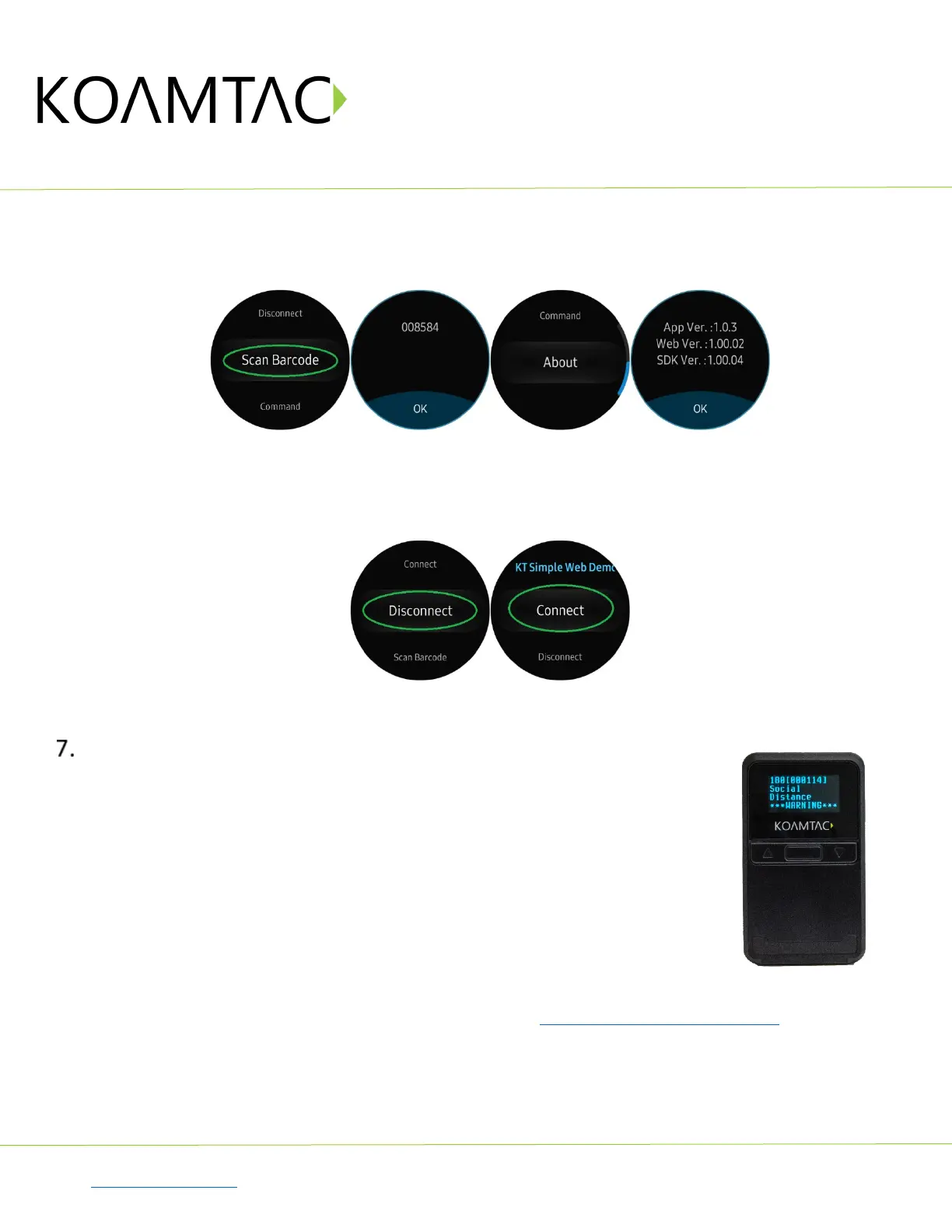
Now you can trigger the KDC scanner via the demo application or the KDC itself. Any scanned bar
code will be displayed on the Gear S3. There are also many commands that can be used to view or
set the configuration of the KDC.
If the KDC becomes disconnected or if you disconnect the current KDC, you can reconnect it later
by selecting Connect from the Gear S3.
Social Distancing Feature
The COVID-19 pandemic has added a new challenge to every workplace - warehouses,
manufacturing lines, and even retail store floors - the need to maintain distance
between people for their health and safety. Reopening your business is already an
undertaking but ensuring social distance among your workers is made easy with the
KOAMTAC social distancing feature.
Whether you’re a small or enterprise business, the KOAMTAC social distancing feature
works with the technology and systems you already have in place so you, and your
workers, can have peace-of-mind as you adjust to the new normal.
Supported on all Bluetooth Low Energy (BLE) 5.0 KDC devices.
For more on the social distancing feature, please watch: https://youtu.be/m4Manx9vK68
There are three ways to enable and control the settings for the social distancing feature:
1. Enable via the KDC menu
2. Scan the special Social Distance barcodes that correspond with the settings you wish to enable
3. Enable via the KTSync application



 To Next Page