KDC180
Quick Guide
See Reference Manual for more detailed information
Visit store.koamtac.com to purchase additional products and accessories.
QG_KDC180_20201014 p23
7.5 Examples of Social Distance Alerts & Social Distance Alert Data
Whenever the KDC is connected, the KDC is sending social distance alert data to host device if host alert is
enabled and another KDC is found within the selected
distance range.
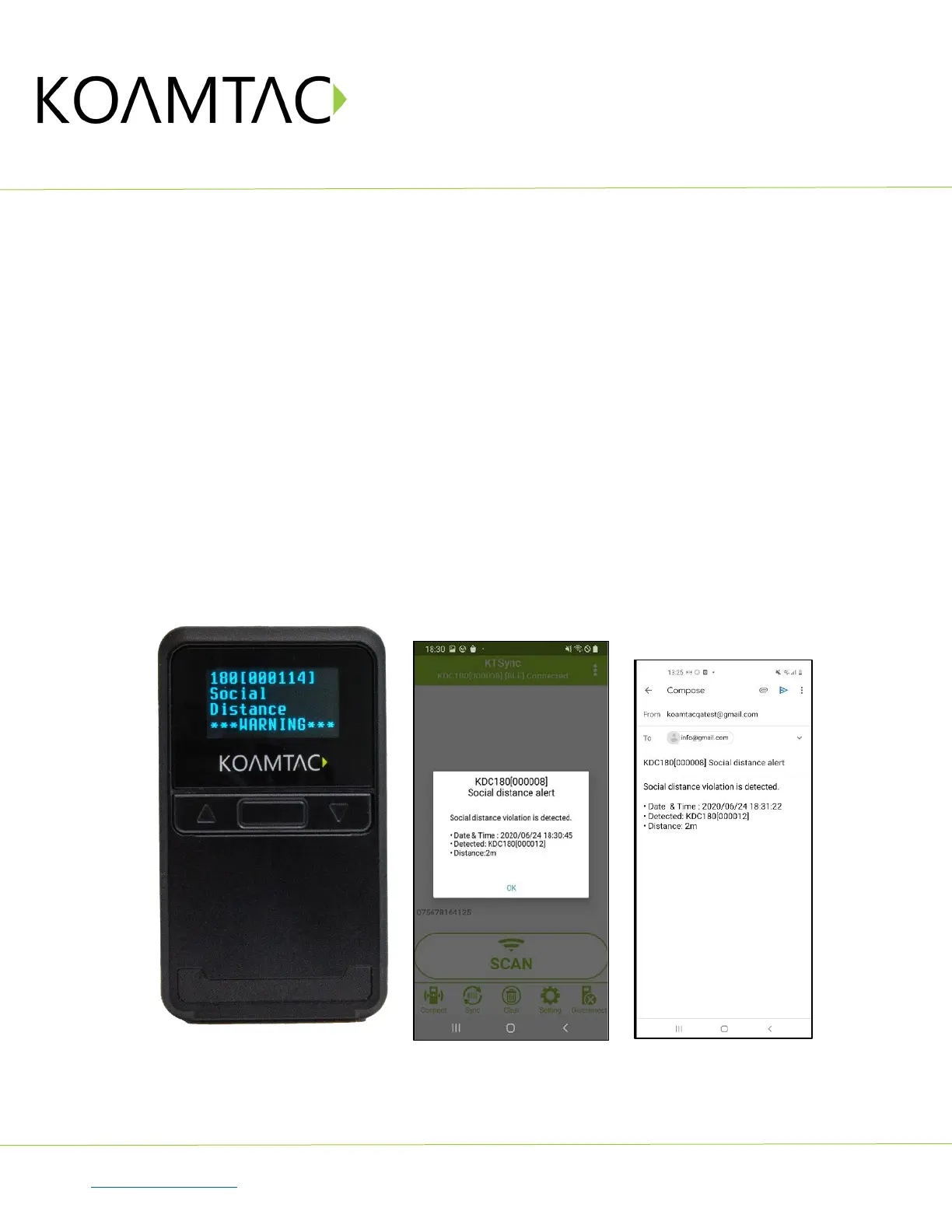
When a social distance violation occurs, you may receive these alerts, depending on settings:
1. Social distance warning on KDC, showing your KDC serial number accompanied by beep/vibrate if
selected. (Fig. 13)
2. Social distance pop-up in KTSync showing your KDC serial number, the date & time of the violation,
the serial number of the other detected KDC, and the distance if using the
host alert setting. (Fig. 14)
3. Social distance email showing your KDC serial number, the date & time of the violation, the serial
number of the other detected KDC, and the distance if using the
enable email sending setting. (Fig. 15)
*Note: When reconnected, the KDC will send social distance data to the host device even if the same KDC is
found within distance.
*Note: Only one social distance data alert is sent to the host device when multiple KDC devices are detected if
social alert is already being displayed as a pop-up or email application is already launched.
< Fig. 13 > < Fig. 14 > < Fig. 15 >



 To Next Page