EasyManua.ls Logo

Kodak Carousel 650H - User Manual

Kodak Carousel 650H
16 pages
Print Icon
To Next Page IconTo Next Page
Loading...
Question and Answer IconNeed help?

Do you have a question about the Kodak Carousel 650H and is the answer not in the manual?

Summary

IMPORTANT SAFEGUARDS FOR KODAK CAROUSEL PROJECTOR

SETTING UP YOUR KODAK CAROUSEL PROJECTOR

POWER AND REMOTE-CONTROL CORDS SETUP

Connect and manage projector power and remote control cords for proper operation.

SCREEN AND SEATS PLACEMENT GUIDELINES

Guidelines for optimal screen placement and audience seating for best viewing experience.

KODAK CAROUSEL SLIDE TRAY OPERATION

LOADING THE SLIDE TRAY

Step-by-step instructions for correctly loading slides into the carousel tray.

OPERATING THE KODAK CAROUSEL PROJECTOR

PROJECTOR ELEVATION AND ALIGNMENT

Adjusting projector height to center the image vertically on the screen.

USING FORWARD AND REVERSE BUTTONS

Using projector buttons to control slide forward and reverse motion.

FOCUS ADJUSTMENT PROCEDURE

Adjusting the focus knob to achieve a sharp projected image.

REMOTE CONTROL OPERATION GUIDE

Operating the projector functions using the remote control device.

RANDOM SLIDE SELECTION METHOD

Method for directly accessing and projecting any specific slide in the tray.

REMOVING THE SLIDE TRAY

Procedure for safely detaching a loaded slide tray from the projector.

PROJECTING SINGLE SLIDES

Instructions for projecting individual slides without using a tray.

POST-USE SHUTDOWN PROCEDURES

Steps to safely shut down and store the projector after use.

KODAK CAROUSEL PROJECTOR CARE

PROJECTION LAMP REPLACEMENT GUIDE

Guide to replacing the projector's projection lamp, including lamp types and procedure.

CLEANING KODAK PROJECTOR OPTICS

CLEANING THE PROJECTION LENS

Instructions for cleaning the projector's main projection lens for optimal image clarity.

CLEANING CONDENSER LENS AND MIRROR

Procedures for cleaning internal optical components like condenser lenses and mirrors.

KODAK PROJECTOR OPERATING TIPS

LONG-RUN APPLICATION ADVICE

Advice for extended use, focusing on airflow and environment for optimal performance.

EDITING SLIDES WITH THE PROJECTOR

How to selectively remove or replace slides within the tray for editing purposes.

PROJECTING 110 SLIDES FORMAT

Guidance on projecting 110-format slides, including mount adapters and lenses.

KODAK CAROUSEL AUXILIARY EQUIPMENT

SCREENS, TRAYS, AND STORAGE SOLUTIONS

Information on Kodak projection screens, slide trays, and projector/tray storage cases.

SPECIALTY PROJECTOR ACCESSORIES

Details on Stack Loader, Slide Clips, and 110 Slide Adapters for enhanced projector use.

ADDITIONAL KODAK CAROUSEL ACCESSORIES

REMOTE EXTENSION AND SOUND SYNCHRONIZER

Details on extending remote control range and synchronizing projector with audio equipment.

KODAK PROJECTION LENS OPTIONS

Information on various Kodak projection lenses available for different slide formats and image requirements.

KODAK PROJECTOR SERVICE FACILITIES

SERVICE CENTER LOCATIONS

Contact information and addresses for authorized service centers for projector repair.

KODAK PROJECTOR ONE-YEAR WARRANTY

WARRANTY COVERAGE AND LIMITATIONS

Details on the projector's one-year warranty, coverage exclusions, and customer rights.

Overview

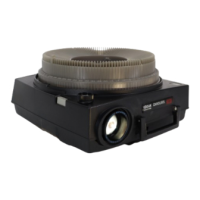
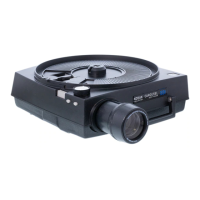
The Kodak Carousel 650H Projector is a sophisticated device designed for projecting slides, offering a blend of convenience and quality for both casual viewing and more structured presentations. Its primary function is to display photographic slides onto a screen, allowing users to share memories or present information with clarity and ease.

Function Description

The projector operates by illuminating individual slides and projecting the magnified image through a lens system onto a viewing surface. It is designed to handle various slide formats, primarily 2x2-inch cardboard or thin plastic mounts, and can also accommodate 110-size slides when placed in appropriate adapters. The Carousel 650H utilizes a rotating slide tray mechanism, which is a hallmark of Kodak Carousel projectors, allowing for sequential projection of multiple slides. This system ensures smooth and reliable slide changes, minimizing interruptions during a presentation. The projector is equipped with a projection lamp, condenser lens, heat-absorbing glass, and a mirror, all working in concert to produce a bright and sharp image.

Usage Features

The Kodak Carousel 650H Projector offers a range of features that enhance its usability and provide flexibility for different projection scenarios:

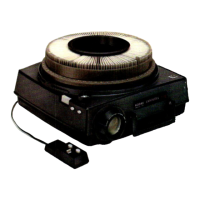
  • Remote Control Operation: A key feature of this projector is its remote-control capability. This allows the user to operate the projector from a distance, providing the comfort of sitting with guests or moving freely during a presentation. The remote control includes buttons for advancing slides forward and reversing them, offering complete control over the sequence of images.
  • Slide Tray System: The projector uses a KODAK CAROUSEL 140 Slide Tray, which can hold up to 140 slides. The tray is designed for easy loading and placement onto the projector. Slides are inserted with the top of the picture down, and the printed border or emulsion side facing the next lower number to ensure correct orientation during projection. The tray's lock ring secures the slides in place.
  • Single Slide Projection: For quick viewing or editing, the projector allows for single slide insertion directly into the projector gate. This is particularly useful for checking individual slides without having to load an entire tray.
  • Random Slide Selection: For immediate access to any slide in the tray, the projector features a "SELECT BAR." By firmly pressing and holding this bar, the user can rotate the tray to the desired slide number and then release the bar to project that specific slide instantly. This feature is invaluable for non-linear presentations or quickly locating a particular image.
  • Elevation Control: To ensure the projected image is centered vertically on the screen, the projector is equipped with an "ELEVATING WHEEL." Turning this wheel adjusts the front height of the projector, allowing for precise vertical alignment.
  • Focus Adjustment: The "FOCUS KNOB" enables users to achieve a sharp projected image. This knob is rotated until the image on the screen appears clear and in focus.
  • Zoom Lens Compatibility: The projector can be equipped with optional KODAK PROJECTION EKTANAR C ZOOM LENSES or KODAK PROJECTION EKTANAR ZOOM LENSES. These lenses allow the user to vary the size of the projected image to fill the screen without having to change the projector-to-screen distance. This provides significant flexibility in different viewing environments.
  • Cord Management: The projector features a cord compartment on its underside for storing the power cord and remote-control cord, promoting neatness and ease of transport.
  • Optional Accessories: The system supports various optional accessories, including additional slide trays, a KODAK CAROUSEL Stack Loader for projecting stacks of slides without a tray, KODAK Slide Clips for easier handling of slide stacks, and KODAK 2x2 Adapters for 110 slides. A KODAK Remote Extension Cord can extend the range of the remote control, and a KODAK CAROUSEL Sound Synchronizer, Model 3, allows for synchronization with a stereo record/playback tape recorder for programmed presentations.

Maintenance Features

Proper maintenance is crucial for the longevity and optimal performance of the Kodak Carousel 650H Projector. The manual outlines several key maintenance procedures:

  • Projection Lamp Replacement: The projector uses a code ELH projection lamp with a rated life of 35 hours. Users can also opt for ENH lamps for longer life (175 hours) or ENG lamps for greater brightness (15 hours). The lamp replacement process involves cooling the projector, turning it off, removing the slide tray, and then accessing the lamp compartment from the bottom of the projector. A "LAMP-RELEASE LEVER" facilitates easy removal and insertion of the lamp. Users are cautioned not to touch the transparent portion of the lamp and to wipe any fingerprints with rubbing alcohol.
  • Optical System Cleaning: Maintaining a clean optical system is essential for bright and sharp images. This includes cleaning the projection lens, condenser lens, heat-absorbing glass, and mirror.
    • Projection Lens: The projection lens can be removed by turning the focus knob and guiding the lens out. It should be cleaned with KODAK Lens Cleaning Paper or a soft, lintless cloth, using KODAK Lens Cleaner if needed.
    • Condenser Lens, Heat-Absorbing Glass, and Mirror: These components are accessed by opening the lamp door from the bottom of the projector. The "LENS RETAINER" must be pushed down to free the condenser lens and heat-absorbing glass, which should be handled with gloves due to potential shattering. Both sides of these components, as well as the mirror, should be cleaned with KODAK Lens Cleaning Paper or a soft, lintless cloth.
  • Thermal Fuses: The projector is equipped with thermal fuses to prevent overheating. If these fuses open due to fan or motor failure, the projector will cease to operate and will require professional service.
  • Airflow Management: To prevent overheating, it is important to ensure unrestricted airflow through the projector's intake vents and exhaust vent. This is particularly important for long-run applications or when the projector is used in enclosed spaces like window displays or cabinets.
  • Dust-Free Environment: Keeping the operating environment as dust-free as possible is recommended to prevent dust from accumulating on the optical components and affecting image quality.

The Kodak Carousel 650H Projector is designed for user-friendly operation and straightforward maintenance, ensuring a reliable and enjoyable slide projection experience.

Kodak Carousel 650H Specifications

General IconGeneral
TypeSlide Projector
ModelCarousel 650H
Film Format35mm
Lens MountFixed
FocusManual
Light SourceTungsten Halogen
Power120V AC
Slide Format2 x 2 inches
LensKodak Ektanar
Bulb300W
Slide Tray Capacity140 slides

Related product manuals