43
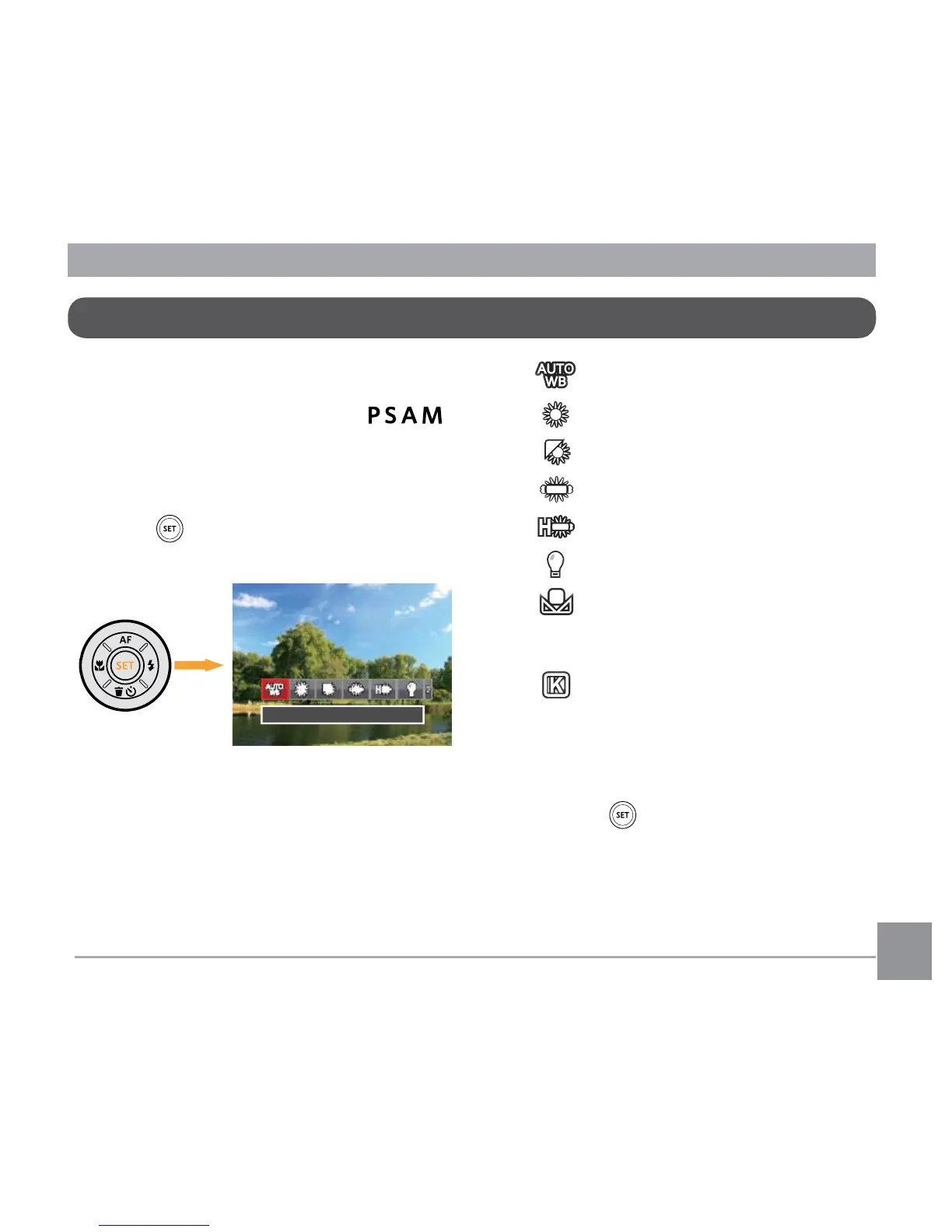
The white balance function allows
adjustment of the color temperature for dif-
ferent light sources. (Adjustable in
Mode)
Follow the steps below to set white balance
of the camera:
1. Press button to enter White Balance
Menu.
2. Press the left/right to select the following
8 modes:
• AWB
• Daylight
• Cloudy
• Fluorescent
• Fluorescent CWF
• Incandescent
• Manual WB (Fully press the
shutter button to detect the white
balance value)
• Color Temp. (1900K~10000K)
Press direction buttons Up /
Down to "Adjust the K value";
Press the direction button Left to
exit the K value.
3. Press the button to confirm the
settings and exit the menu.
White Balance Setting





 To Next Page