Chapter 4 Menu operations MDC-2200/2500 Series
0093125002-05 4-32
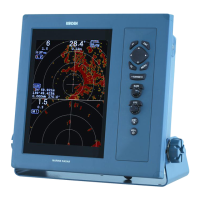
(9) Setup SART target display
Setup SAET target symbol display.
ON: Display SART target symbol.
OFF: SART target symbol is not displayed.
(10) Setup BASE target display
Setup BASE target symbol display.
ON: Display BASE target symbol.
OFF: BASE target symbol is not displayed.
(11) Auto acquisition ring
Setup the area to switch sleep target to active automatically.
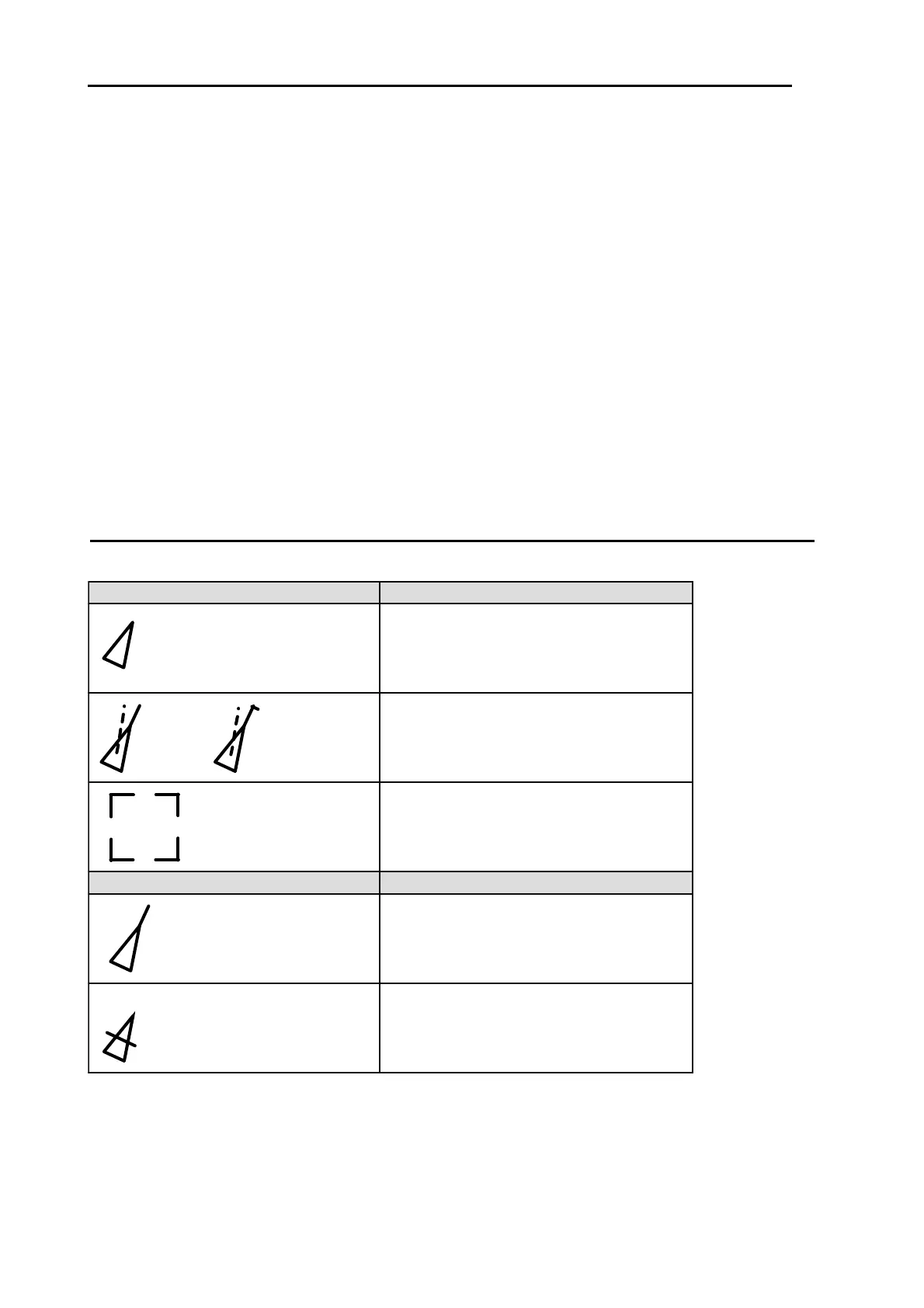
Type and meaning of AIS symbols
AIS display symbol overlapped to other ship based on obtained information.
Blink in
0.5 sec. interval
Alarm symbol
Blink in
0.5 sec. interval
Normal symbol
Meaning
SLEEP
Display of the ship not selected for
information display.
It is displayed when it has under run the
specified CAP or TCPA value.
It is drawn with a thick red line and
the alarm sounds.
Display of out of track (lost) ship.
When the sleep ship becomes lost ship,
no alarm sounds and it disappears from
the display after 1min.
Display of the ship selected for detail
information display.
Detail information is indicated on the
lower part of the display.
ACTIVE
Display of the ship selected for
information display.
Meaning






 To Next Page