EasyManua.ls Logo

Kolver FAB Series - User Manual

Kolver FAB Series
25 pages
Print Icon
To Next Page IconTo Next Page
Loading...
MANUAL
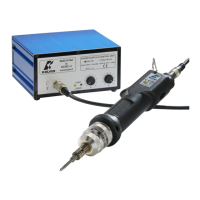
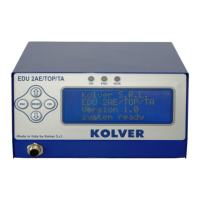
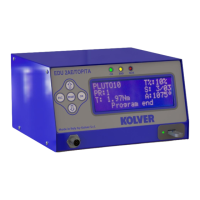
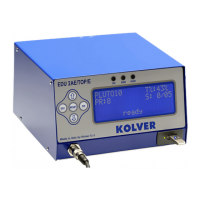
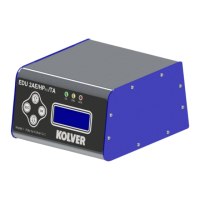
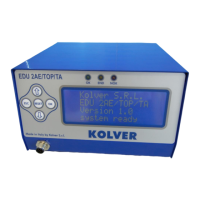
EDU 2AE/TOP e EDU 2AE/TOP/TA
Torque range: 0.4-35 Nm
UIDENTIFICATION DATA OF THE MANUFACTURER
KOLVER S.r.l.
VIA M. CORNER, 19/21
36016 THIENE (VI) ITALIA
UIDENTIFICATION DATA OF THE PRODUCT
CONTROL UNIT MODEL: EDU 2AE TOP - EDU 2AE TOP/TA
CODE: 031000/TOP - 031000/TOP/TA
TECHNICAL DATA OF THE PRODUCT
TRANSFORMER: 230V or 110VAC 50 Hz 40 V DC 200 VA FUSE: 3,15 A
DIMENSIONS: 190 x 205 x h120 mm WEIGHT: 4 Kg
DECLARATION OF CONFORMITY
KOLVER S.r.l. declares that the new tool here described: control unit model EDU 2AE is in conformity with
the following standards and other normative documents: 2006/42/CE, 2006/95/CE, 2004/108/CE, EN 60745-1,
EN 60204-1, EN 61000-6-1, EN 61000-6-3.
It is also in conformity with the RoHS II normative.
Name: Giovanni Colasante
Position: General Manager
Person authorized to compile the technical file in Kolver
Thiene, May 2
nd
, 2013
Giovanni Colasante

Questions and Answers

  • S
    Sean HughesSep 2, 2025
    What to do if Kolver FAB Control Unit displays “Error missing piece”?
    • K
      Kathryn PerrySep 2, 2025
      If your Kolver Control Unit displays “Error missing piece”, it indicates that the “missing piece” contact is enabled. To address this, check contact 2 on the CN2 connector.
  • M
    Matthew AndersonSep 2, 2025
    What to do if Kolver FAB displays “tightened screw”?
    • D
      Dr. Andrew HuffmanSep 2, 2025
      If your Kolver Control Unit displays “tightened screw” on the status bar, and the torque signal is displayed during the motor startup process (which lasts 0.3 seconds), you should check the parameters again.
  • K
    Katherine ThompsonSep 3, 2025
    How to fix Kolver FAB when “waiting connection” doesn’t turn into “system ready”?
    • J
      Jason RossSep 3, 2025
      If your Kolver Control Unit displays “waiting connection” and does not switch to “system ready” after being turned on, check the flat connector inside the unit.
  • J
    James DavisSep 4, 2025
    What to do if my Kolver Controller shows “Output Disabled”?
    • B
      Bethany PetersenSep 4, 2025
      If the Kolver Controller displays 'Output Disabled', it means the protection of output signals was activated because the maximum load (400mA) was exceeded. To resolve this, verify that the set load does not surpass the maximum allowed value. Then, restart the control unit to reset the error.
  • S
    Scott DavisSep 4, 2025
    What does “Protection 15A” mean on my Kolver Controller?
    • B
      Brianna ChenSep 4, 2025
      If the Kolver Controller displays “Protection 15A”, it indicates that the current on the mosfets of bridge H exceeded 15A for at least 500ms. To address this: - Decrease the screwing time and check the settings. - Avoid motor stalling. - Ensure unscrewing isn't too heavy. - Check if the joint is too soft.
  • K
    kochmichaelSep 5, 2025
    What causes “Protection 14p5A” error on the Kolver Controller?
    • J
      Jennifer CampbellSep 5, 2025
      The “Protection 14p5A” error on the Kolver Controller indicates that the current on the mosfets of bridge H is greater than 14.5A for at least 800ms. Suggested solutions include decreasing the screwing time, checking settings, avoiding motor stalling, ensuring unscrewing isn't too heavy, and verifying the joint isn't too soft.
  • R
    Robert WilliamsSep 5, 2025
    How to fix “Protection 12A” error on a Kolver Controller?
    • C
      Craig GouldSep 6, 2025
      If the Kolver Controller displays “Protection 12A”, it means the current on the mosfets of bridge H is greater than 12A for at least 1 second. You should decrease the screwing time and check the settings, avoid motor stalling, ensure unscrewing isn't too heavy, and verify the joint isn't too soft.
  • B
    Brittany CaldwellSep 6, 2025
    What to do if Kolver Controller shows “Error Torque Control”?
    • D
      Debra BartonSep 6, 2025
      If the Kolver Controller displays “Error Torque Control”, make a new screw. If the error persists, change the torque and speed settings.
  • J
    Jeffrey KleinSep 7, 2025
    Why does my Kolver Controller display "Torque / Speed Error" in Unit mode?
    • T
      Thomas TurnerSep 7, 2025
      If the Kolver Controller displays "Torque / Speed Error" in Unit mode, it means a torque or speed has been set which is not included in the table relating to the selected screwdriver. Set a torque or speed value included in the range indicated in the table to resolve this issue.

Kolver FAB Series Specifications

General IconGeneral
BrandKolver
ModelFAB Series
CategoryControl Unit
LanguageEnglish

Related product manuals