5
DESCRIPTION
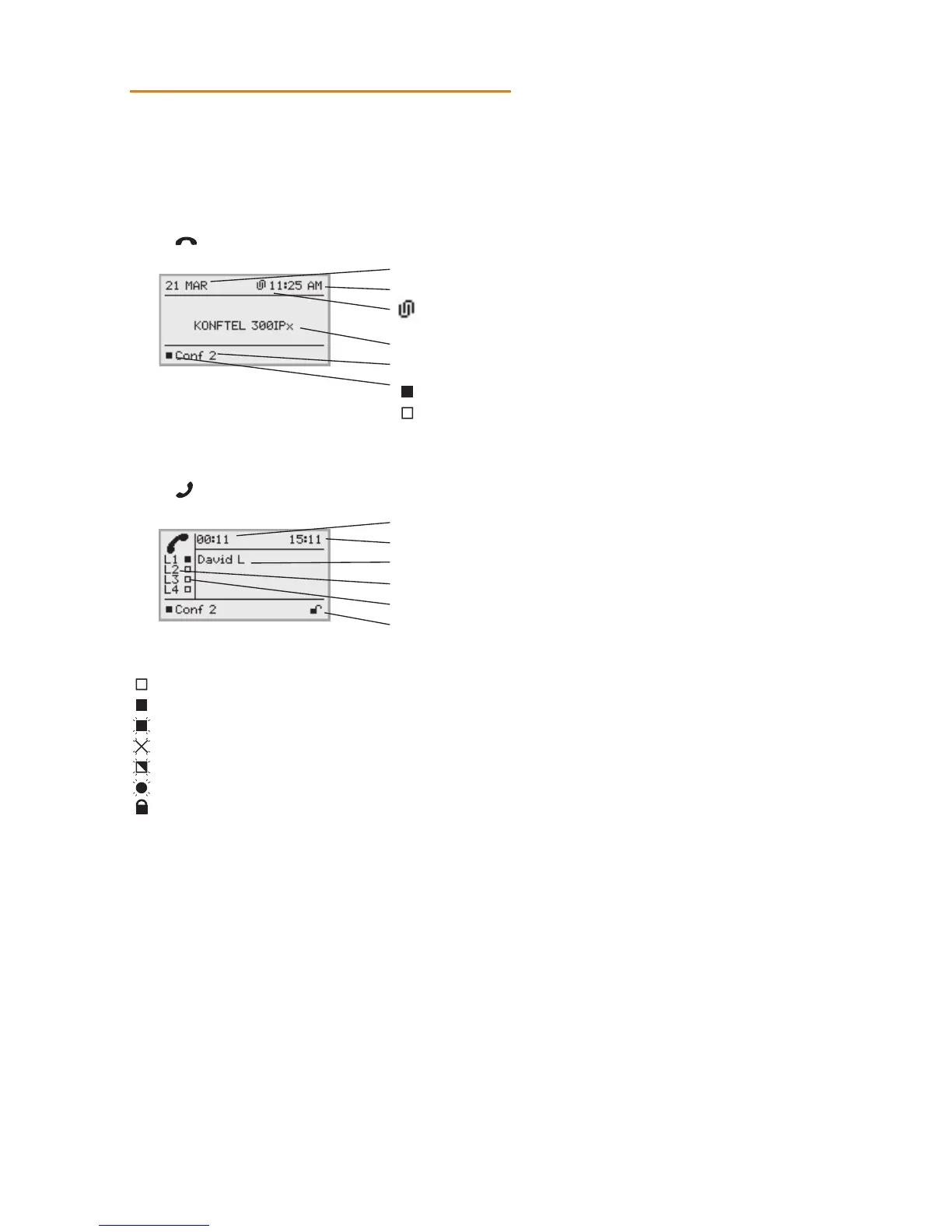
DISPLAY
On Hook
Press to view this screen.
O Hook
Press to view this screen.
Line status:
Line free (Before account name – telephone not registered)
Line connected (Before account name – telephone registered)
Line on hold (“HOLD” displayed on the screen – all calls on hold)
Line (called party) busy
Own line put on hold by other party
Recording call
Secure connection
Information text displays one of the following:
• Number or name of each phone line
(The name will be displayed if a number is in the phonebook)
• Explanation of what you should do (for example ENTER NUMBER)
• Status (for example HOLD when placing all calls on hold)
Date
Time
Mobile device connected via Unite
Display text (can be changed, see Admin guide)
Account name (can be changed)
Registered
Not registered
Call duration
Time
Information text (see below)
Phone lines (L1–L4)
Line status (see below)
Secure connection (see page 10)



 To Next Page