RA83/84/85/93/94/95 Series Chapter 6
Using The Menu Operation Manual
minutes from when the symbol is shown and no further plotting is made,
the symbol mark and audio-visual alarm will be turned off automatically.
6.6.8 WARNING LIMIT (Setting the Warning Limit of CPA and TCPA)
This function is used to set up the limit at which the warning alarm for CPA and TCPA
is activated. Use the RADAR/LIM CPA and LIM TCPA menu. Setting ranges for CPA
and TCPA are as follows:
CPA: 0.00 NM to 19.9 NM.
TCPA: 1 Minute to 63 Minutes
6.6.9 TARGET ALL CLEAR (Clearing all target plots)
Use the DISP/NAV/TARGET ALL CLR menu.
6.6.10 ID DISP (Displaying Target ID Number)
Using this function, the target ID number can be tagged on each displayed target. Use
the DISP/NAV/ID DISP menu.
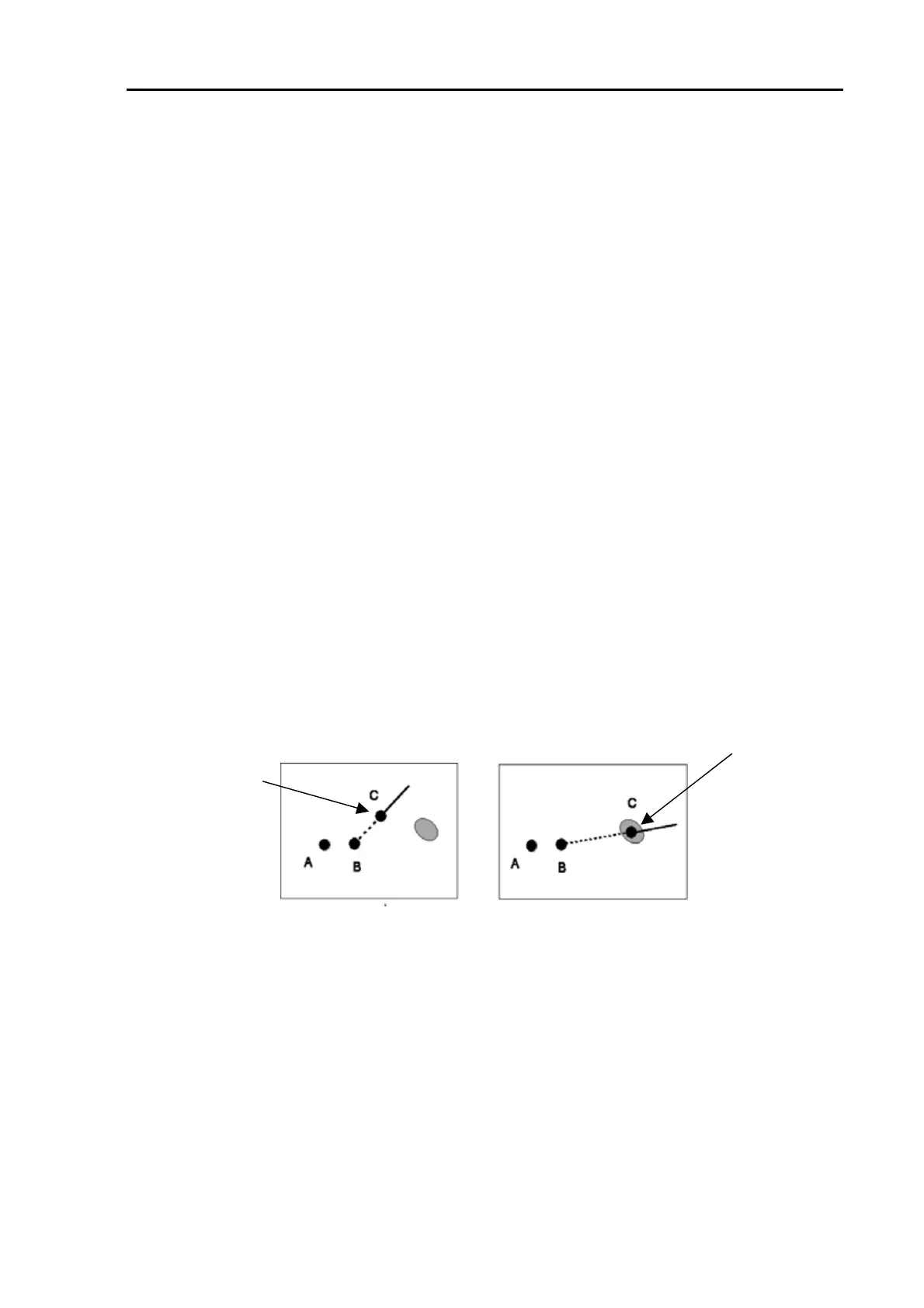
6.6.11 Correcting the latest plotting position
In case you find a wrong plotting and need to correct it, carry out the following steps:
(1) Move the Joystick to move the cross cursor on to the new plot point.
(2) Press the UPDATE key. Wrong plot will be corrected as shown below.
After correction
Before correction
Corrected plot
Figure 6.6 Correcting the plotting position
Wrong plot
93142105-02 6-27



 To Next Page