9
Troubleshooting Tips
9-2
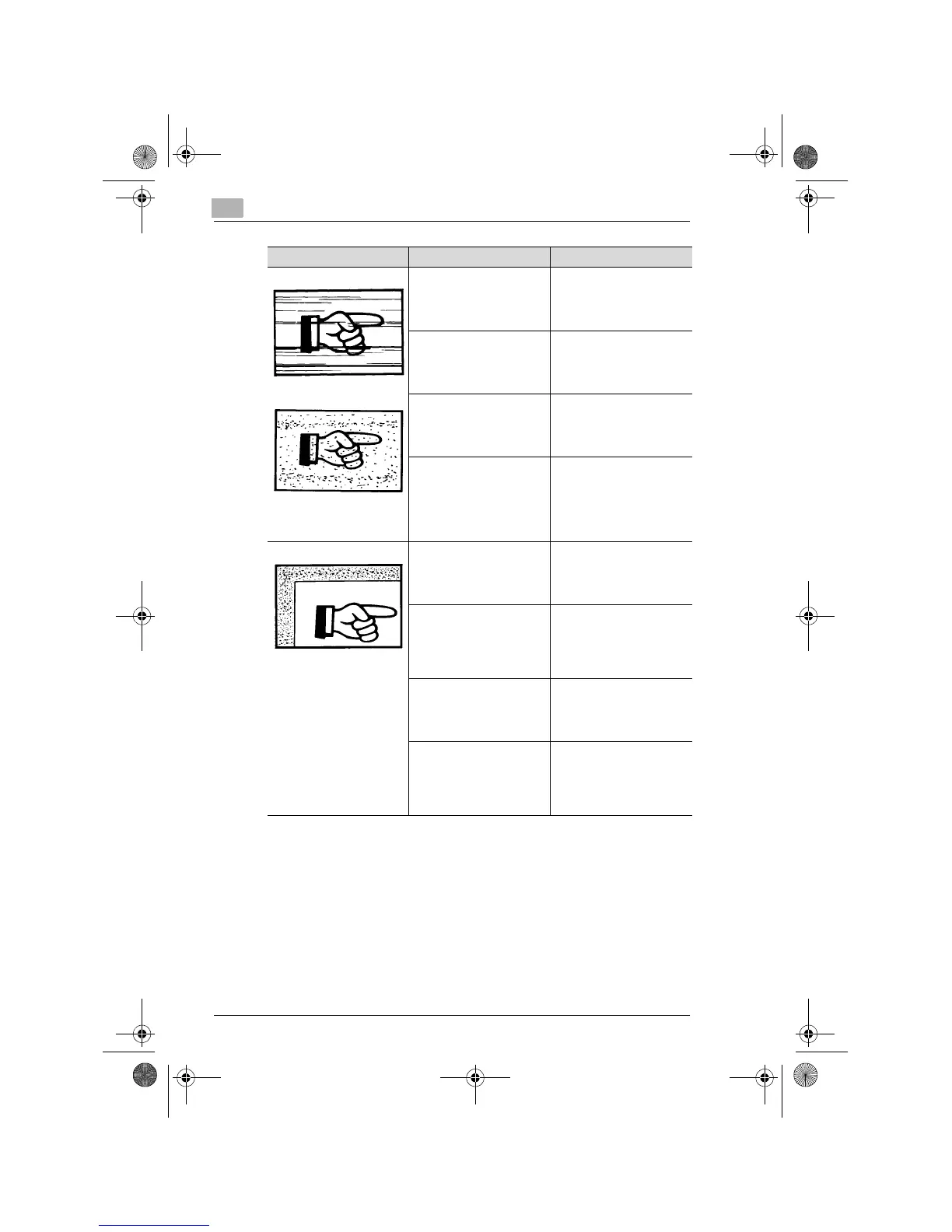
The copy has lines.
The copy has dark specks or
spots.
The Original Glass surface is
dirty.
Wipe the Original Glass
clean with a soft dry cloth.
(p.10-5)
The Original Pad is dirty. Wipe the Original Pad clean
with a soft cloth dampened
with neutral detergent.
(p.10-5)
The original is highly
transparent.
Place a blank sheet of paper
over the original. (p.4-8)
The original is 2-sided. The information on the
backside of a 2-sided, thin
original may be slightly
reproduced on the copy.
Adjust the image density to
the lighter side. (p.5-16)
The edge of the copy is dirty. The Original Pad is dirty. Wipe the Original Pad clean
with a soft cloth dampened
with neutral detergent.
(p.10-5)
You have selected paper of a
size larger than the original
(when the zoom ratio is full
size).
Select the same paper size
as the original. (p.5-4)
Or, use AMS to enlarge the
copy to the appropriate size.
(p.5-12)
The original is not placed in
the correct position (when
the zoom ratio is full size).
Select the same paper size
as the original. Or, reload
the paper in the same
direction as the original.
The reduction ratio selected
is not in accord with the
paper size (when the copy is
made at a manually adjusted
reduction ratio).
Select the zoom ratio
according to the paper size.
(p.5-13) Or, use AMS to
reduce the copy to the
appropriate size. (p.5-12)
Symptom Possible Cause Action
Konica7115_7118.book Page 2 Tuesday, October 16, 2001 10:51 AM


 To Next Page