16
Analyzer mode
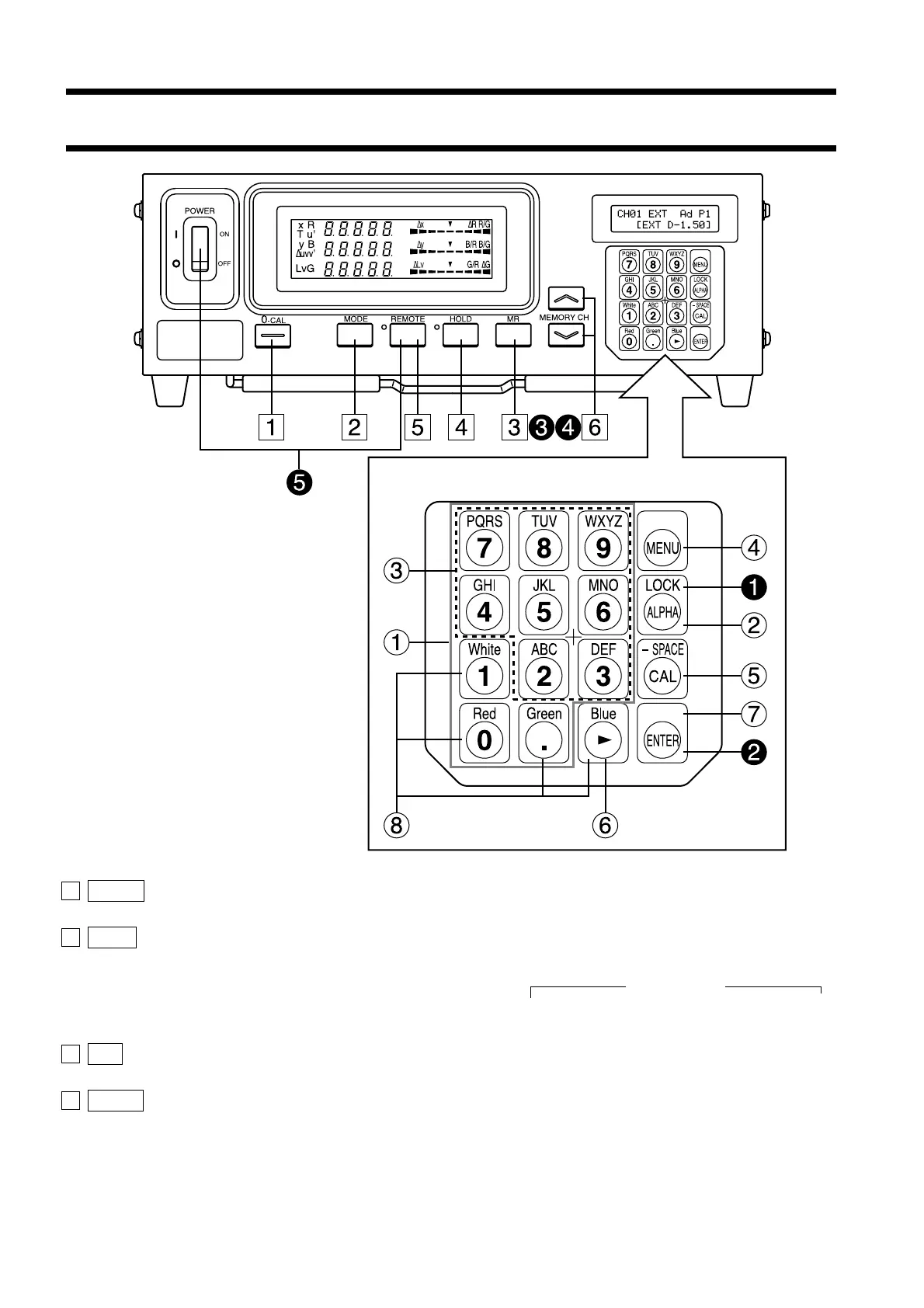
1 0-CAL key ............................................. • Performs zero calibration. Before pressing this key, make sure that
the measuring probe is blocked from light. (Page 34)
2 Mode key ............................................... • Select measurement mode. (Page 40)
Measurement mode changes in the following order.
xyLv→T∆uvLv→RBG (R/G, B/G, ∆G)→RBG (∆R, B/G, G/R)→
u'v'Lv→XYZ →xyLv
3 MR key .................................................. • Displays the specified target color in the LCD display section. (Page
73) (For long depression of this key, refer to page 18.)
4 HOLD key ............................................. • Holds the display of the measured value. (The HOLD LED will
light up.)
• Pressing this key while the HOLD LED is lit will cancel hold mode.
(The HOLD LED will go out.)
Function of Each Key
Key Panel














 To Next Page