1313
Installation/Connection
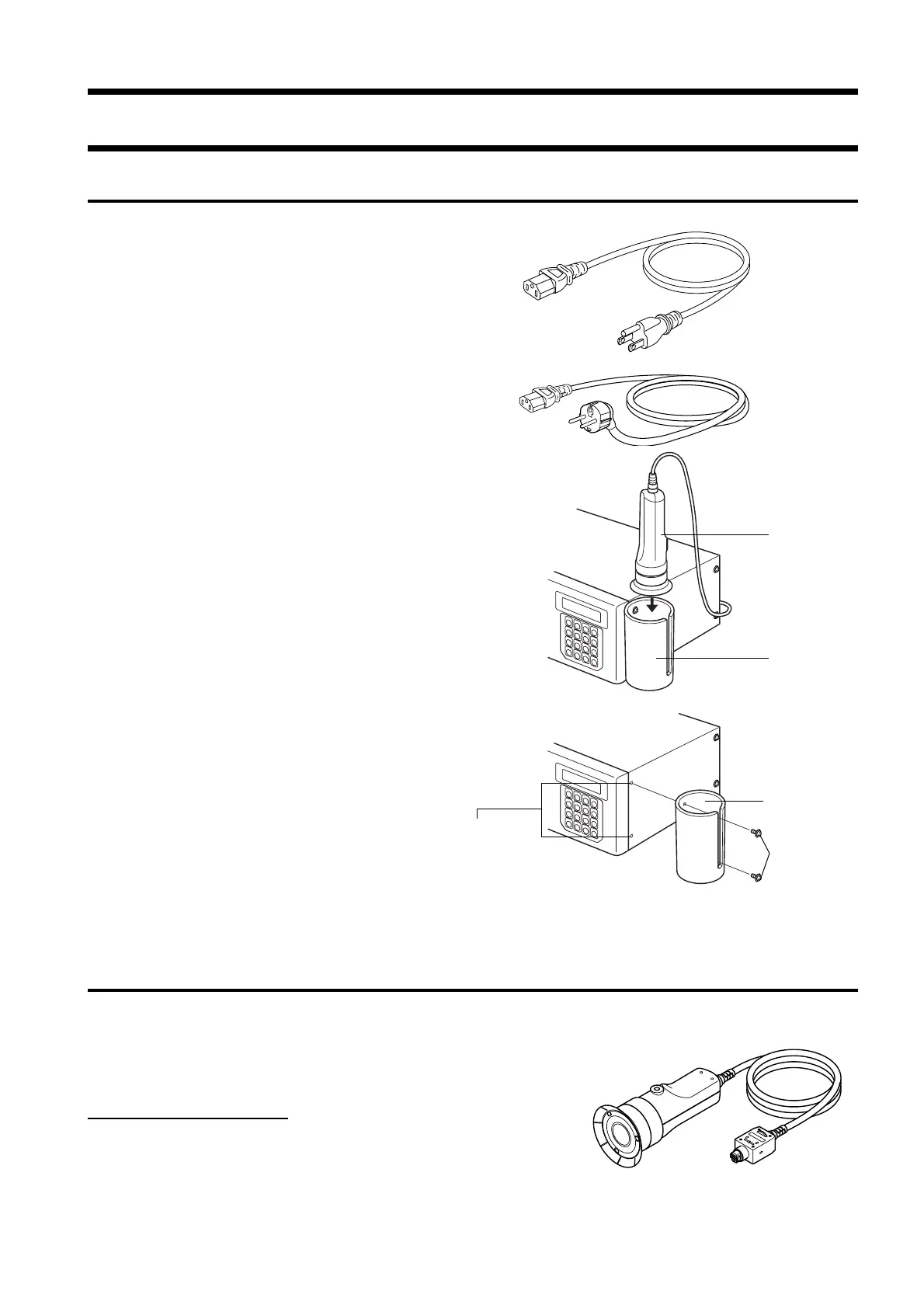
Measuring
probe
Measuring
probe holder
Measuring
probe holder
Screws on
main body
Measuring probe holder
mount hole
(For 100-120 V)
(For 200-240 V)
About Accessories
Standard Accessories
● AC power cord (For 100-120V or 200-240 V)
Connect this cord to the AC power connector to supply power to
the instrument.
For a description of how to connect, refer to page 28.
● Measuring probe
● Measuring probe holder CA-A11
Provided for storage of a measuring probe.
Mount method
The holder must be mounted on the side of the instrument with
two screws.
● Color analyzer PC software CA-SDK
● Instruction manual
Read this manual before operating the instrument.
Optional Accessories
● Measuring probe CA-P02/CA-P05
● High luminance Measuring probe CA-PH02/CA-PH05 (Page 12)
Connect the probes to the main body or the probe connectors on the
4-Probe Expansion Board CA-B04 before measurement.
Location of the explanation
Connecting method: Page 26
Measuring method: Measurement Preparation,
Setting, Measurement sections














 To Next Page