41
Measurement Preparation
[Selecting Method]
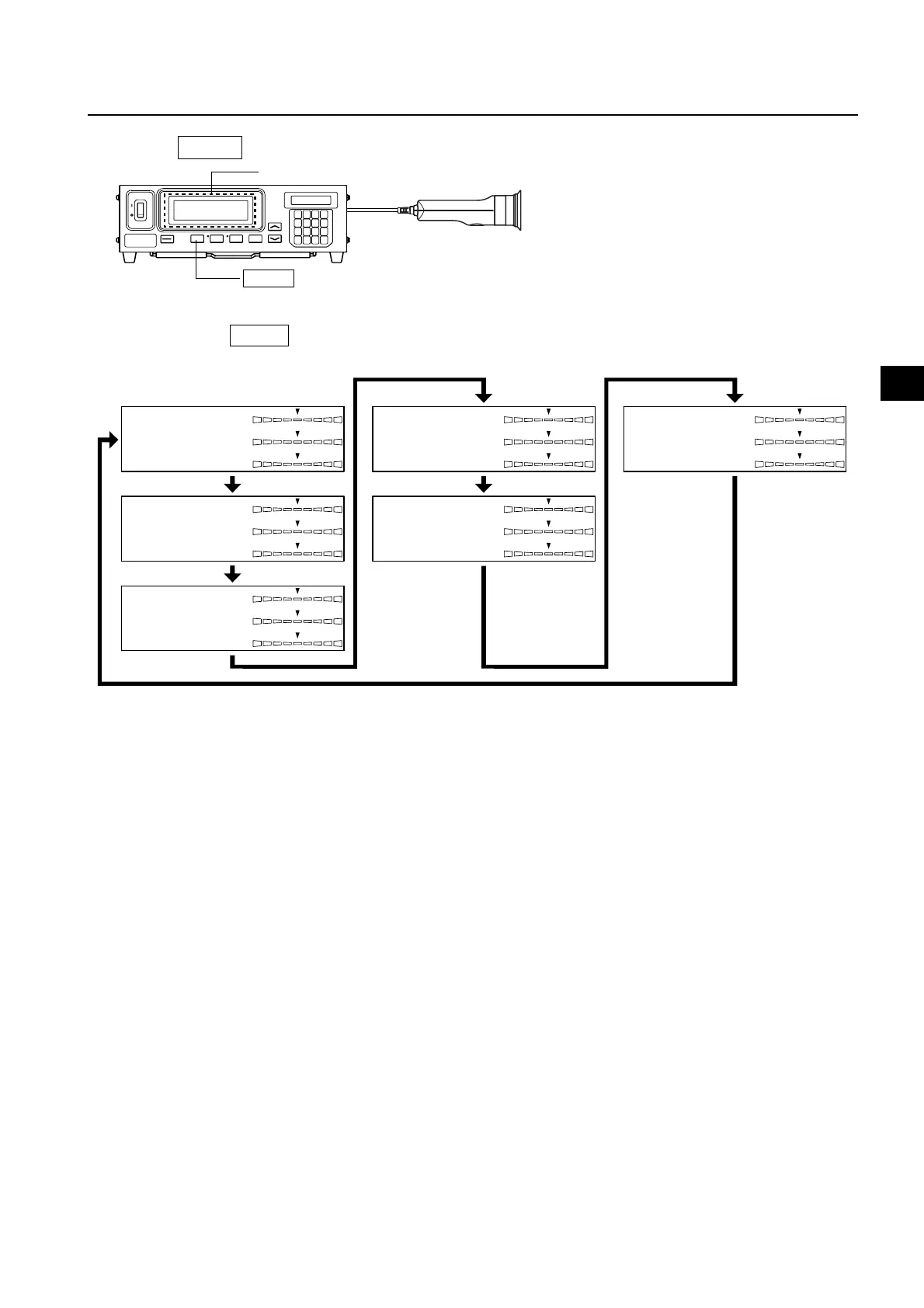
Press the MODE key to display the measurement mode you want to select.
Each time the MODE key is pressed, measurement mode will switch as shown below.
MODE key
Measurment
* By default (factory setting), the instrument is set so that xyLv mode will be selected automatically when the POWER switch is set to ON.
If you want to change this setting, refer to page 30.
x
y
Lv
˘x
˘y
˘Lv
T
Lv
˘uv
˘x
˘y
˘Lv
R
B
G
R/G
B/G
˘G
R
B
G
˘R
B/R
G/R
u’
Lv
v’
˘x
˘y
˘Lv
˘x
˘y
˘Lv
xyLv mode
T∆uvLv mode
Analyzer mode (G Standard)
XYZ modeAnalyzer mode (R Standard)
u'v'Lv mode














 To Next Page