79
Measurement Section
R/G
B/G
∆G
∆R R/G
B/R B/G
G/R ∆G
R
B
G
R/G
B/G
∆G
<For Analyzer Mode>
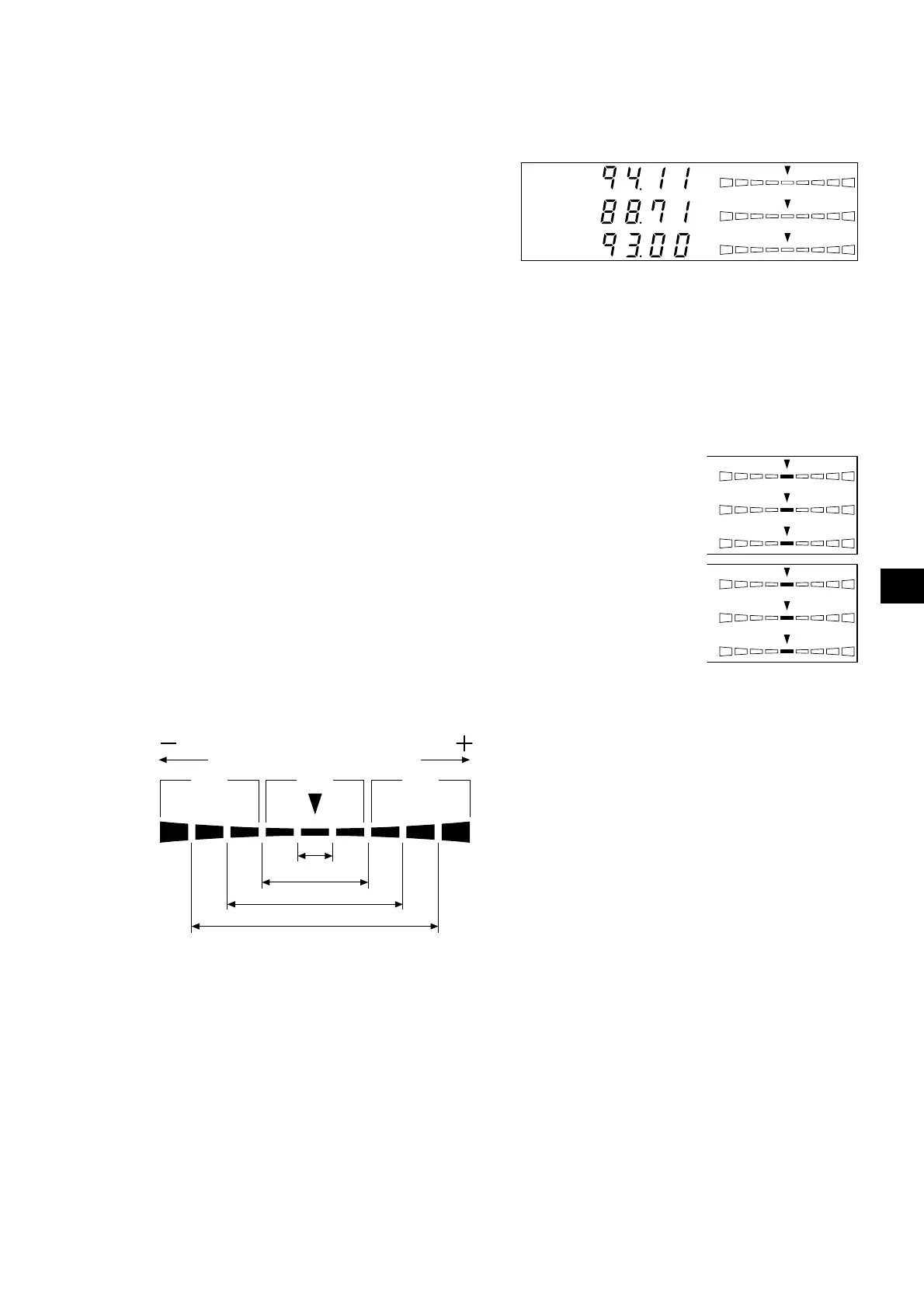
If analyzer measurement mode is selected, measurement results will be displayed as shown below.
● Digital display section
• Display contents : R, B, G
Outputs of the currently
measured monochrome
lights R, B and G in ratio
(%) to those of the specified
target color (W)
• Display range : The range to be displayed:
When the effective number of digits is 3 digits to 99900(%)
When the effective number of digits is 4 digits to 99990(%)
An effective number that has been set in the selection of number of digits to be dis-
played (P.42) will be displayed. However only to two digits to the right of the decimal
will be displayed.
● Analog display section
• Display contents : When analyzer mode (G-standard) is selected
R/G, B/G: Ratio of measured values
∆G: Difference from the target color in the case of mono-
chrome light G
When analyzer mode (R-standard) is selected
∆R: Difference from the target color in the case of mono-
chrome light R
G/R, B/R: Ratio of measured values
* For details on the analog display function and how to set the range for each dot, refer to page 68.
● When the analog display range is set to n%
Red
Red
Green
-n×8% or
lower
Below ±n%
Below ±n×2%
Below ±n×4%
Below ±n×8%
+n×8% or
higher














 To Next Page