2 Color examples
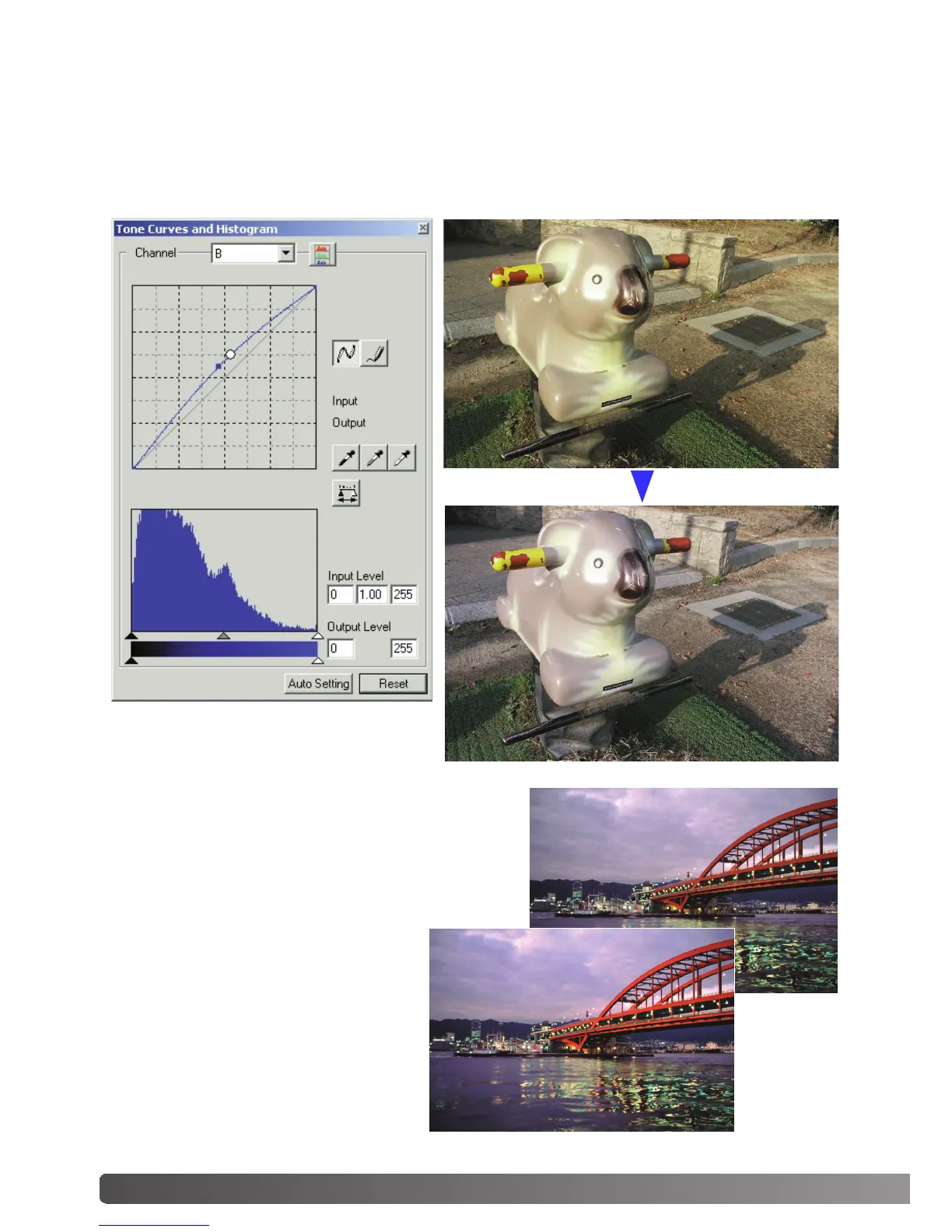
By selecting individual color channels on the tone curve, adjustments to the overall color of an
image can be made. In this example, the image is too yellow. By moving the blue curve up, the
image looks more neutral. For more on tone curve corrections, see page 60.
Tone-curve corrections
Selective-color palette
Before
In the original image, the colors were
muted making the whole scene flat. By
subtracting cyan from the red channel,
the bridge and faint details in the
clouds could be accentuated. The
cloud detail was further enhanced by
subtracting yellow from the blue chan-
nel. For more on the selective-color
palette, see page 71.
After



 To Next Page
 Loading...







