32 Basic scanning
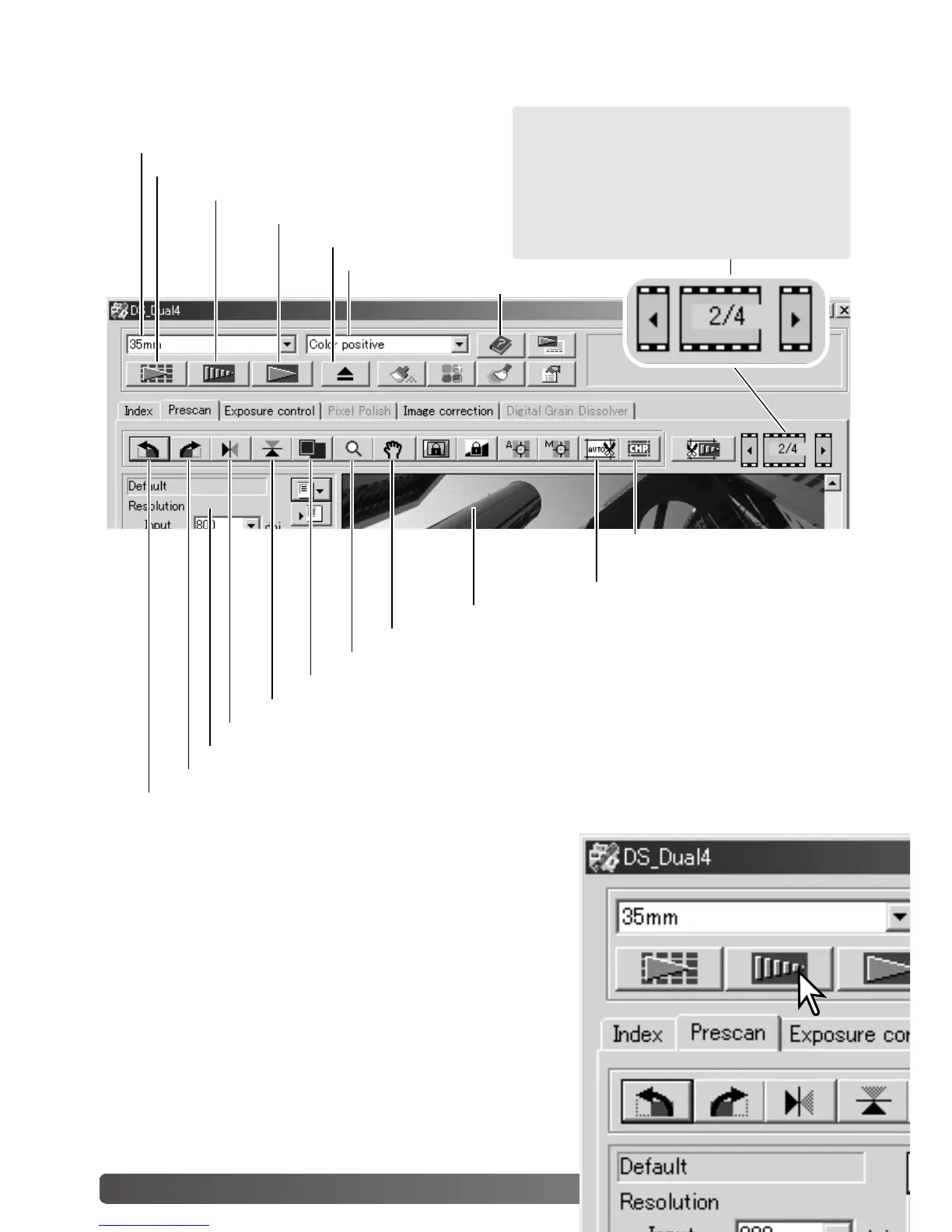
Main window and prescan tab
Film format
Index scan button (p. 30)
Prescan button
Scan button (p. 34)
Help
Rotate-right button (p. 31)
Rotate-left button (p. 31)
Flip-horizontally button (p. 31)
Flip-vertically button (p. 31)
Fit-to-window button (p. 31)
Scan-setting window (p. 34, 54)
Magnifying button (p. 33)
Grab button (p. 33)
Auto-cropping button (p. 33)
CHP button
(for APS film) (p. 33)
Making a prescan
When using an index scan, select the index frame to be
prescanned. Click the prescan button in the main window.
Double clicking on the index frame also activates the pre-
scan even if no thumbnail is displayed in the frame; the pre-
scan window is displayed automatically.
Eject button
Film type
Prescan display area
This display indicates the frame number
of the displayed image and the number
of images in the holder. Click the arrows
to load the previous or next image.



 To Next Page
 Loading...







