57
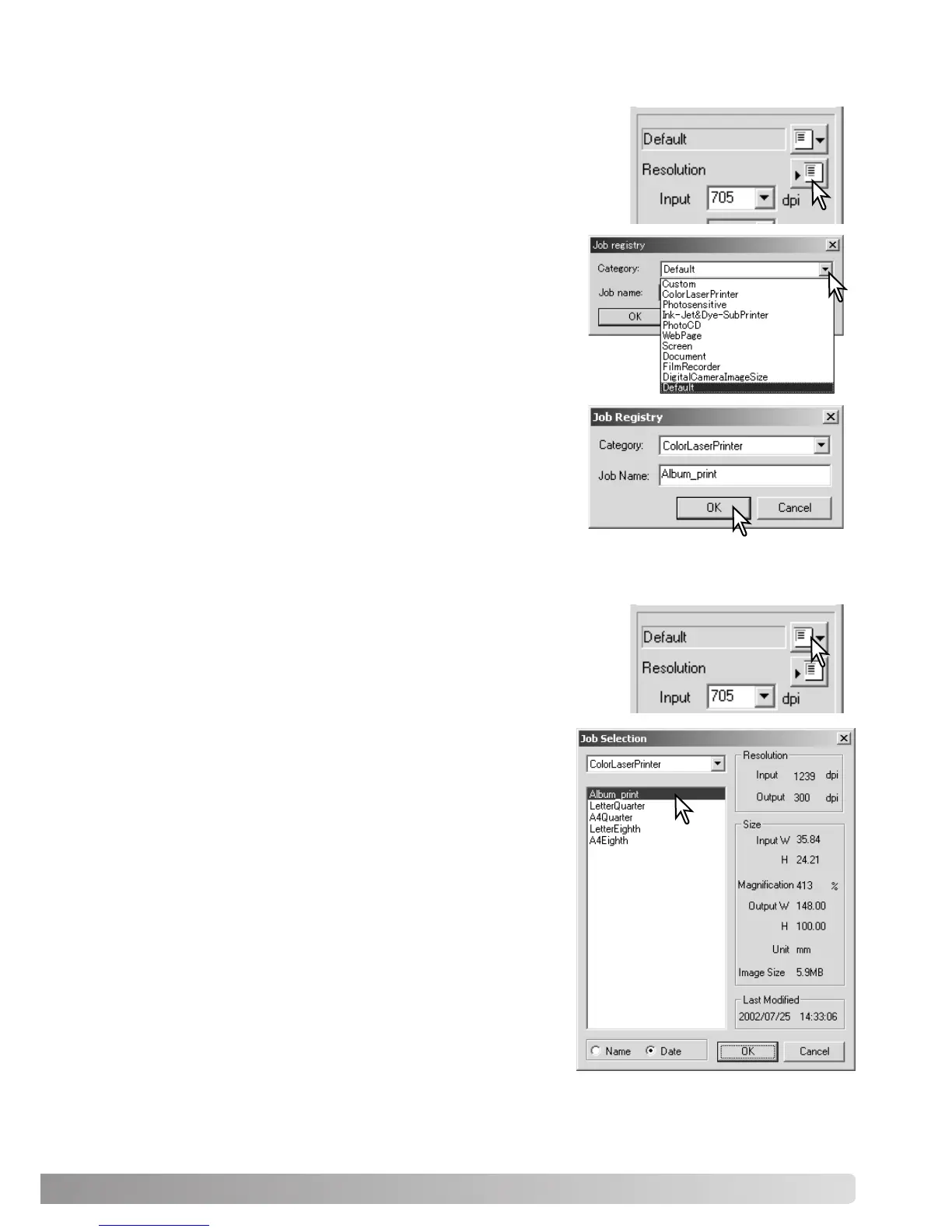
Frequently used scan settings can be saved.
With the settings to be saved in the scan setting window, click the
save Job button. The Job-registry dialog box will open.
Saving scan settings as a Job
Deleting a Job
Select the category in which to save the settings from the
drop-down menu.
Enter the Job name. Click OK to save the settings. The Job
file name can contain up to 24 characters. See page 34 to
load a Job.
Select the Job file to be deleted from the Job categories in
the selection window. Use the keyboard delete key to
erase the selected file.
Click the cancel button to close the window.
A Job file can be deleted. Once deleted, it cannot be recov-
ered.
Click the load Job button.



 To Next Page
 Loading...







