38
3
© 2020 KOSTAL Solar Electric GmbH
Installation
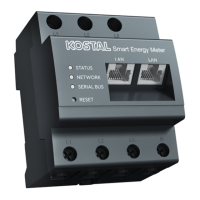
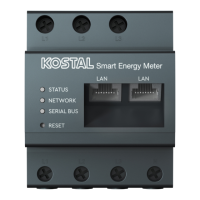
Install KOSTAL Smart Energy Meter as shown for home
consumption (position 1) or at the grid connection point
(position 2) in the home network.
Set up RS485 communication cable between inverter
and KOSTAL Smart Energy Meter and connect.
Establish LAN connection from KOSTAL Smart Energy
Meter and inverter to the Internet. As an option, the LAN
connection from the inverter can also be connected
directly to the KOSTAL Smart Energy Meter (switch
function).
In this variant, the KOSTAL Smart Energy Meter runs as
a slave and transmits data to the inverter.
The inverter does not have to be set up in the KOSTAL
Smart Energy Meter because it is pre-configured to the
Modbus RTU RS485 interface (A) as standard.
If changes are to be made to the settings, perform the
following steps:
1. Call up online interface of KOSTAL Smart Energy
Meter
Ch. 4.3
2. Call up Modbus configuration under Modbus
settings.
3. Select PIKO IQ/ PLENTICORE from drop-down list
Parameter Value
Interface RS485 A
Active slave Yes
Presetting PIKO IQ/PLENTICORE
Slave address 1
Baud rate 38400
Data bits 8
Parity None
Stop bit 2
4. Press “Save” button to accept settings.
H
The inverter has been set up.
INFO
The position of the KOSTAL Smart
Energy Meter is set in the inverter.
INFO
For details, see the inverter's operat-
ing manual and the KOSTAL Smart
Energy Meter's installation instruc-
tions.
INFO
When an inverter is selected, the pre-
defined default values are adopted.
These can be adapted if necessary.


 To Next Page