63
4
© 2020 KOSTAL Solar Electric GmbH
Operation and operating the device
4.7 Menu - tariff
Overview
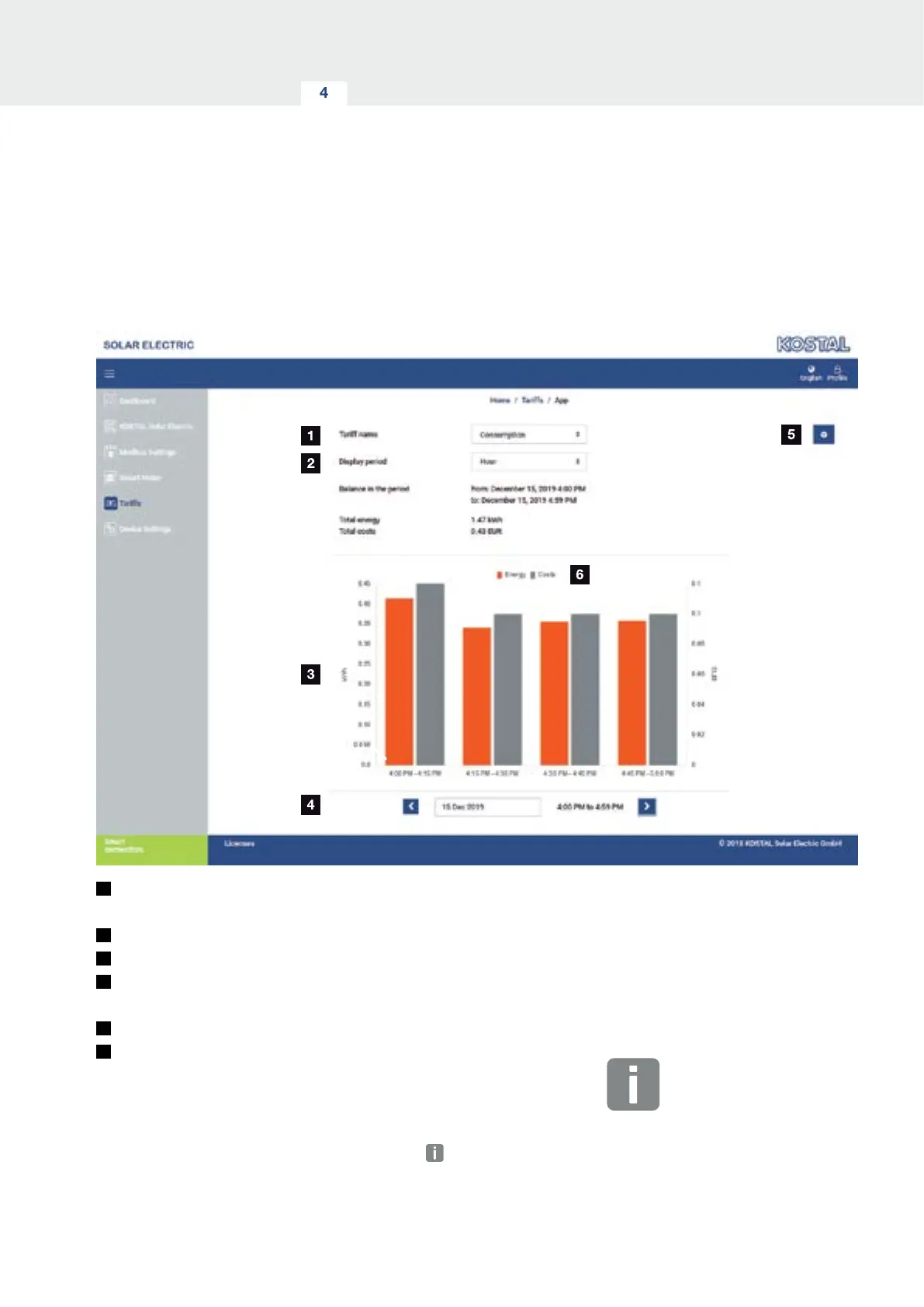
1
Switch between viewing feed-in and consumption
(purchase)
2
Select time period (hour, day, week, month, year)
3
Diagram
4
Select time period (view depends on choice of time
period view)
5
Call up tari settings
6
Show and hide the energy/costs by selecting them
via the key
Consumption and tari information for the feed-in and
consumption. The taris for feed-in and consumption
(purchase) are stated under the tari setting.
INFO
The diagram also shows the energy in
kWh and the costs in the configured
currency.


 To Next Page