43
3
© 2020 KOSTAL Solar Electric GmbH
Installation
When setting up, note the following installation order:
n
Switch o inverter by pressing DC switch
n
Switch o battery using main switch
n
Switch on battery using main switch
n
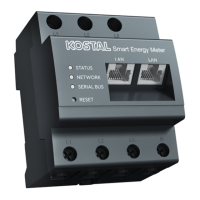
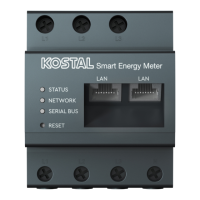
Set up inverter and battery in KOSTAL Smart Energy
Meter
n
Switch on inverter by pressing DC switch
The PIKO MP plus and battery must be set up in the
KOSTAL Smart Energy Meter.
Do this by performing the following steps:
1. Call up online interface of KOSTAL Smart Energy
Meter
Ch. 4.3
2. For a battery to be used with the PIKO MP plus,
thefunction for this must be released in the
KOSTALSmart Energy Meter. To do this, release the
battery management by going to Inverter > Activation
code.
3. Then you can set up the devices. To do this, go to
Inverter > Devices (manage the inverters used).
4. Use the plus symbol to add an inverter.
INFO
The battery must be assigned to a
DC input in the PIKO MP plus. This is
done in the PIKO MP plus by going to
Settings > Service > Inputs > DCx >
Battery.
INFO
If the battery is manually switched o
for any reason, observe the following
order for switching on:
n Switch o inverter
n Switch on battery
n Switch on inverter
INFO
Input of an activation code, e.g. to
connect a battery. This first has to be
purchased from the KOSTAL Solar
online shop.
INFO
When an inverter is selected, the pre-
defined default values are adopted.
These can be adapted if necessary.


 To Next Page