65
4
© 2020 KOSTAL Solar Electric GmbH
Operation and operating the device
Managing energy rates
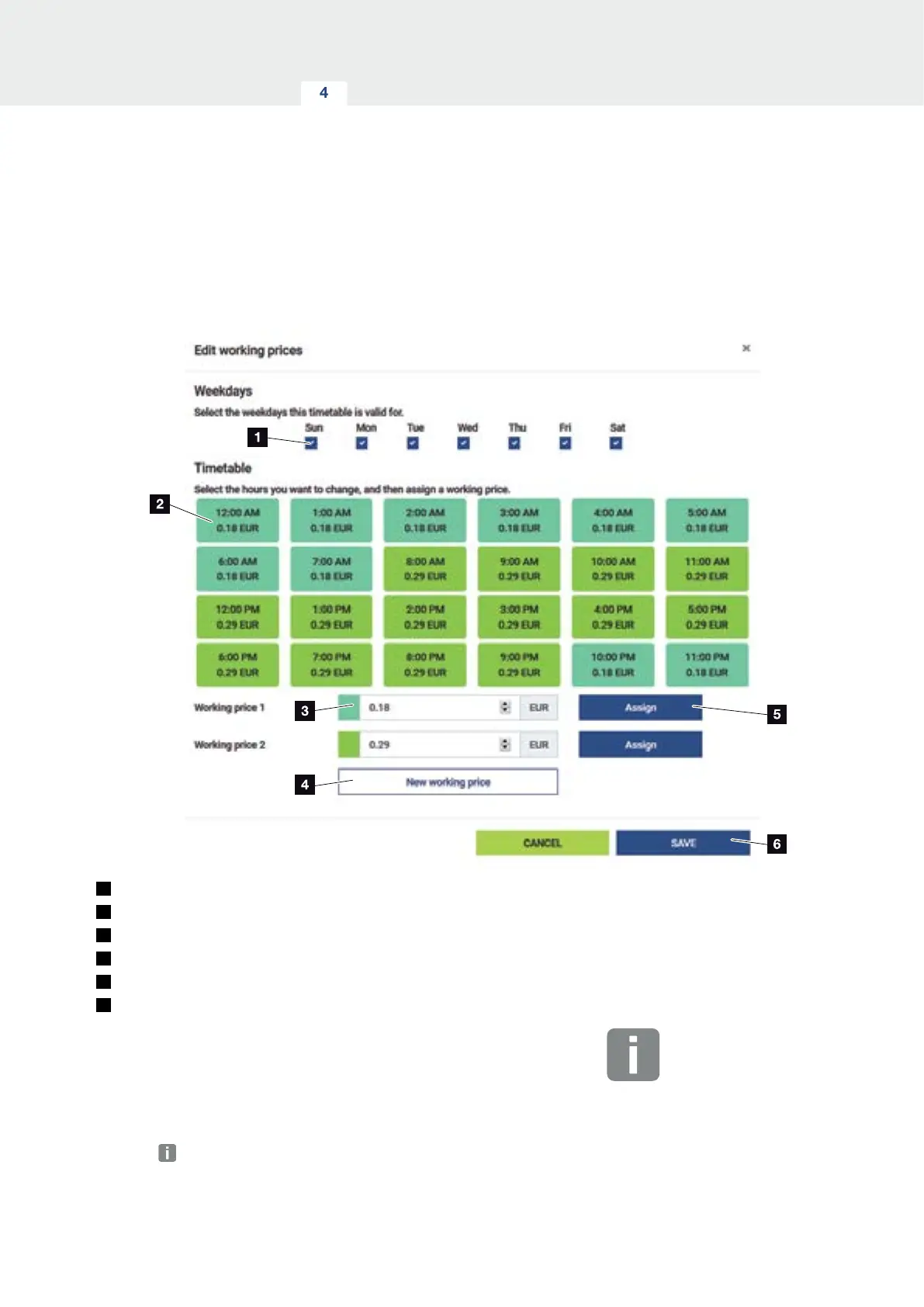
1
Choice of days for which the tari is to apply
2
Choice of time period for which the tari is to apply
3
Energy rate (tari) input
4
Create a new energy rate
5
Assign energy rate to the selected days/hours
6
Save settings
Start by entering an energy rate. Several rates can be
created for feed-in and consumption. Then select the
days and hours for which the energy rate is to apply and
assign these using the “Assign” button. The colours
indicate which energy rate/tari applies to which time
period.
INFO
If a created energy rate is not as-
signed a time window, it is automati-
cally deleted after saving.


 To Next Page