Activating Auto-Update
Auto-update performs an automated daily check for new versions of the Kramer Control
agent and/or services. When a new version is available, Auto-Update downloads and installs
the package.
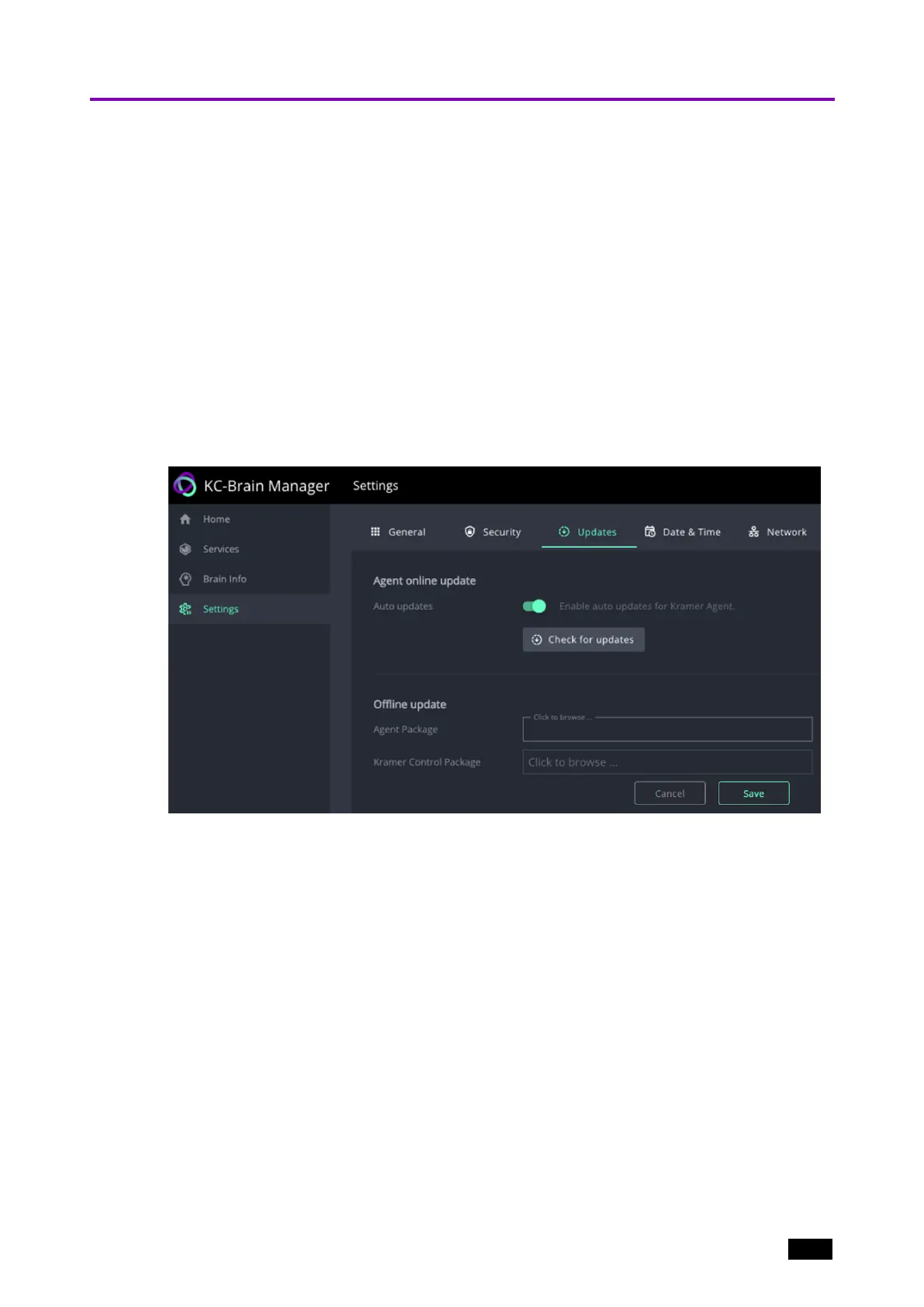
1. Navigate to Settings and select the Updates tab.
2. Slide the Kramer Software Updates slider to the right, it turns green.
3. You can also use this screen to manually upload update packages:
l
Agent Package – An update package for the Docker Services (that run the Kramer
Control Brain).
l
Kramer Control Package – An offline update for the Kramer Control Brain (that runs
inside a Docker Service).
Figure10: The Settings > Updates page.
Kramer Electronics Ltd.
KC-Virtual Brain1 - Essential First Steps 16



 To Next Page