l
Brain ID – The Docker container’s name and ID.
l
Provisioned Status – Provisioned or Unprovisioned.
l
Space Name – Name of the meeting room in which the Brain is interfacing
with a control device.
l
Publishing Status – Status of the latest Kramer Control Interface definitions
that were published to the room device.
l
Last Sync Time – Time of the last sync between the Brain and the room
device.
l
Last Publish Time – Last time that interface definitions were sent to the room
device.
l
Forced Active Offline – User controlled slider, when on, the Brain will
disconnect from the room device, even if a connection is available.
l
Buttons:
o
Open Control – If the Brain is online, will open the Kramer Control Manager
in a separate page.
o
Sync – If the Brain is online, will connect to the Kramer Control Manager to
download the latest room interface settings.
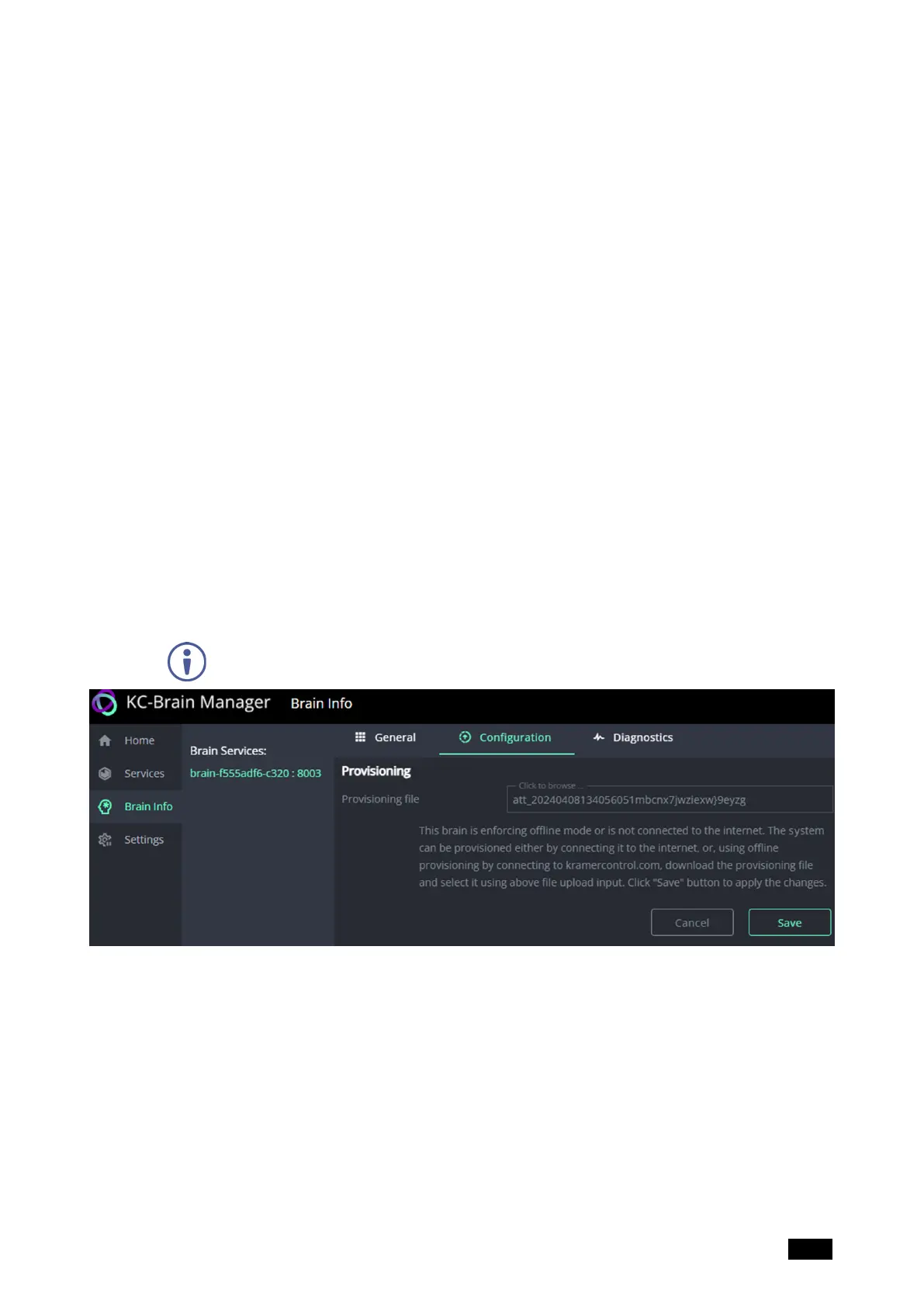
Brain Info – Configuration tab
The Configuration tab is used to upload provisioning files (if the Brain is offline) or enter
provisioning codes (if the Brain is online) received from Kramer Control.
In the Brain Info page, a Brain must be selected in the Brain Services column
before the tabs are displayed.
Figure15: The Brain Info page’s Configuration tab
Save only appears if a value is entered in the file/code entry field.
Kramer Electronics Ltd.
KC-Virtual Brain1 - The Management Pages 21



 To Next Page