The Brain Info Page
Brain Info shows Brain specific information for a user-selected Brain. Brain Info can
be accessed directly from the Services page (it opens directly on the selected Brain)
or by selecting a Brain in the Brain Info’s Brain Services list. The selected Brain will
be green if it is running, red if it is not.
The Brain Info page has 3 tabs:
1.
General – Displays Brain Information and can be used to connect to the Kramer
Control Manager.
2. Configuration – The Provisioning tab. Use to provision the Brain with codes or files
downloaded from Kramer Control Manager.
3. Diagnostics – The Diagnostics tab can be used to view or download the Brain’s logs and
events.
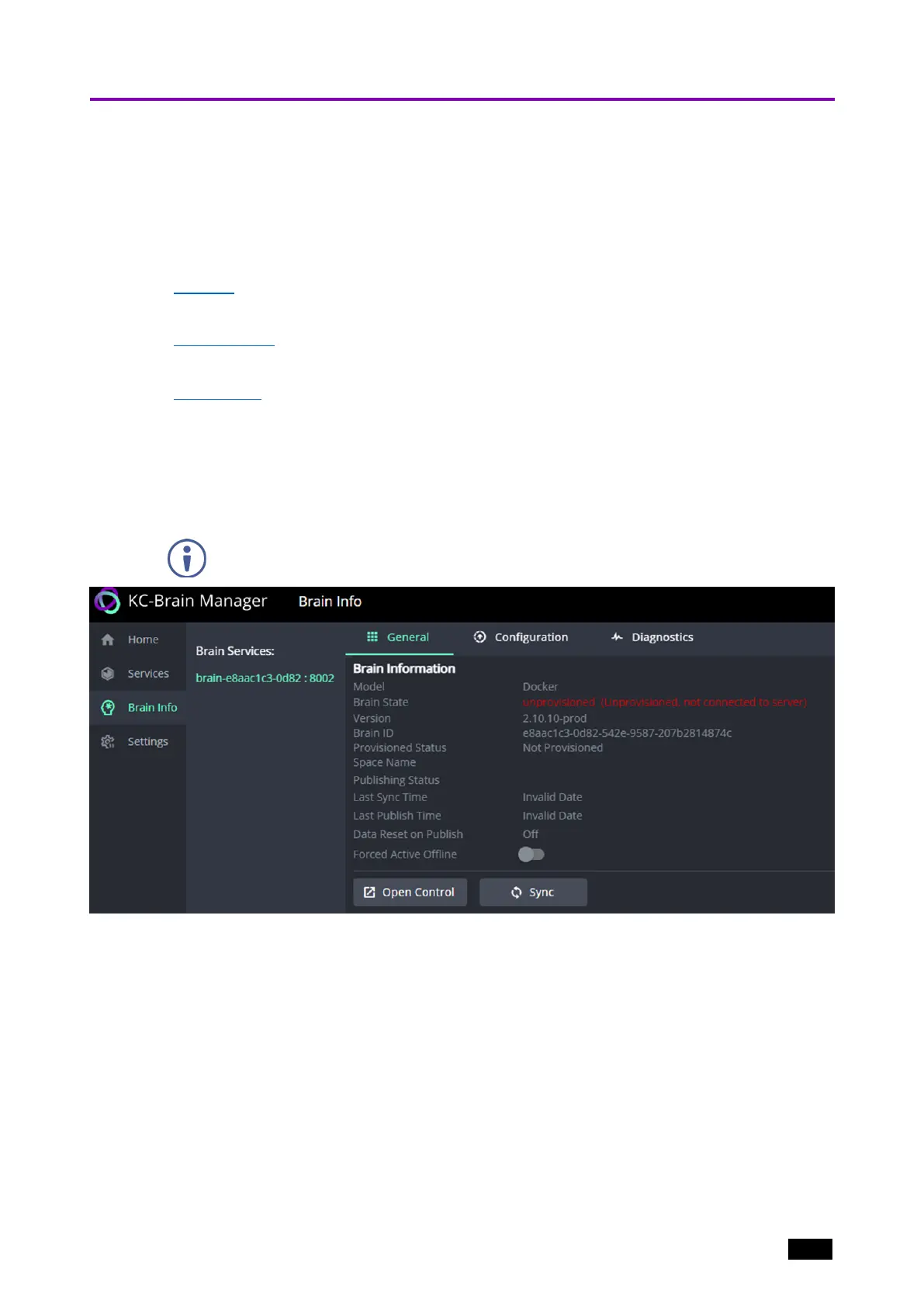
Brain Info – General tab
Brain Information displayed by the General tab.
In the Brain Info page, the Brain must be selected in the Brain Services column
before the tabs are displayed.
Figure14: Brain Info page, General tab
l
Model – “Docker”.
l
Brain State –
o
Active_Online (All gateways and devices are connected)
o
Active_Online (No gateways are connected)
o
Active_Offline
o
Unprovisioned (Ready for provisioning)
o
Unprovisioned (Not connected to server)
l
Version – Software version of the Brain.
Kramer Electronics Ltd.
KC-Virtual Brain1 - The Management Pages 20



 To Next Page