Updating the Firmware
To update the firmware:
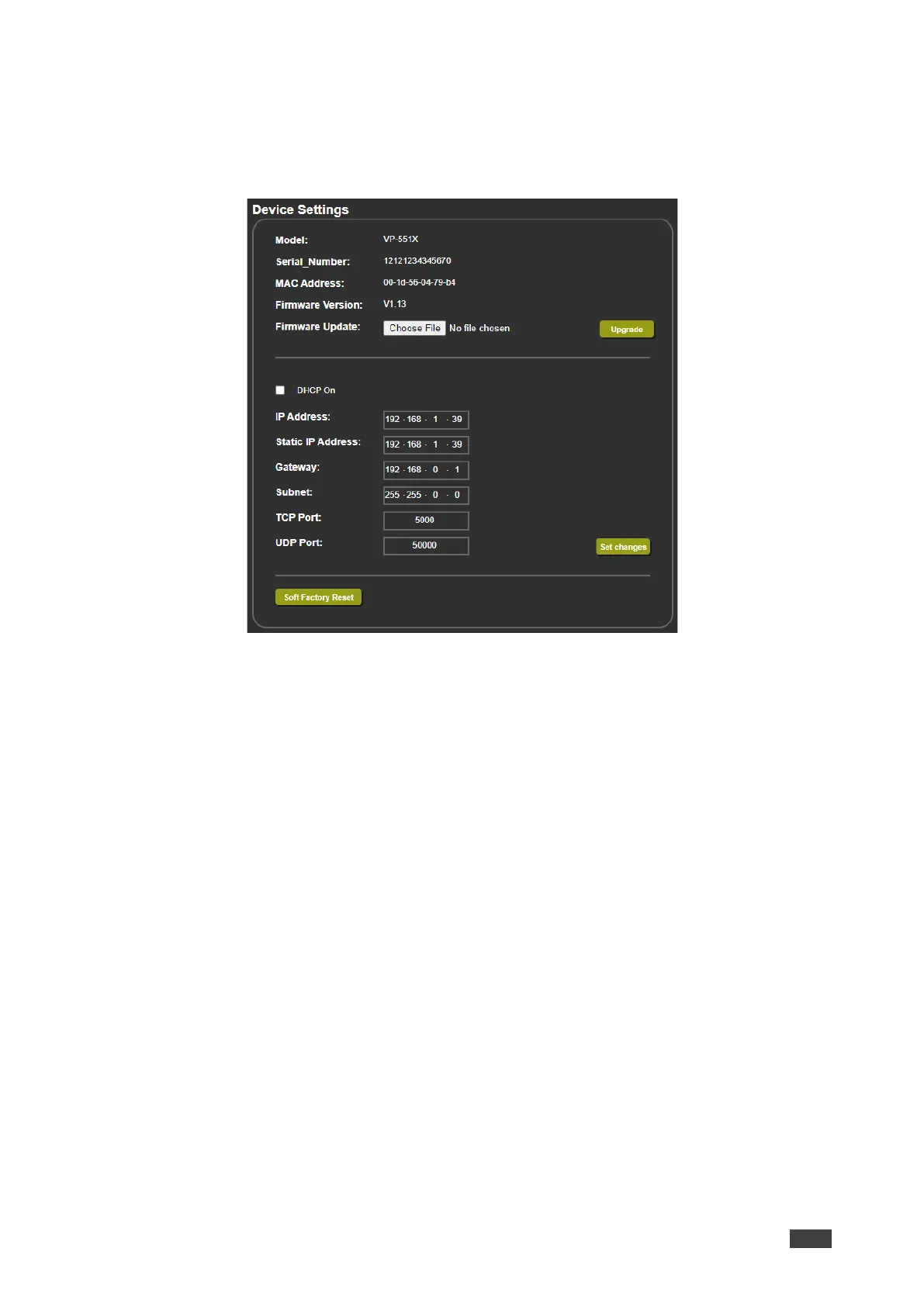
1. In the Navigation pane, click Device Settings. The Device Settings page appears.
Figure 18: Device Settings Page
2. Click Choose File. An Open window appears.
3. Select the correct firmware file.
4. Click Open. The selected file appears in the Firmware Update field.
5. Click Upgrade.
The new firmware is uploaded, the firmware is upgraded and the system restarts.
Upon completion, the webpage refreshes.


 To Next Page