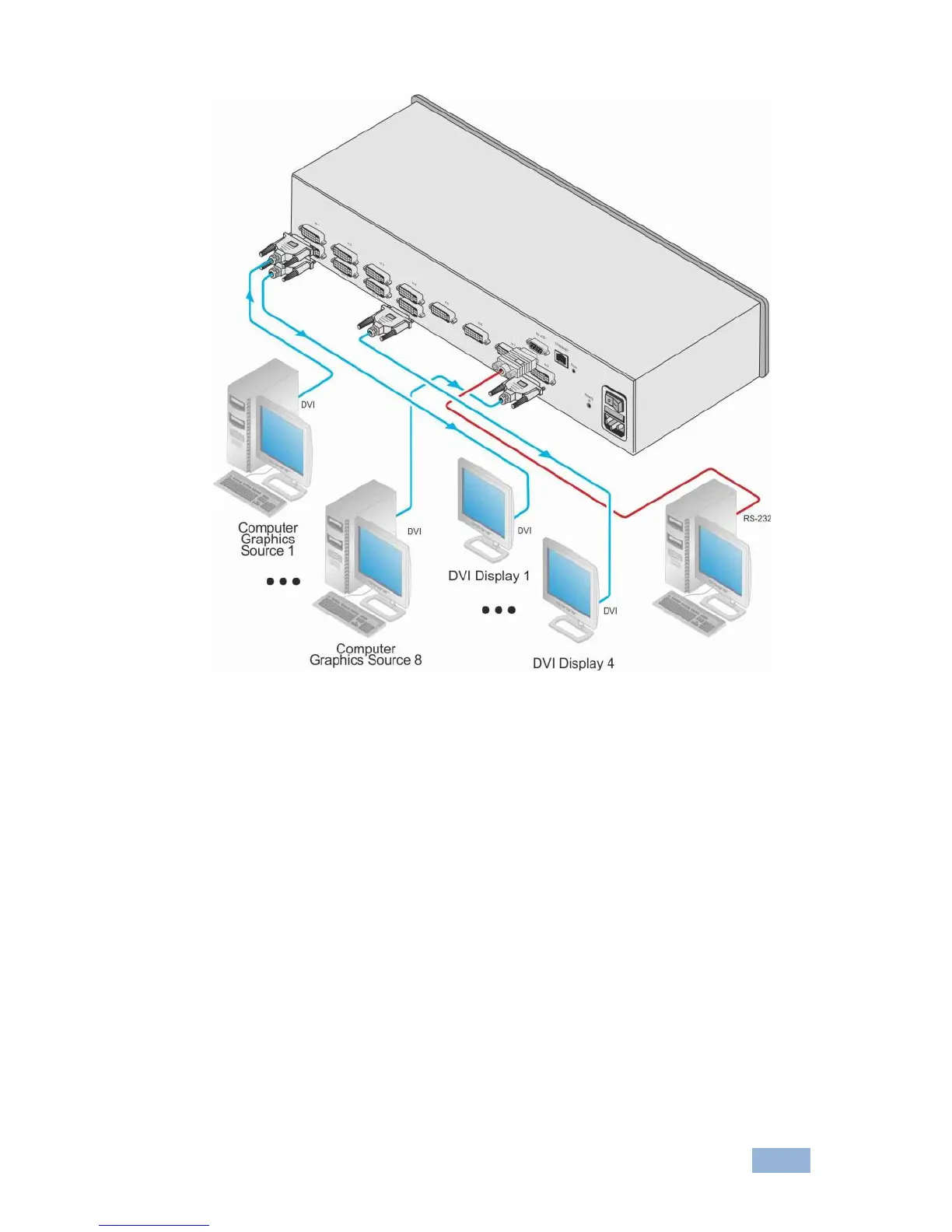
Figure 3: Connecting to the VS-84HDCPxl Rear Panel
5.1 Connecting to the VS-84HDCPxl via RS-232
You can connect to the VS-84HDCPxl via an RS-232 connection using, for
example, a PC. Note that a null-modem adapter/connection is not required.
To connect to the VS-84HDCPxl via RS-232:
Connect the RS-232 9-pin D-sub rear panel port on the VS-84HDCPxl unit
via a 9-wire straight cable (only pin 2 to pin 2, pin 3 to pin 3, and pin 5 to pin
5 need to be connected) to the RS-232 9-pin D-sub port on your PC


 To Next Page