- 7 -
- 7 -
1.5.2 LCD Operation instruction
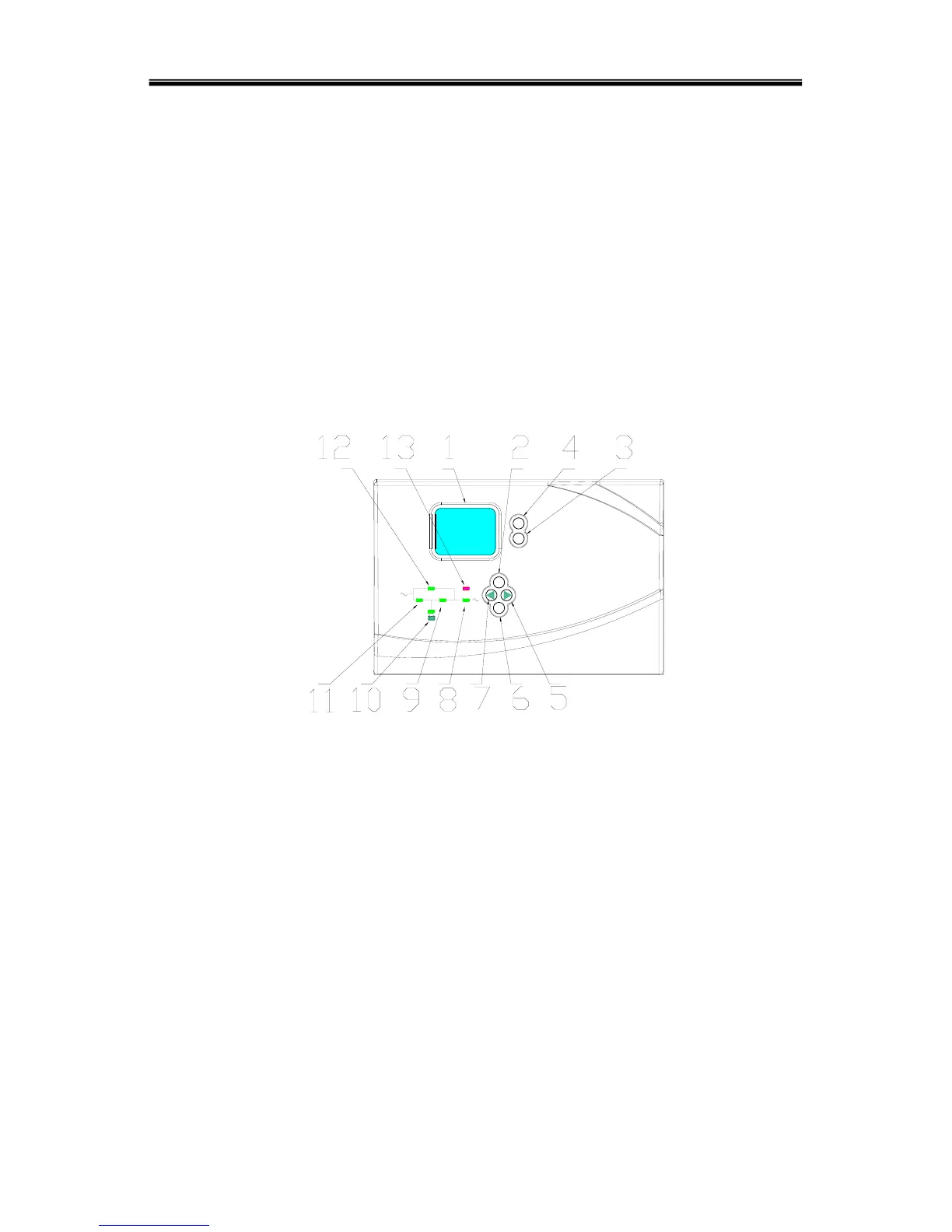
The LCD control panel which consists of LCD display board, LED and buttons(see
Fig1-3) displays and controls these information including operating information, alarm
information, function setting information.
LCD control panel
1) Five green LED and one red LED
2) LCD control panel which can display four lines of English
3) Buttons: On, Off, ESC, Enter, and Left & Right
ON
O
FF
ESC
ENT
BYPASS
RECT INV OUTPUT
FAULT
Fig.1-3 LCD control panel introduction
1. LCD Display Board
2. ESC
3. Off button
4. On button
5. right or down
6. Enter
7. left or up
8. Output Indicator
9. Inverter Indicator
10. Battery Indicator
11. Mains (AC) Indicator
12. Bypass Indicator
13. Fault Indicator



 To Next Page