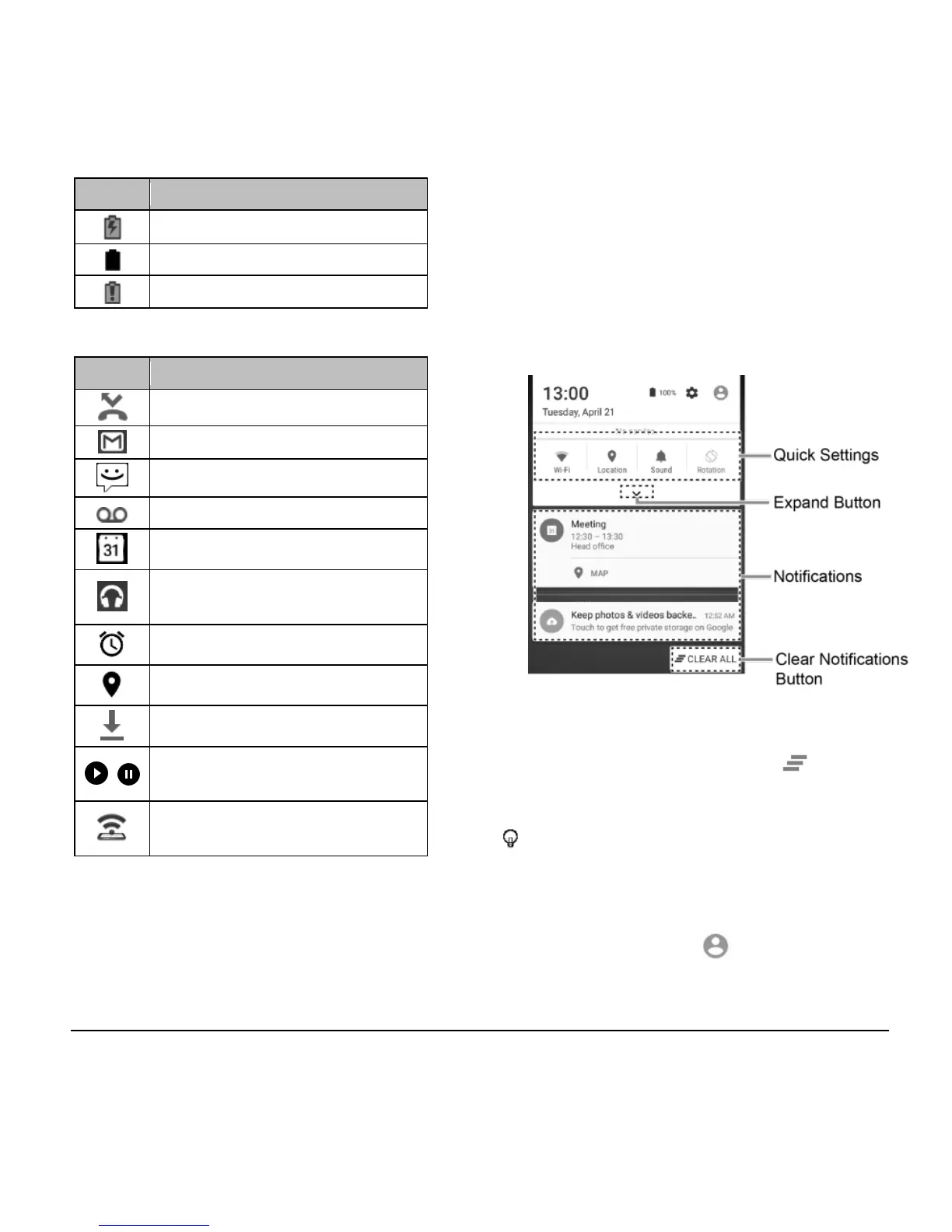
Notifications Panel
Open the Notifications panel to view the
Quick Settings panel and a list of your
current notifications.
To open the Notifications panel:
► Swipe down from the top of the screen.
● When you are finished with a notification,
swipe it away to the left or right.
● To clear all notifications, tap CLEAR
ALL at the very bottom of the
notifications list.
Tip: You can control what notifications
show on your screen when your phone
is locked. See “Notification Settings” on
page 78 for details.
● Tap the profile icon at the top right to
see the profiles.












 To Next Page