Phone Calls 21
3 Phone Calls
Make Phone Calls
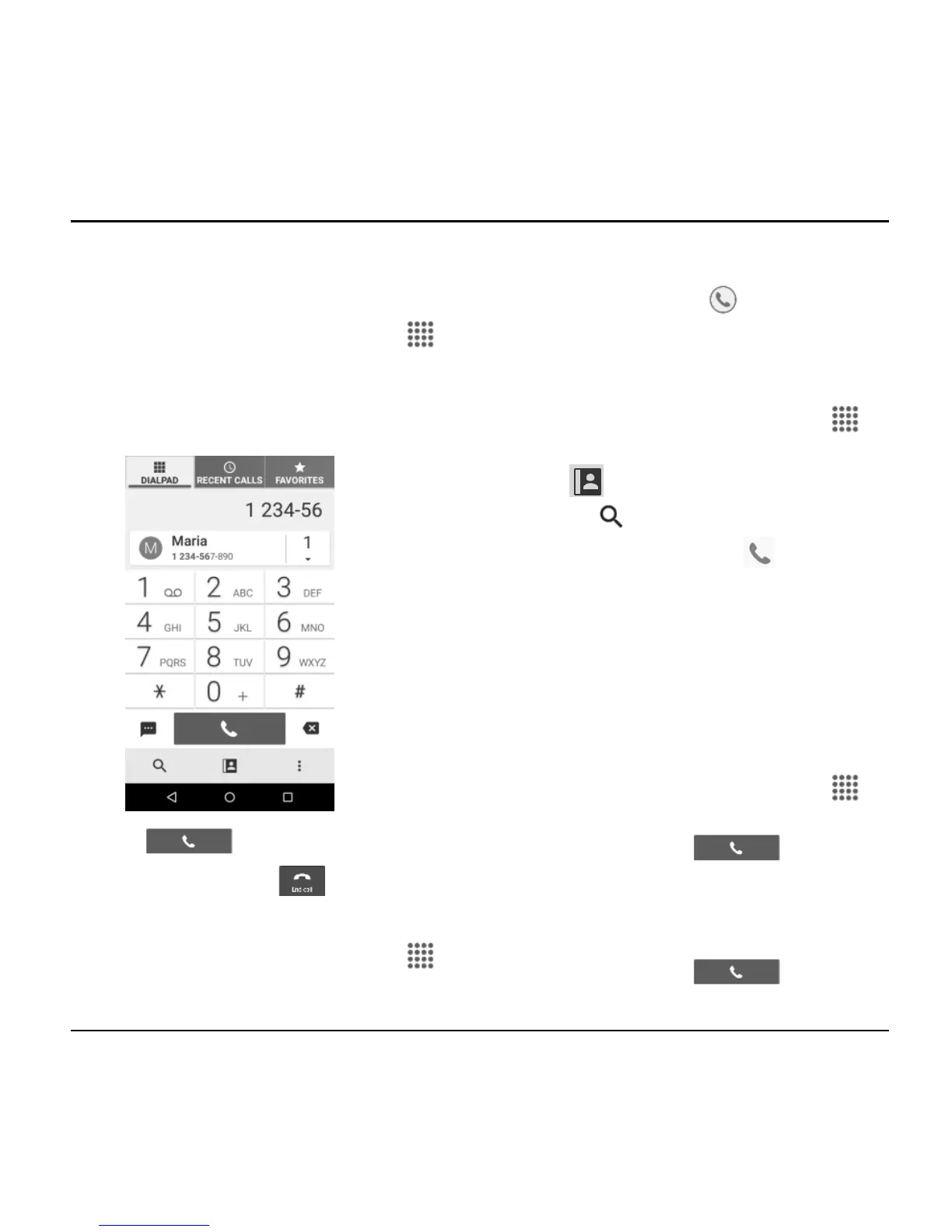
Call Using the Phone Dialpad
1. From the Home screen, tap Apps >
Phone > DIALPAD tab to display the
phone dialpad.
2. Tap the number keys on the dialpad to
enter the phone number.
3. Tap to call the number.
4. To end the call, tap .
Call from Recent Calls
1. From the Home screen, tap Apps >
Phone to display the phone app.
2. Tap the RECENT CALLS tab to display
the recent calls list.
3. Tap the Phone icon next to the
name or number you want to place a
call.
Call from Contacts
1. From the Home screen, tap Apps >
Phone to display the phone app.
2. Tap to display the Contacts list.
Tap to search for your contact.
3. Tap the contact and tap .
For additional information on
contacts, see “Contacts” on page 31.
Call an Emergency Number
You can place calls to 9-1-1 even if the
phone’s screen is locked or your account is
restricted.
To call the 9-1-1 emergency number:
1. From the Home screen, tap Apps >
Phone > DIALPAD.
2. Enter 911 and tap .
To call the 911 emergency number when
the screen is locked:
1. Tap EMERGENCY CALL on the screen.
2. Enter 911 and tap .












 To Next Page