Page | 10
Professional Remote Monitoring Station
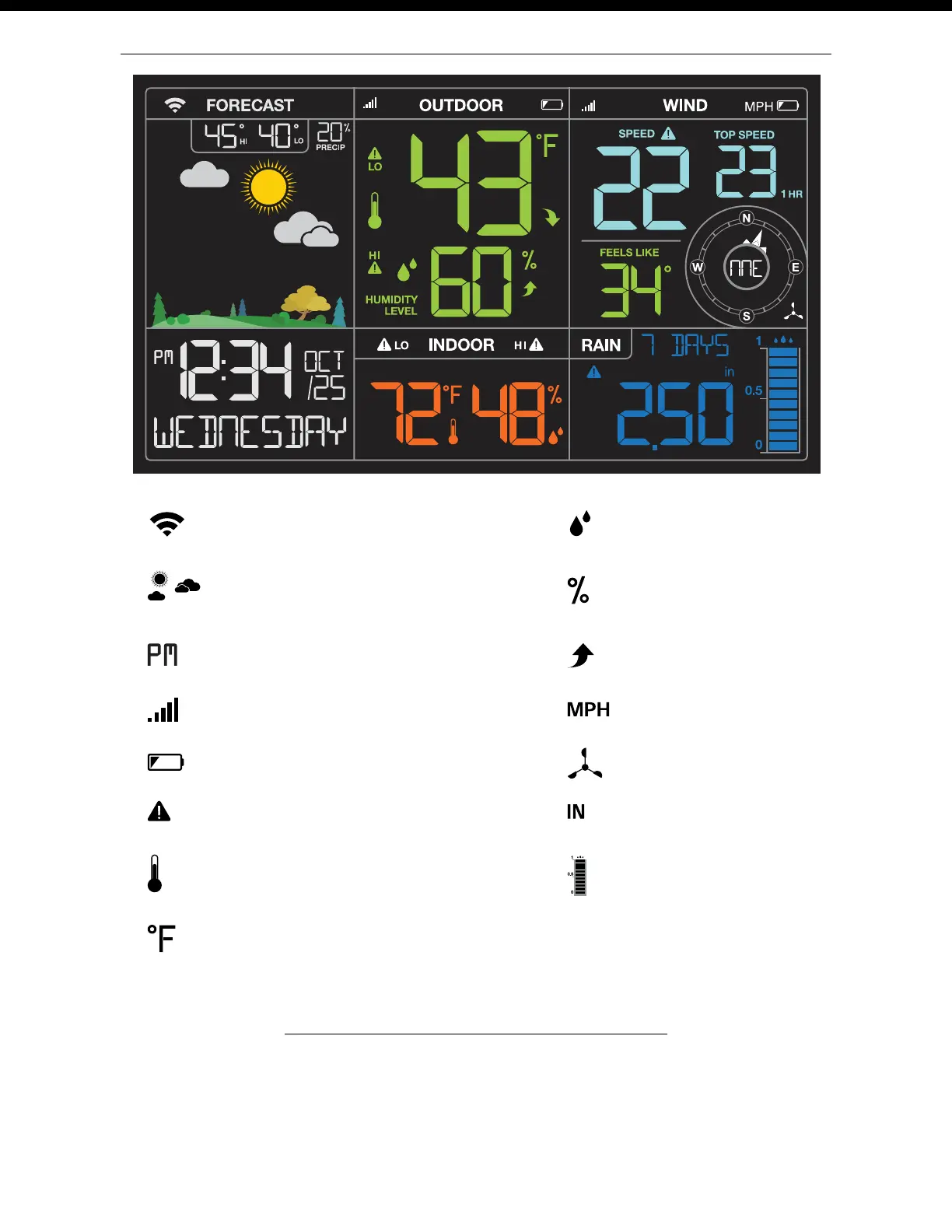
Your Weather Station Features: Connected or Standalone
Weather Forecast Icons
Low Battery Icons
Inches or Millimeters of Rain
Wind Speed Icon
Miles or Kilometers - Wind Speed
Wi-Fi Indicator Icon
Sensor Reception Icon
Trend Arrows
Fahrenheit or Celsius - Temperature
Percentage - Relative Humidity
Relative Humidity Icon
Temperature Icon
AM | PM Indicators
HI | LO Alert Icons
Rain Graph
Backlight Brightness (5 levels)
Your station has 5 levels of brightness for the backlight:
• When operating with the power cord, press and release the LIGHT button to adjust the backlight:
Intensity Levels: 0% | 5% | 20% | 50% | 100%
• When operating on battery power only, press the LIGHT button to activate the backlight for 10 seconds
at 100% brightness.















 To Next Page