Page | 13
Professional Remote Monitoring Station
Reset Rainfall Readings
1. Press the RAIN button to view individual rain readings.
2. Hold the MINUS button for five seconds to reset the individual value.
3. Rainfall reading will reset to 0.00
4. Press and release the LIGHT button, or wait 20 seconds to return to a full, normal display.
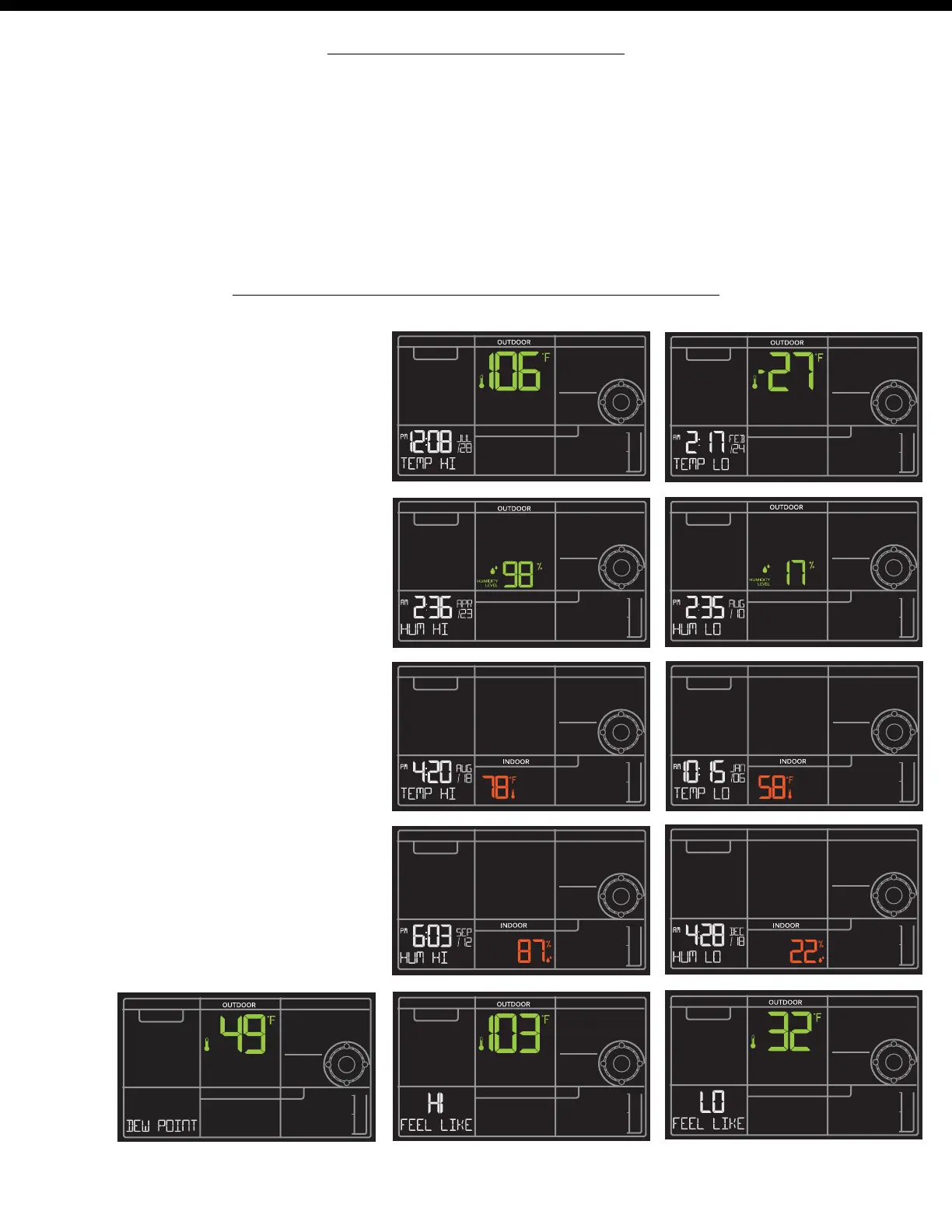
HI | LO Temperature/Humidity Records
• Press and release the TEMP button to
view your HI and LO records with time
and date of occurrence.
• A new HI or LO record will replace the
existing record.
Viewing order:
• Outdoor HI Temp with Time/Date
• Outdoor LO Temp with Time/Date
• Outdoor HI Humidity with Time/Date
• Outdoor LO Humidity with Time/Date
• Indoor HI Temp with Time/Date
• Indoor LO Temp with Time/Date
• Indoor HI Humidity with Time/Date
• Indoor LO Humidity with Time/Date
• Feels Like HI
• Feels Like LO
• Outdoor Dew Point















 To Next Page