
 Need help?
Do you have a question about the Lab.gruppen IPD SERIES and is the answer not in the manual?
Essential safety guidelines, product compliance, and explanation of graphic symbols.
Critical warnings regarding electrical hazards, moisture, and proper grounding for safe operation.
Guidelines for unpacking, checking for damage, and saving packing materials.
Details on IPD dimensions, cooling, universal power supply, and grounding.
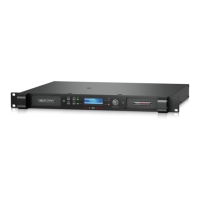
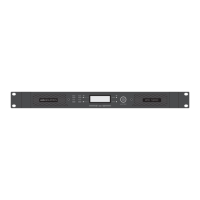
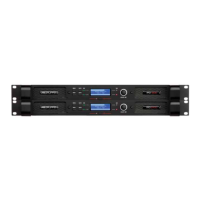
Overview of front panel elements: MENU, BACK, MUTE, SIG, POWER, LIM, ADJUST/SET, and display.
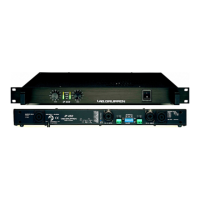
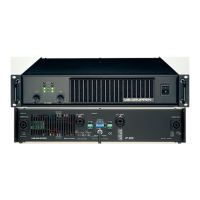
Description of rear panel connectors: Analog/AES3 Inputs/Links, Network, SpeakON, Binding Posts, AC Input.
Information on analog inputs (XLR-F) and AES3 digital inputs (XLR-F), including link outputs.
Explanation of Neutrik speakON and binding post speaker output connectors and bridge mode warning.
Description of default DSP configuration and the signal flow diagram.
How to configure DSP using front panel controls (Menu, Back, Adjust/Set).
Information on obtaining IntelliDrive Controller software for Mac/PC and iPad app.
Setting up IPD amplifiers on a network and using IntelliDrive Controller for DSP adjustments.
Functions in Global view (device management) and Device Header (status/control).
Functions in Input Mixer (setup, mixing) and Levels views (input/output levels).
Capabilities of the Input EQ (parametric, HPF, LPF, delay) and Crossover views.
Capabilities of the Output EQ view: parametric EQ, HPF, LPF, delay.
 General
| Amplifier Class | Class D |
|---|---|
| Channels | 2 |
| Power Output (per channel) | 1200W @ 4Ω, 2400W @ 2Ω |
| Total Harmonic Distortion | <0.1% |
| Signal to Noise Ratio | > 100 dB |
| DSP | Available on DSP models (IPD 2400 DSP, IPD 1200 DSP, IPD 750 DSP) |
| Network Control | Ethernet, TCP/IP |
| Cooling | Temperature-controlled fan |
| Input Impedance | 20kΩ balanced |
| Connectors | XLR |
| Power Supply | Universal 100-240V, 50/60Hz |
| Protection | Short circuit, DC voltage, over temperature, current limit, mains overvoltage protection |



 To Next Page