Activity Guide
Tech-Design by Lab-Volt 7
Automation & Robotics Basic Robotics
Motion Tab
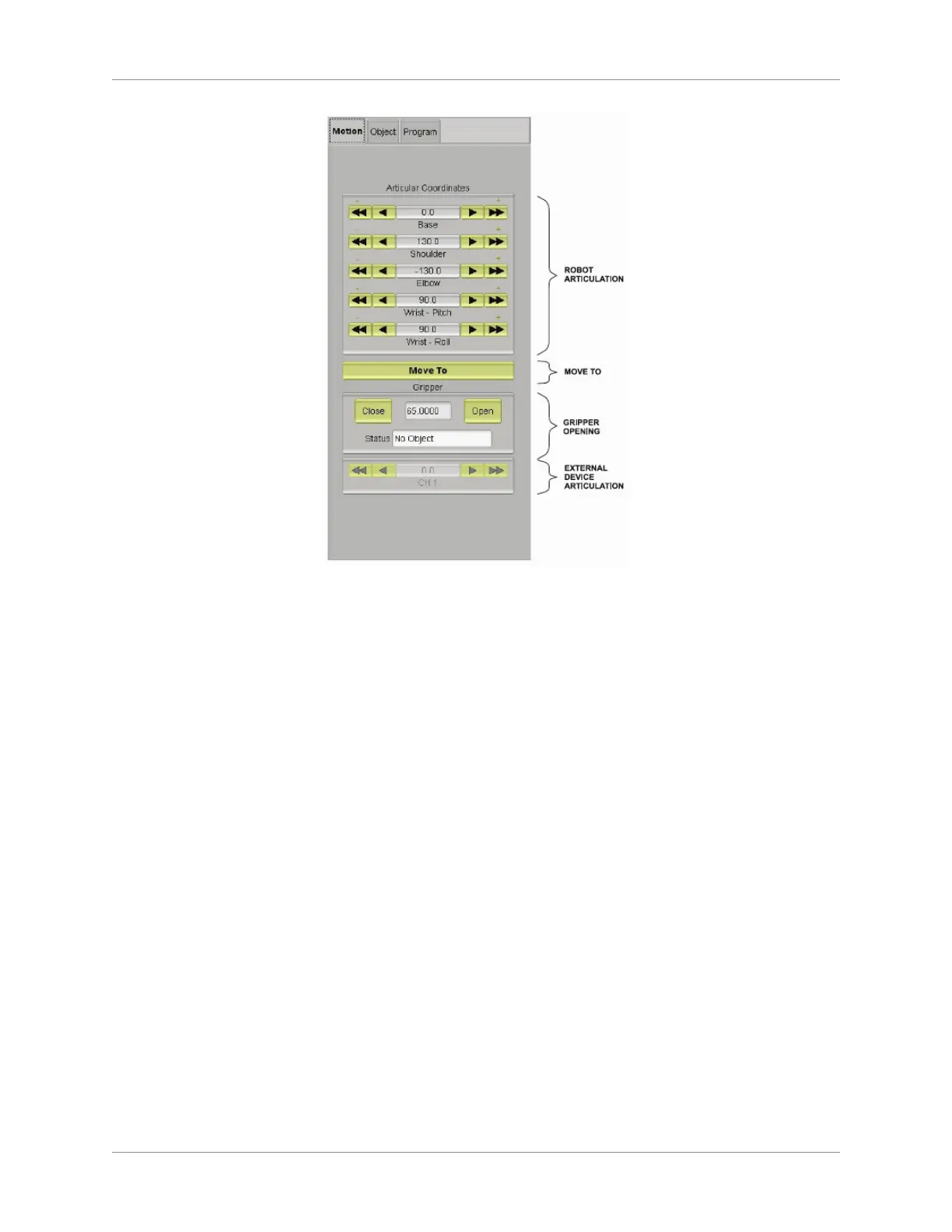
Experiment with rotation of the robot shoulder in the clockwise and counterclockwise direction by 5.
clicking the arrows for the Base articulation in the Articular Coordinates section. (Note: the single
arrows provide a slower speed; the double arrows provide a fast speed for long moves.)
Observe the rotation of the robot shoulder in the view display area. Then return the shoulder to its 6.
initial location.
To move the upper arm of the robot up and down, use the arrows for the Shoulder articulation. 7.
Observe the motion of the upper arm in the view display area, then return the upper arm to its initial 8.
position.
Experiment with moving the forearm of the robot up and down by using the arrows for the Elbow 9.
articulation. Then return the forearm to its initial position.
To move the gripper of the robot up and down, use the arrows for the Wrist Pitch articulation. 10.
Once again, return the gripper to its initial position. Experiment with the arrows for the Wrist Roll
articulation too.
To open and close the robot gripper, click and hold the Close button in the Gripper section. Then 11.
click and hold the Open button.
RoboCIM Control Mode
You will now move the robot in the Control Mode.
Turn on the power supply of the robot and wait until the green LED at the rear of the robot base 1.
stops ashing and the red LED turns off.
Change the mode to Control. If a dialog box appears indicating a hard home positioning has not 2.
been done, click Do hard Home to accept and close the box.



 To Next Page